.NET Dependency Injection Under the Hood: Lifetimes, Performance, Lazy Resolution, and When Autofac Actually Makes Sense
- Home
- .NET Dependency Injection Under the Hood: Lifetimes, Performance, Lazy Resolution, and When Autofac Actually Makes Sense

Dependency Injection in .NET is often taught as “register services, inject constructors, done.” That is enough to start, but not enough to design large systems.
At architecture level, DI is not just syntax. It is object graph composition, lifetime ownership, disposal policy, startup behavior, runtime performance, testability, modularity, and sometimes even tenant isolation. A DI container can either keep your system clean and explicit, or quietly become a global service locator with hidden lifetime bugs.
This paper explains three things:
First, how the built-in .NET DI container works conceptually and internally.
Second, how to optimize and use it correctly.
Third, when the built-in provider is not enough and a richer container such as Autofac becomes justified.
The factual boundary is official documentation: Microsoft Learn, official .NET runtime source, and official Autofac documentation.
The official Microsoft position is clear: .NET supports the Dependency Injection design pattern as a built-in framework feature, alongside configuration, logging, and the options pattern. Services are registered into IServiceCollection; after registrations are added, BuildServiceProvider creates the service container; dependencies are normally injected through constructors; and the framework takes responsibility for creating and disposing dependency instances when they are no longer needed. (Microsoft Learn)
The built-in container officially supports three service lifetimes: Transient, Scoped, and Singleton. Microsoft states that services can be registered with one of these three lifetimes and that the appropriate lifetime should be chosen for every registered service. (Microsoft Learn)
The default container should be the starting point. Microsoft says the built-in service container is designed for the framework and most consumer apps, and recommends using it unless a specific unsupported feature is required. Microsoft’s examples of unsupported features include property injection, child containers, custom lifetime management, Func<T> support for lazy initialization, and convention-based registration. Autofac is listed by Microsoft as one of the third-party containers usable with ASP.NET Core. (Microsoft Learn)
In this paper, “DI container types” means the built-in .NET DI categories: lifetimes, registration shapes, scopes, keyed services, and replacement-container scenarios. “Custom container” means replacing the default Microsoft.Extensions.DependencyInjection service provider with a richer provider such as Autofac, not writing a DI container from scratch.
In a well-designed .NET application, a business service does not directly create its dependencies. It asks for abstractions in its constructor. The composition root, usually application startup, defines which implementations satisfy those abstractions.
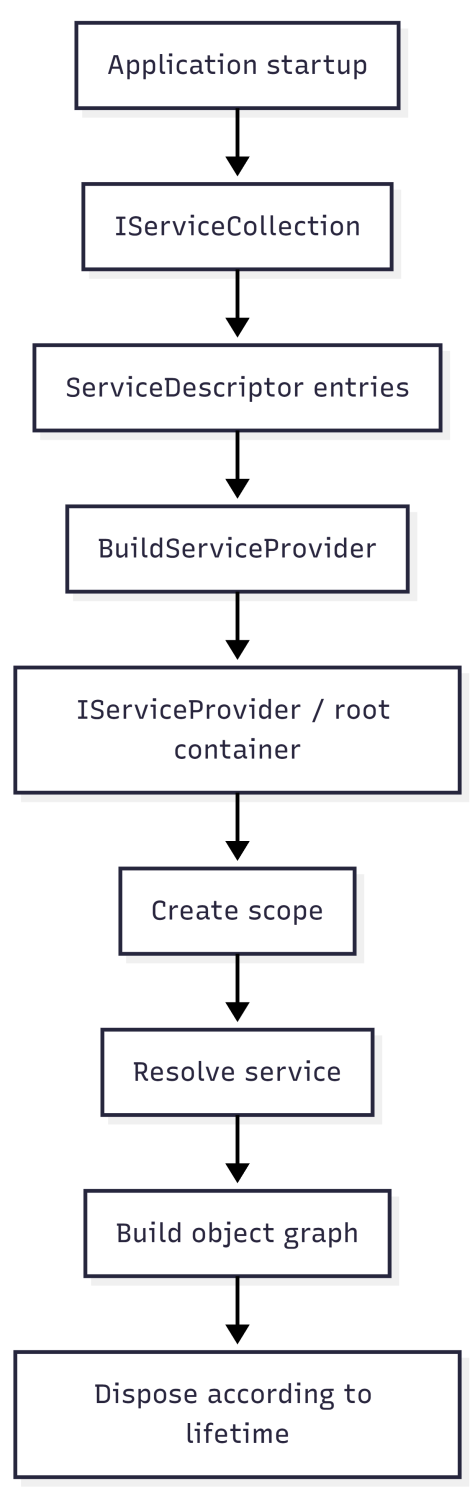
The official core pieces are:
IServiceCollection is the mutable registration collection.
ServiceDescriptor is the registration record. Microsoft states that IServiceCollection is a collection of ServiceDescriptor objects, and the Add{LIFETIME} methods use the same descriptor-based model. (Microsoft Learn)
IServiceProvider is the built service container. The official runtime source names ServiceProvider as “the default IServiceProvider.” (source.dot.net)
IServiceScope and IServiceScopeFactory define scope boundaries. In the official runtime source, ServiceProviderEngineScope implements IServiceScope, IServiceProvider, IKeyedServiceProvider, IAsyncDisposable, and IServiceScopeFactory, which means a scope is both a lifetime boundary and a resolving provider. (source.dot.net)
The important idea: DI is not just “get me a class.” It is “build the right object graph, from the right scope, with the right lifetime, and dispose it at the right time.”
A transient service is created every time it is requested from the service container. Microsoft also notes that in request-processing apps, transient services are disposed at the end of the request and that this lifetime incurs per-request allocations because services are resolved and constructed every time. (Microsoft Learn)
Use transient for lightweight, stateless services where a fresh instance is cheap and safe.
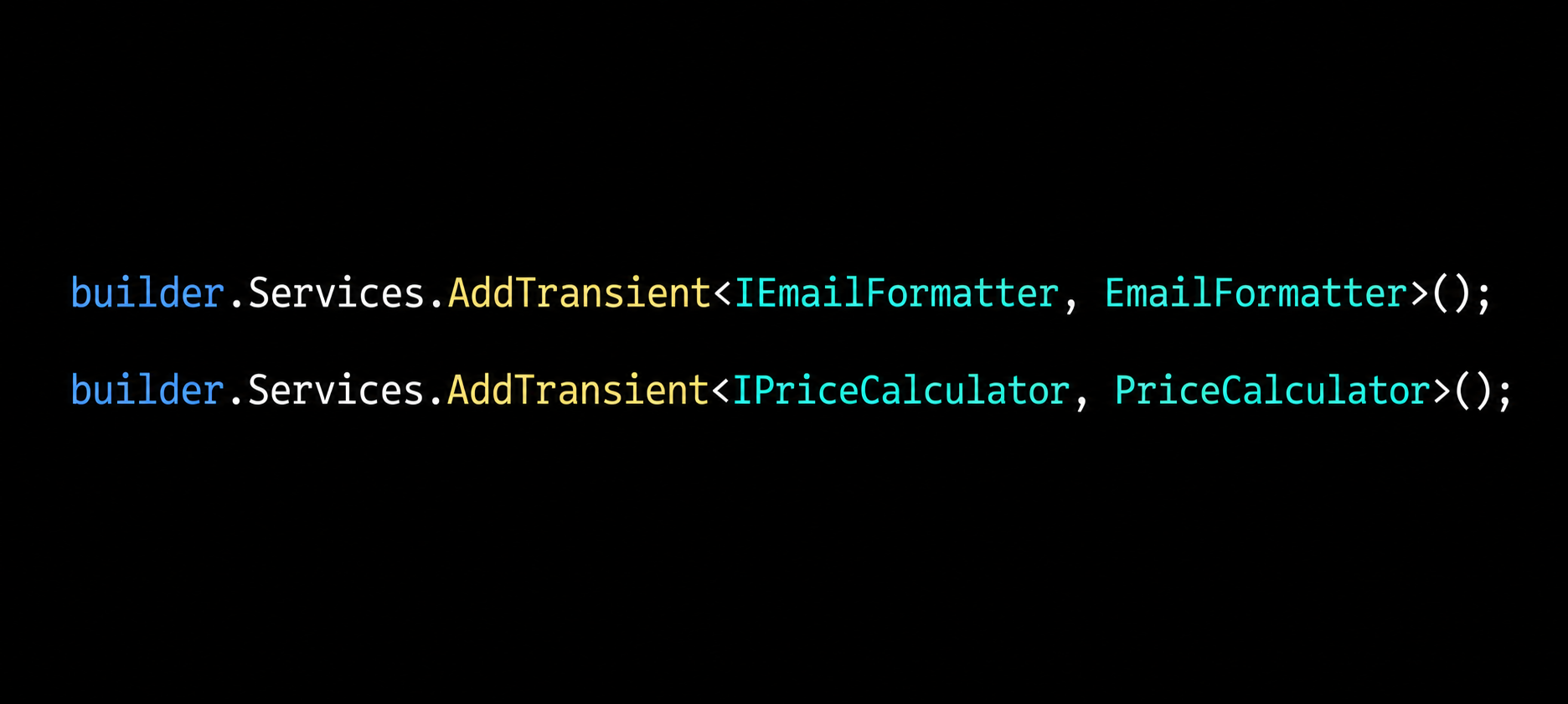
Architecturally, transient is not automatically cheap. If the object graph is large, disposable, or resolved many times in a hot path, transient creation can become a cost. Microsoft also warns that disposable transient services can be captured by the container for disposal and can become a memory leak when resolved from the top-level container. (Microsoft Learn)
Scoped
A scoped service is created once per scope. In web applications, Microsoft says scoped lifetime means one instance per client request or connection. Scoped services are disposed at the end of the request. Microsoft also states that a scoped service should be used inside a scope, either an implicit ASP.NET Core request scope or an explicit scope created with IServiceScopeFactory.CreateScope(). (Microsoft Learn)
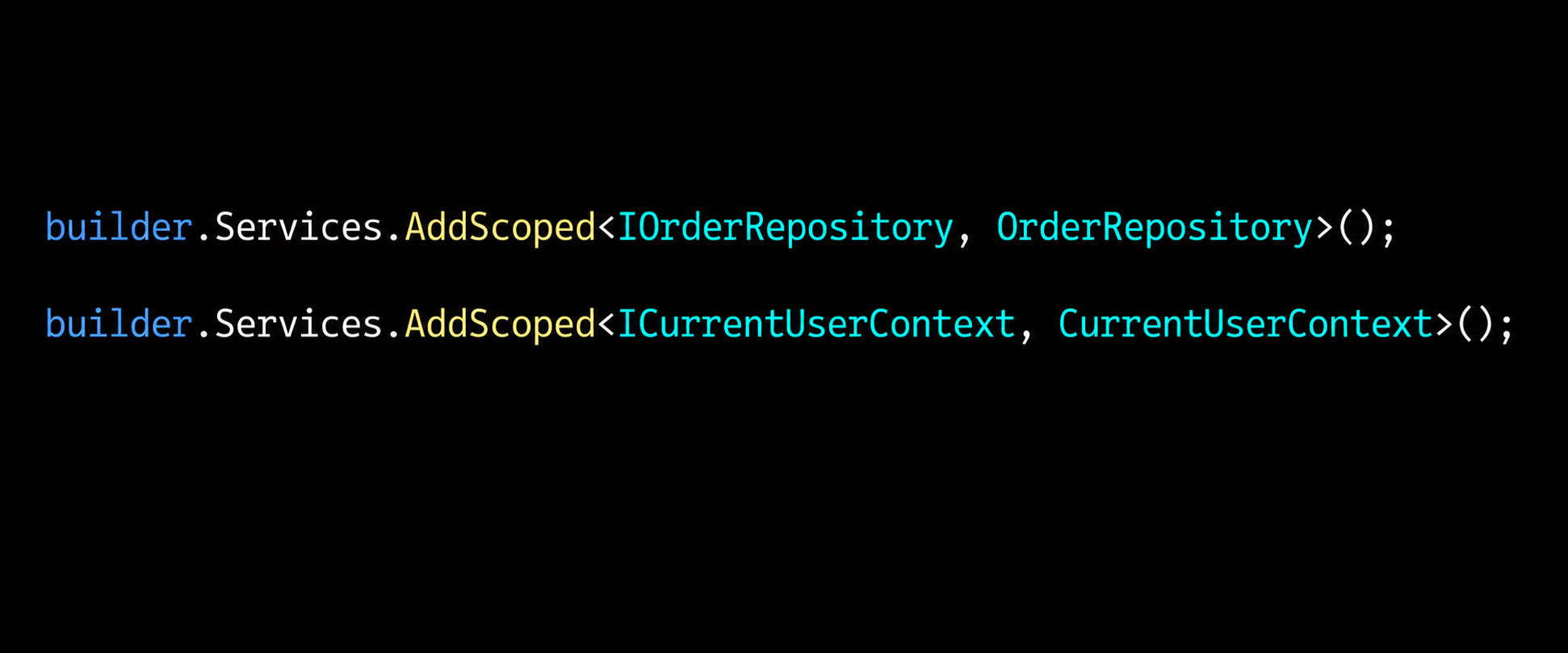
A common official example is Entity Framework Core: AddDbContext registers DbContext types with scoped lifetime by default. (Microsoft Learn)
Scoped is the natural lifetime for request-bound state, unit-of-work boundaries, data access contexts, current user context, correlation-aware services, and services whose state must not leak across requests.
Singleton
A singleton service is created either the first time it is requested or when the developer provides an implementation instance directly to the container. Every later request receives the same instance. Microsoft says singleton services must be thread-safe and are often used for stateless services. (Microsoft Learn)
builder.Services.AddSingleton<ISystemClock, SystemClock>();
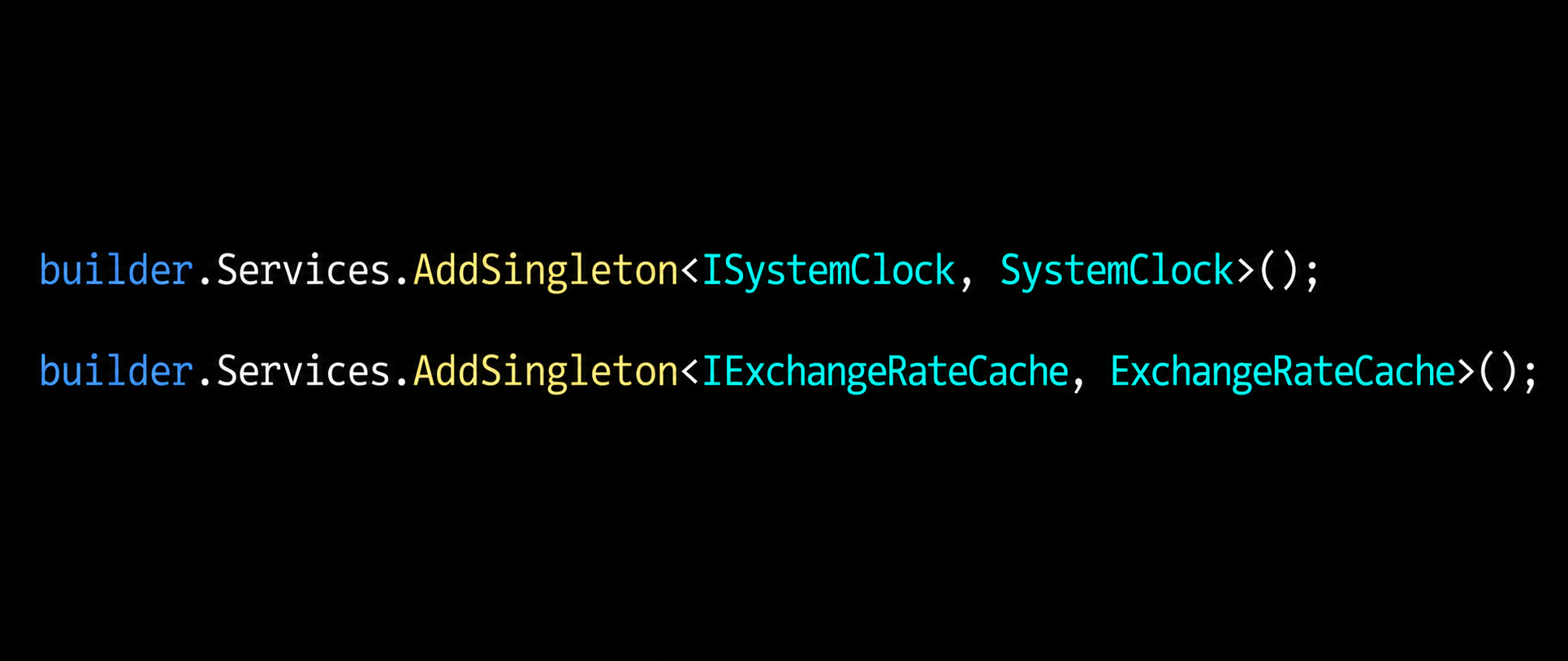
Singletons live until the service provider is disposed, usually at application shutdown. Microsoft explicitly warns that memory is not released until shutdown, so memory use must be considered with singleton services. (Microsoft Learn)
Use singleton for app-wide, thread-safe, long-lived services: caches, immutable policy providers, stateless utilities, expensive shared resources, and services with truly global state. Do not use singleton just because it “feels faster.”
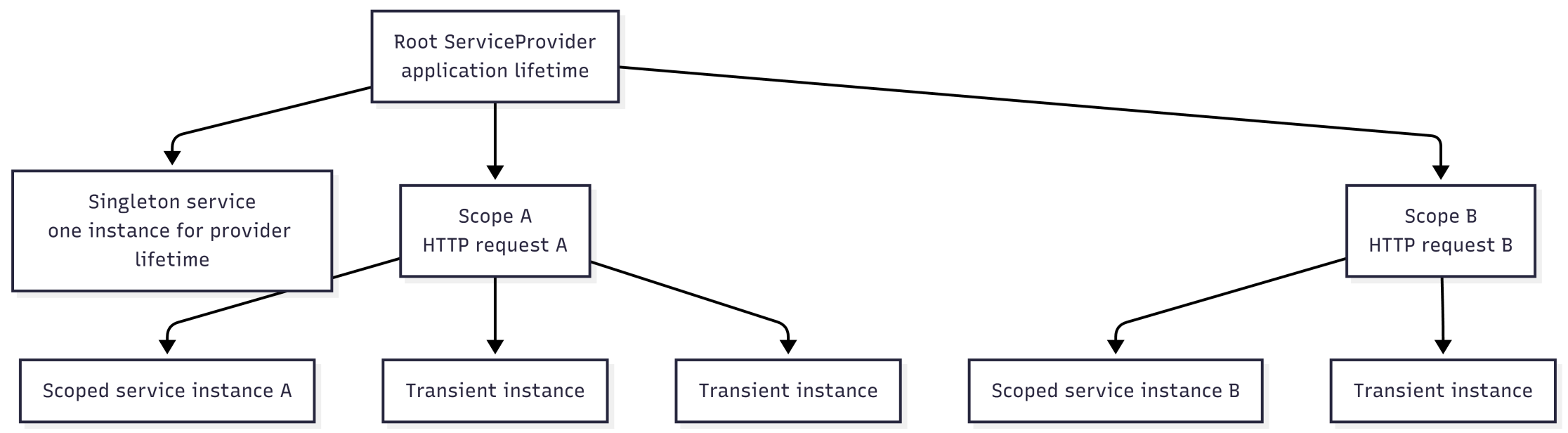
A singleton belongs to the root provider lifetime. A scoped service belongs to a scope. A transient service is newly created each time requested, but disposal still depends on the provider or scope that resolved it. Microsoft says transient and scoped services are disposed at the end of the scope in which they were resolved, while singleton services are disposed when the service container is disposed. (Microsoft Learn)
The most important lifetime rule is simple:
A longer-lived service must not capture a shorter-lived service.
Good:
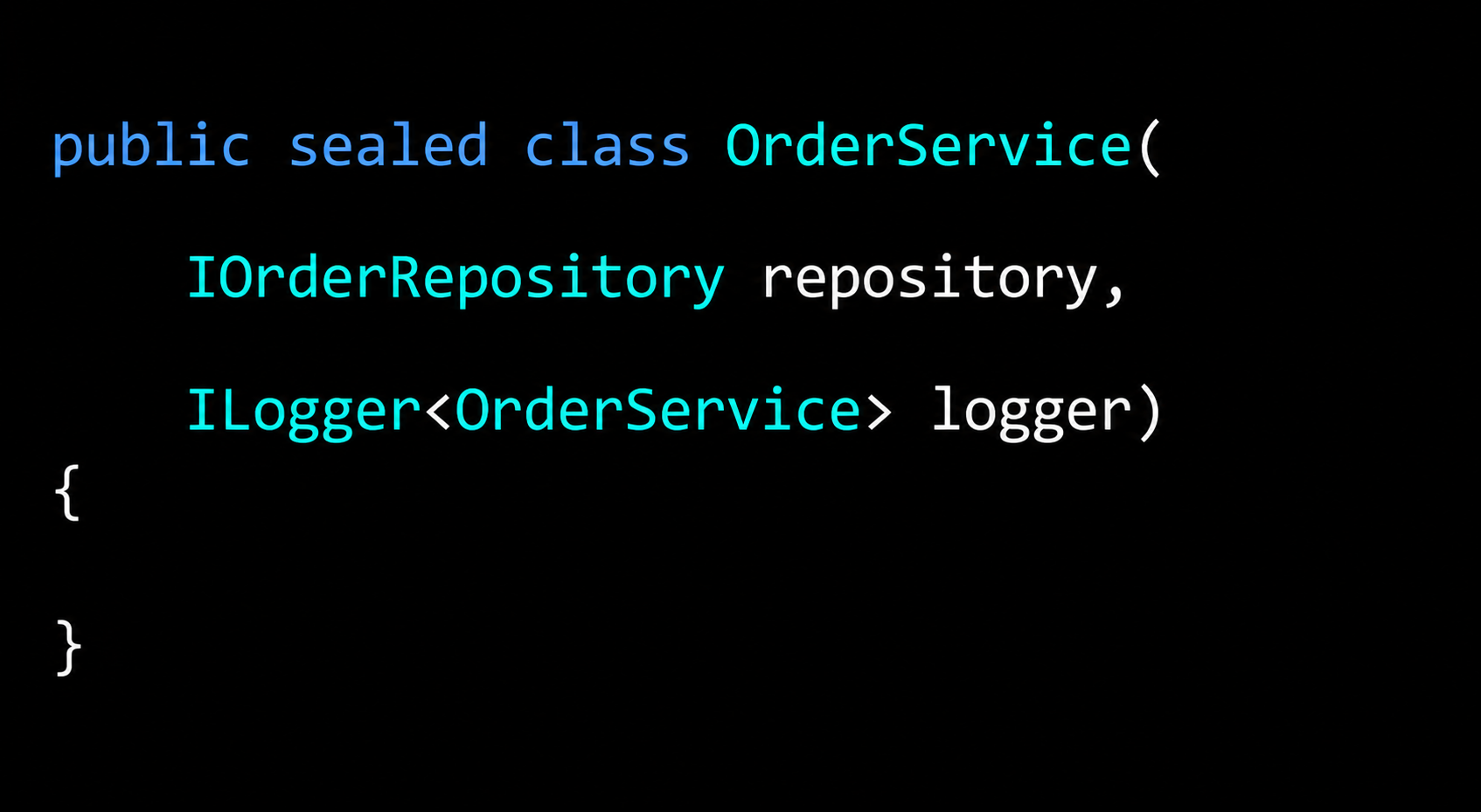
If OrderService is scoped, then IOrderRepository can also be scoped, and ILogger<T> is a framework-provided service.
Bad:
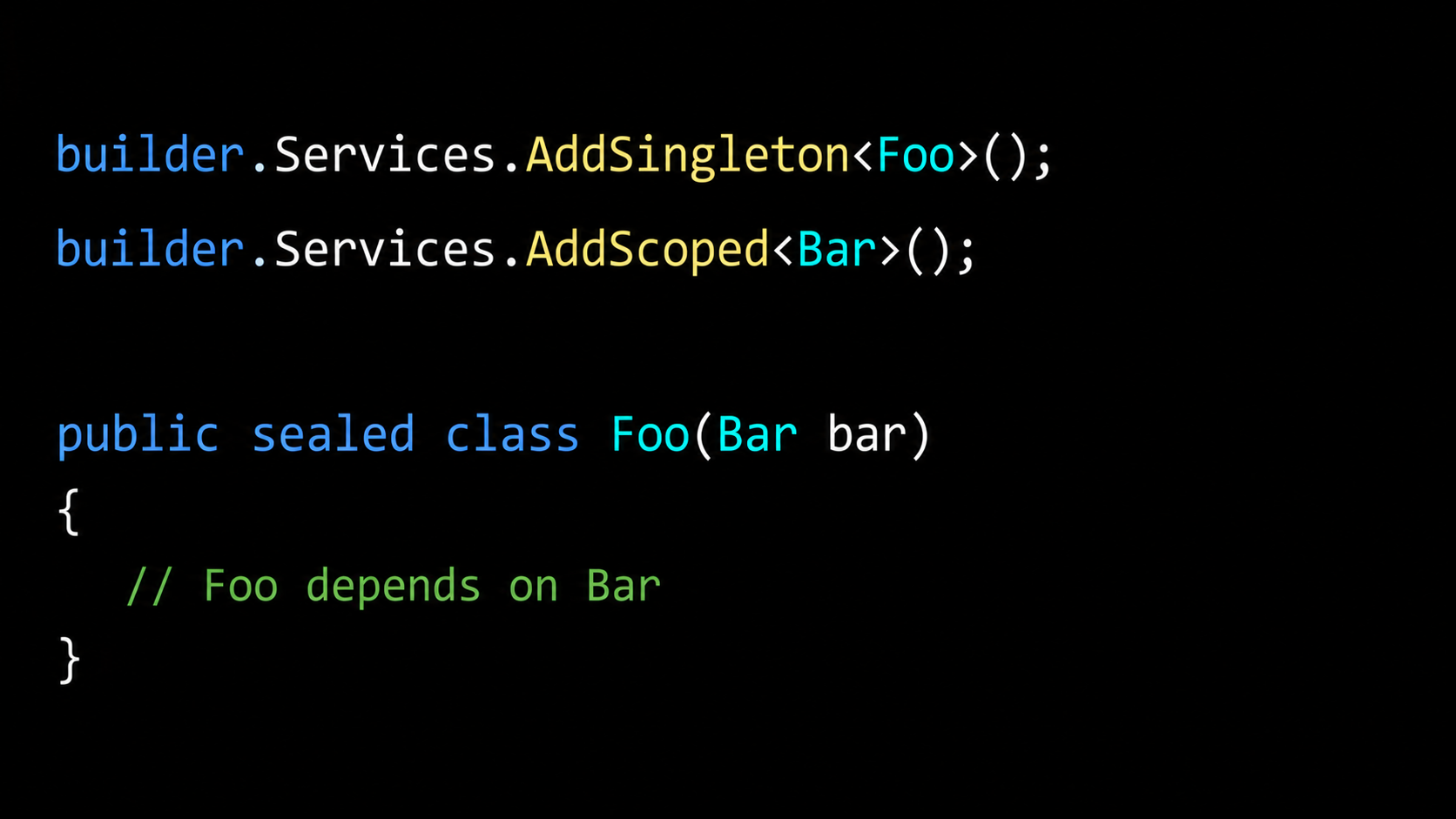
Microsoft calls this a captive dependency: a longer-lived service holds a shorter-lived service captive. In the documented example, Foo is singleton and Bar is scoped; because Foo is created once, it holds Bar longer than Bar’s intended scoped lifetime. Microsoft recommends validating scopes and shows that validation produces an error similar to “Cannot consume scoped service 'Bar' from singleton 'Foo'.” (Microsoft Learn)
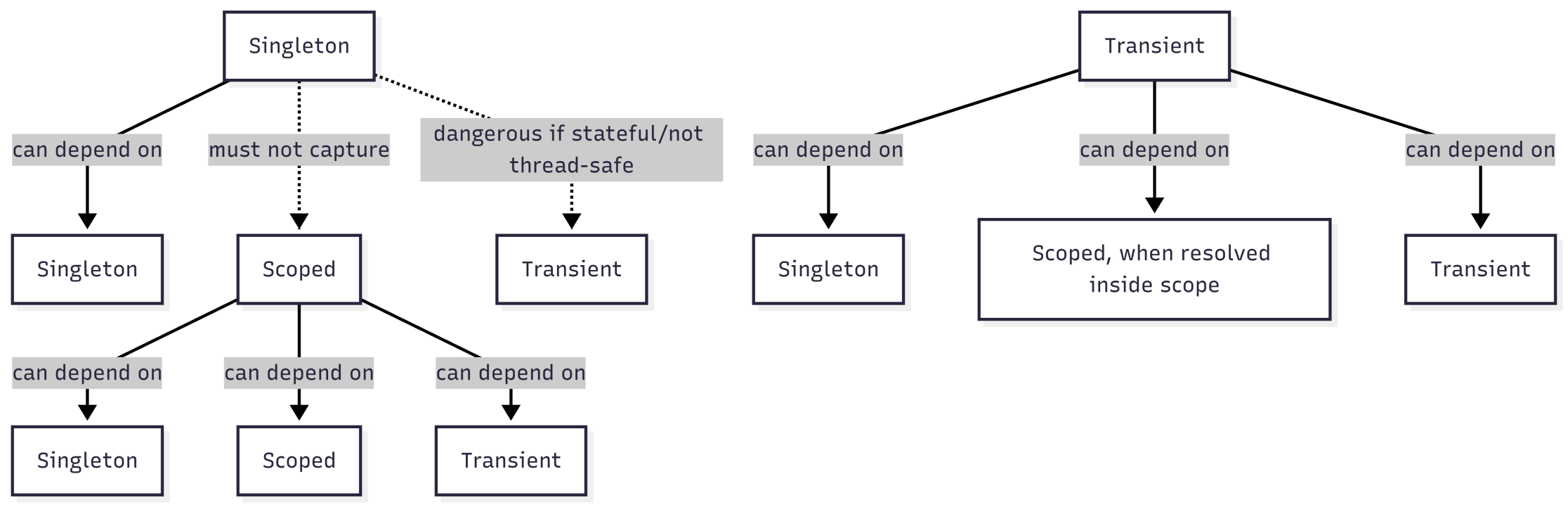
Microsoft explicitly says not to resolve a scoped service directly from a singleton through constructor injection or by requesting it from IServiceProvider inside the singleton. Doing so causes the scoped service to behave like a singleton, which can lead to incorrect state in later requests. Microsoft says it is acceptable to resolve scoped services inside a singleton only when an explicit scope is created and used through IServiceScopeFactory. (Microsoft Learn)
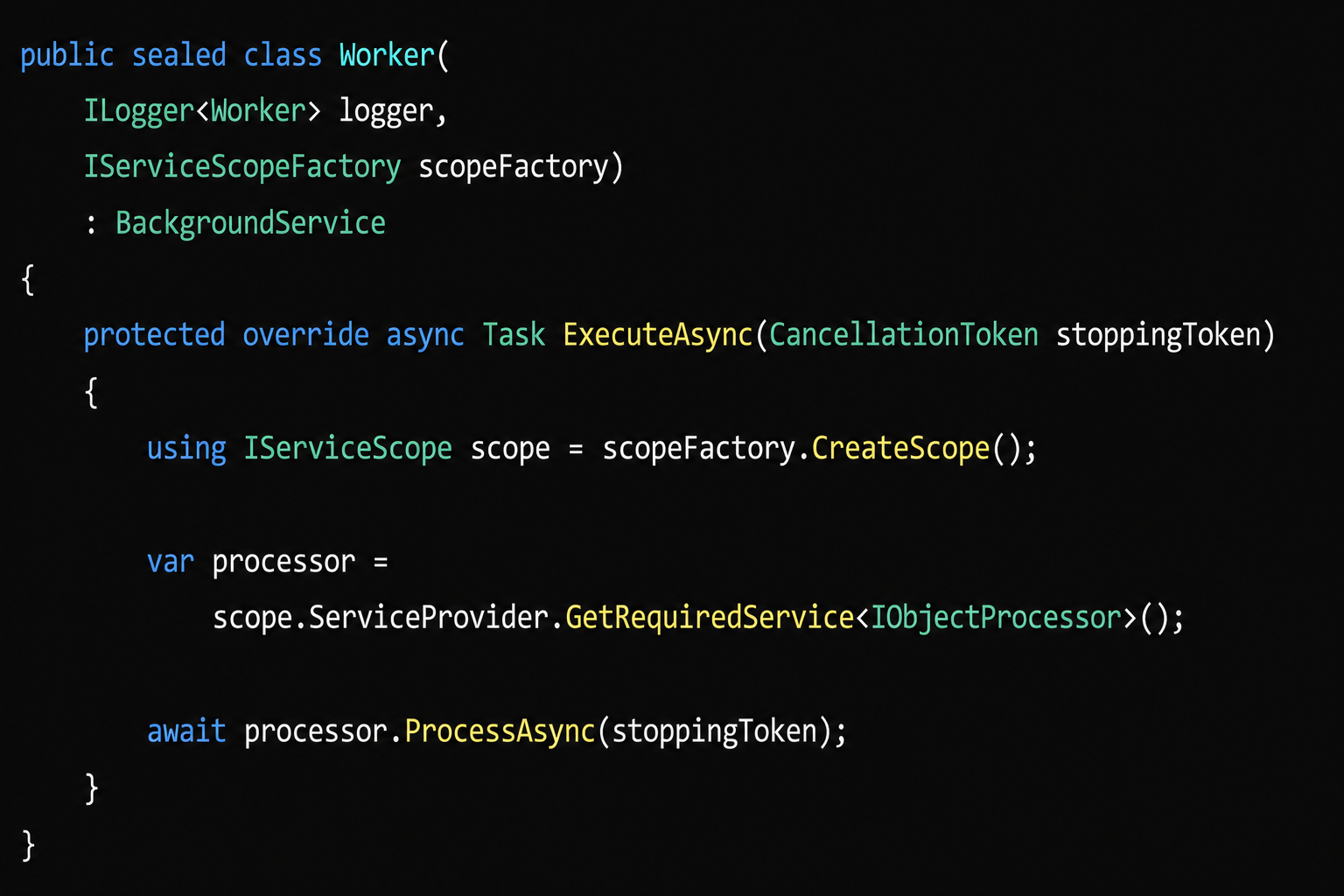
For background services, the correct pattern is to inject IServiceScopeFactory, create a scope inside the work loop, and resolve scoped services from that scope. Microsoft documents this pattern for BackgroundService and hosted service scenarios. (Microsoft Learn)
The built-in container is not limited to one registration style. Microsoft documents several shapes: service-to-implementation registration, factory registration, implementation-only registration, existing instance registration, multiple implementations, open generics, TryAdd, TryAddEnumerable, and keyed services. (Microsoft Learn)
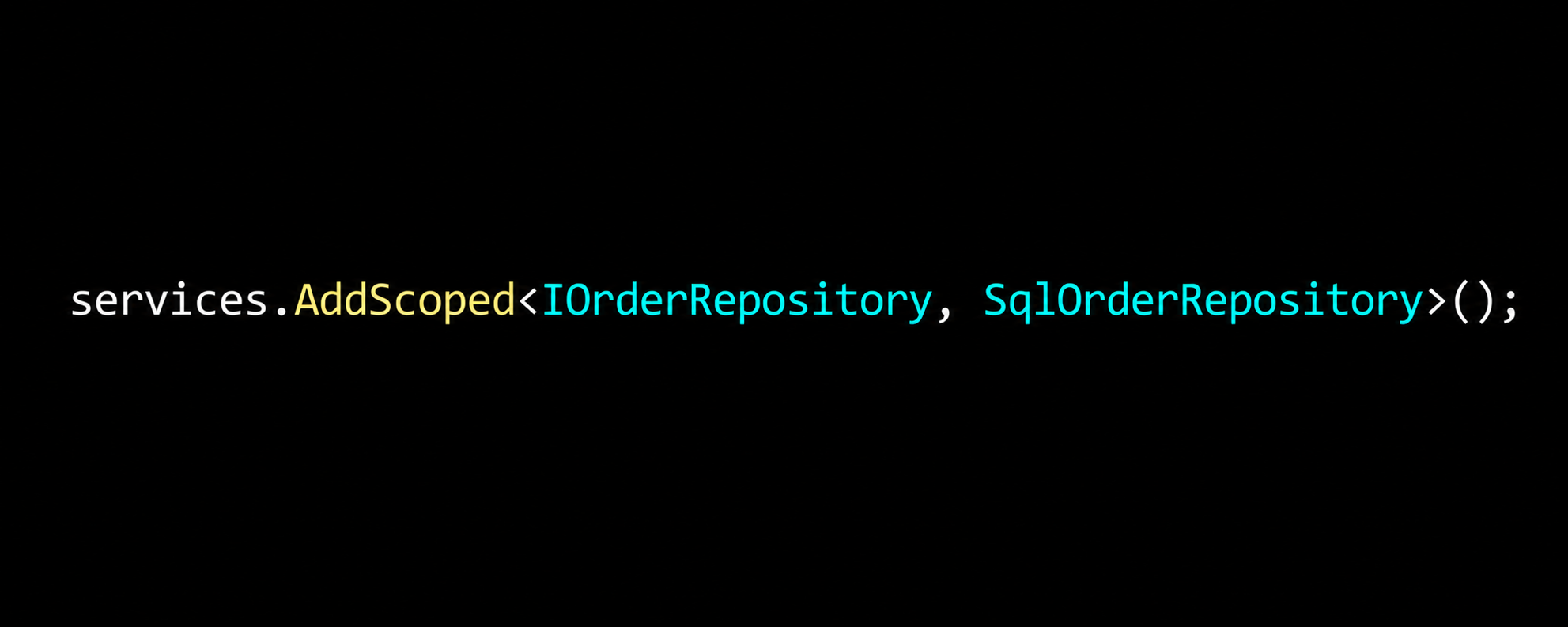
This means: when something asks for IOrderRepository, construct SqlOrderRepository.
Implementation-only
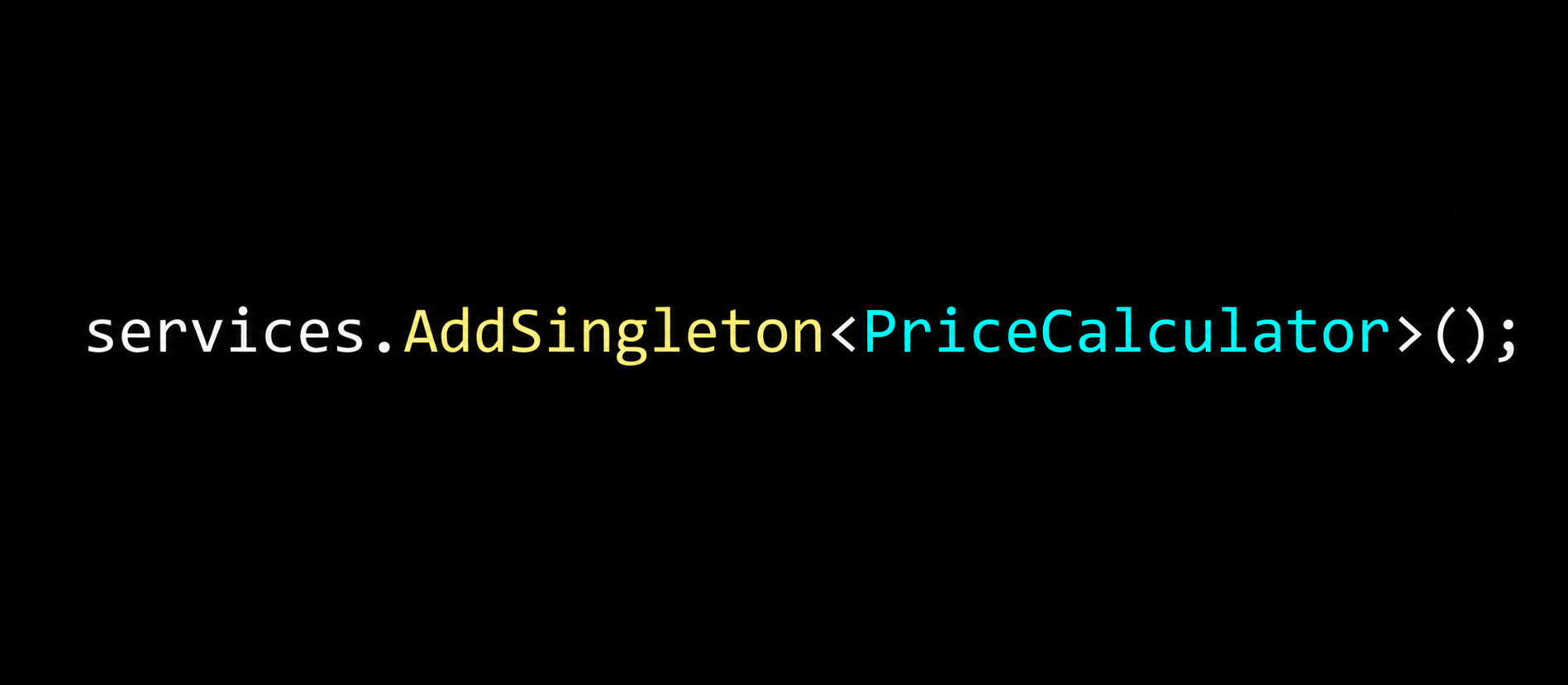
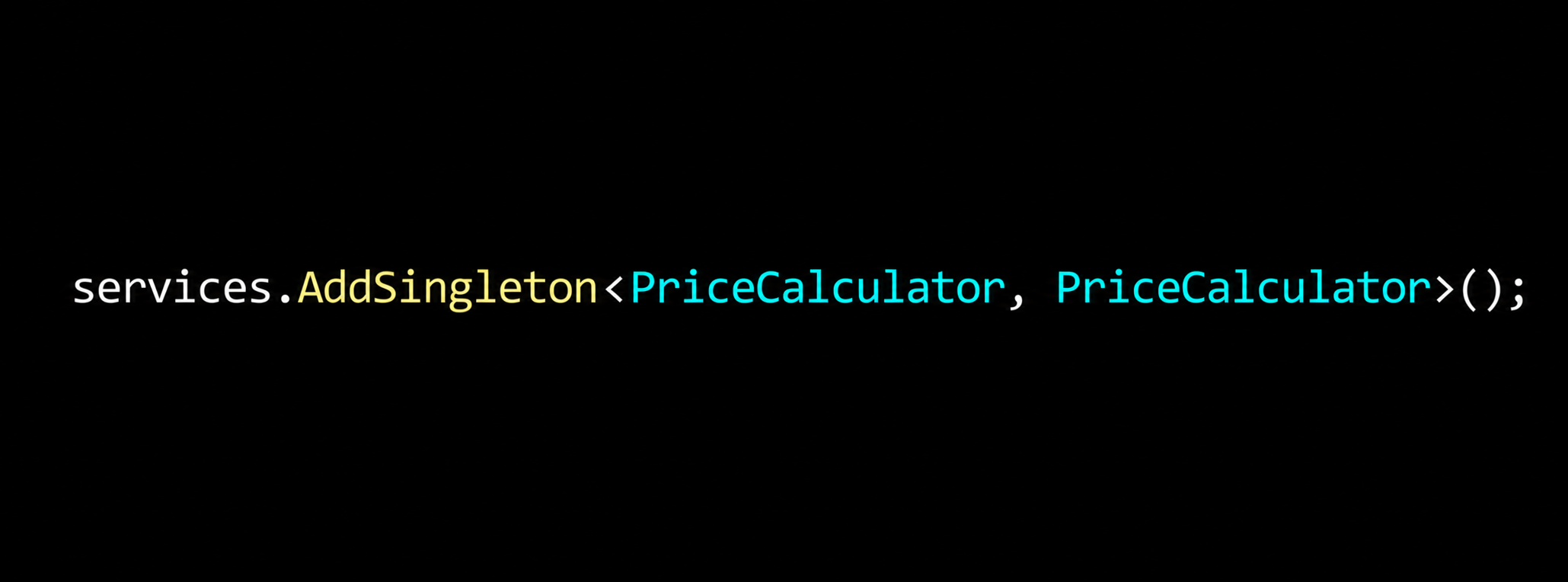
Microsoft says registering only an implementation type is equivalent to registering that service with the same service and implementation type. (Microsoft Learn)
Equivalent:
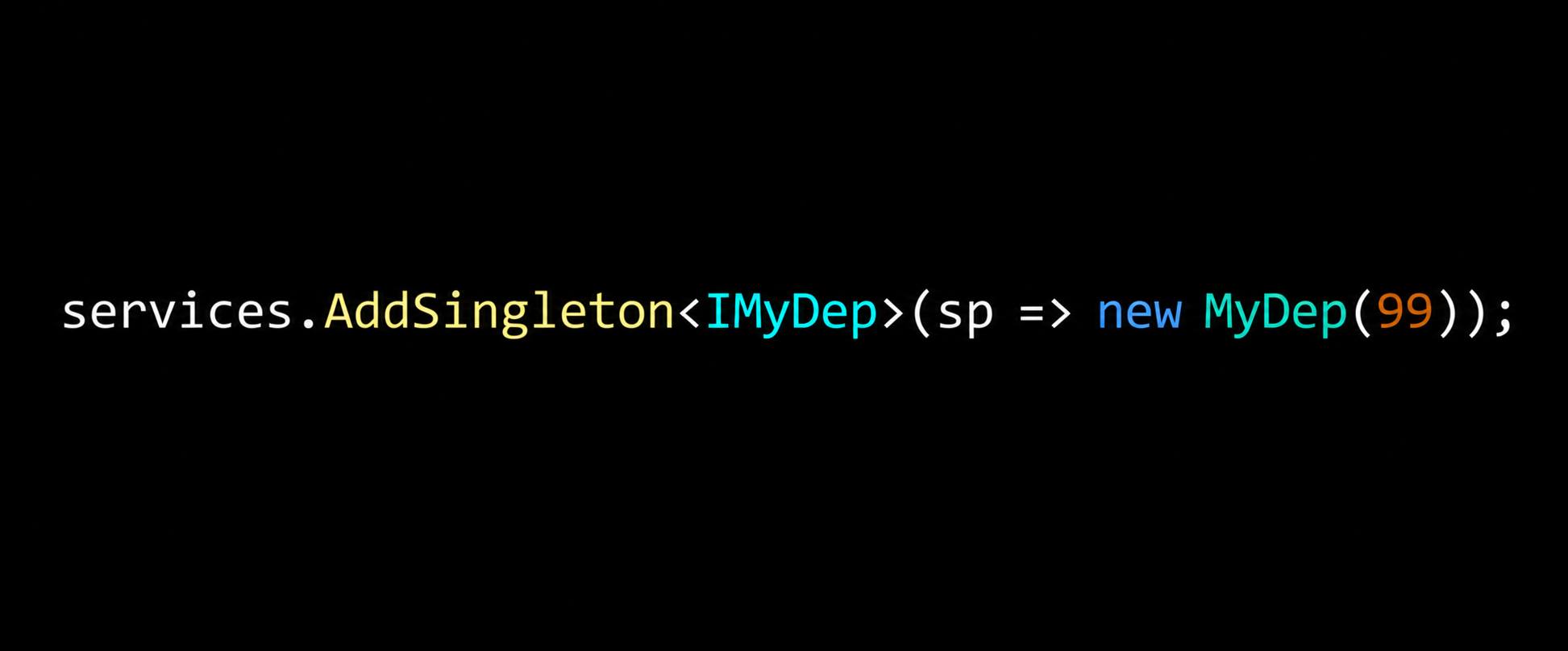
Microsoft documents Add{LIFETIME}<TService>(sp => new TImplementation(...)) as a supported method that allows passing arguments and supports automatic object disposal when the container creates the object. (Microsoft Learn)
The factory must be fast and synchronous. Microsoft states that async/await and Task-based service resolution are not supported because C# does not support asynchronous constructors, and the DI guidelines say factories should be fast and synchronous. (Microsoft Learn)
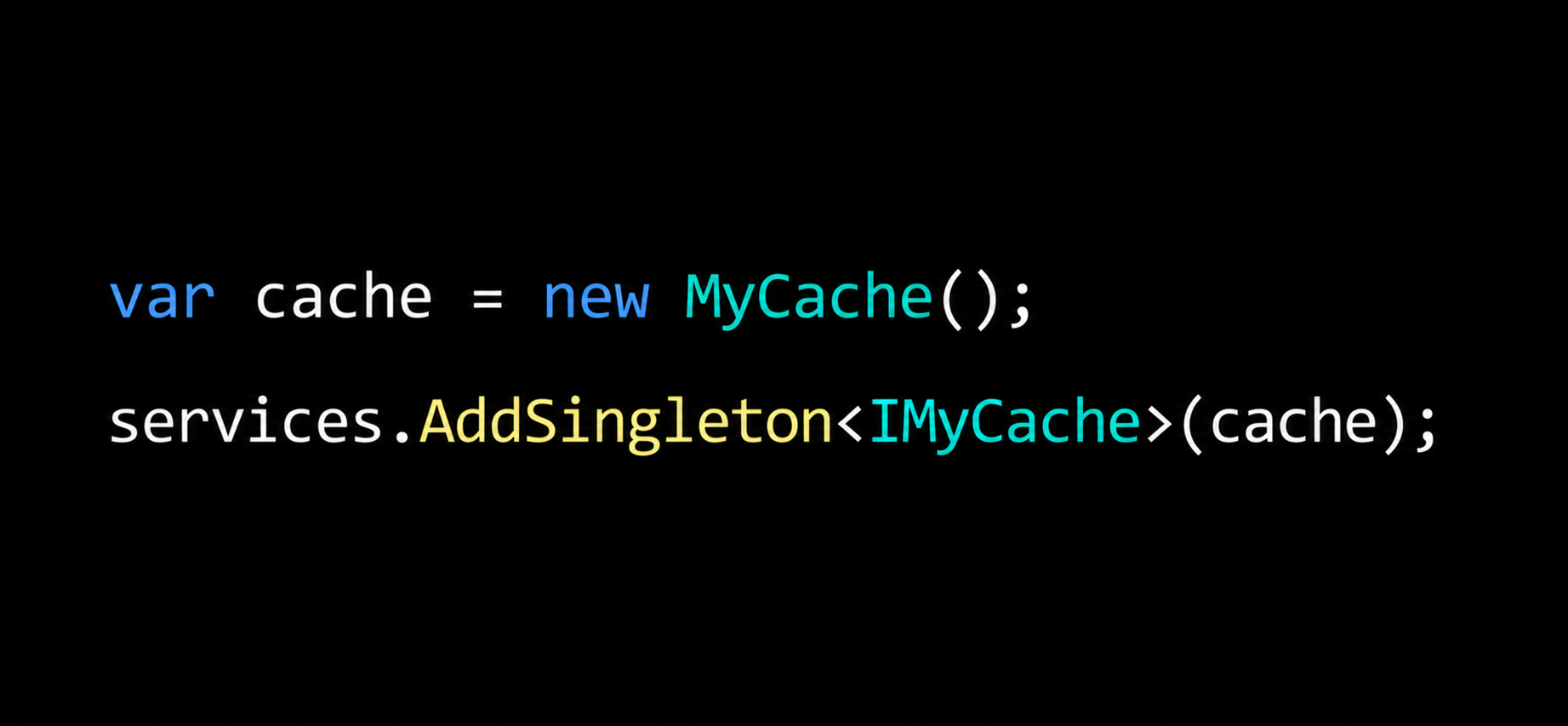
This is different from a container-created singleton. Microsoft says when an instance is provided directly, the instance was not created by the container, the framework does not dispose it automatically, and the developer is responsible for disposal. (Microsoft Learn)
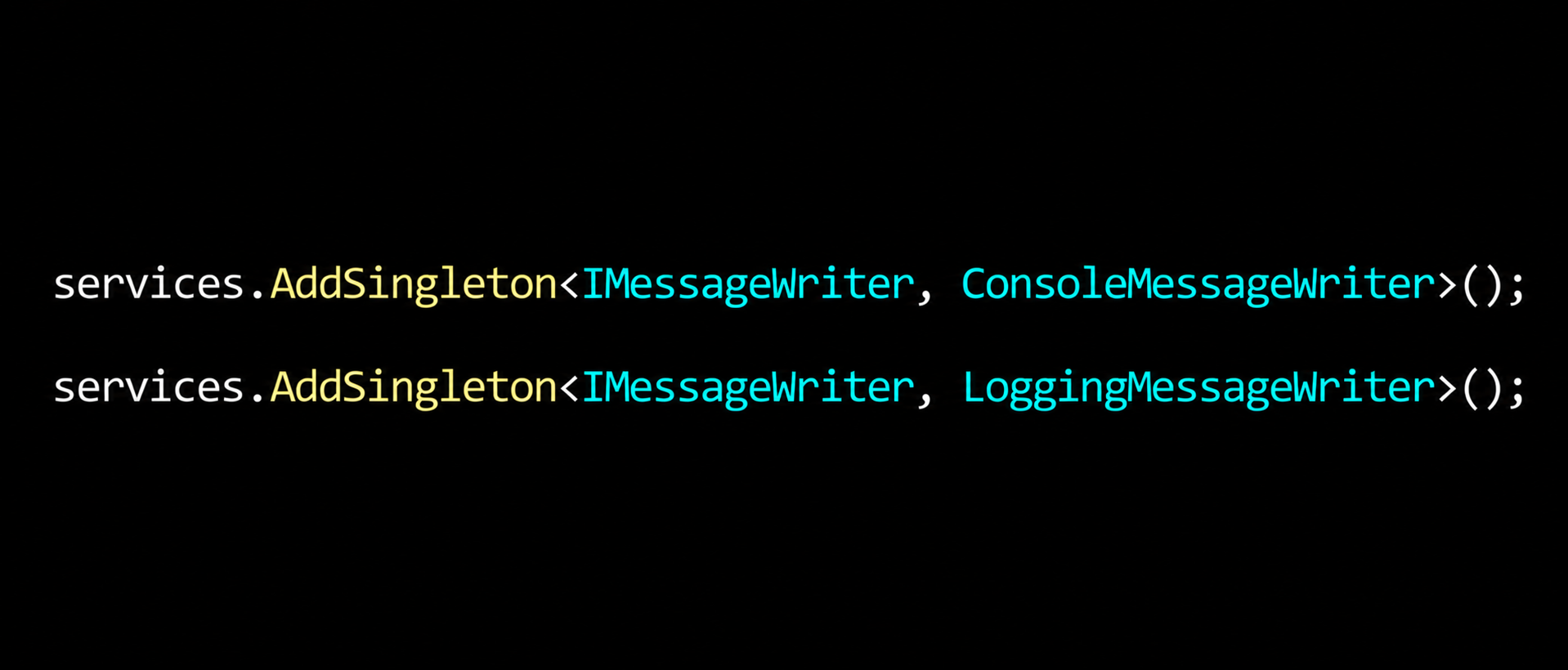
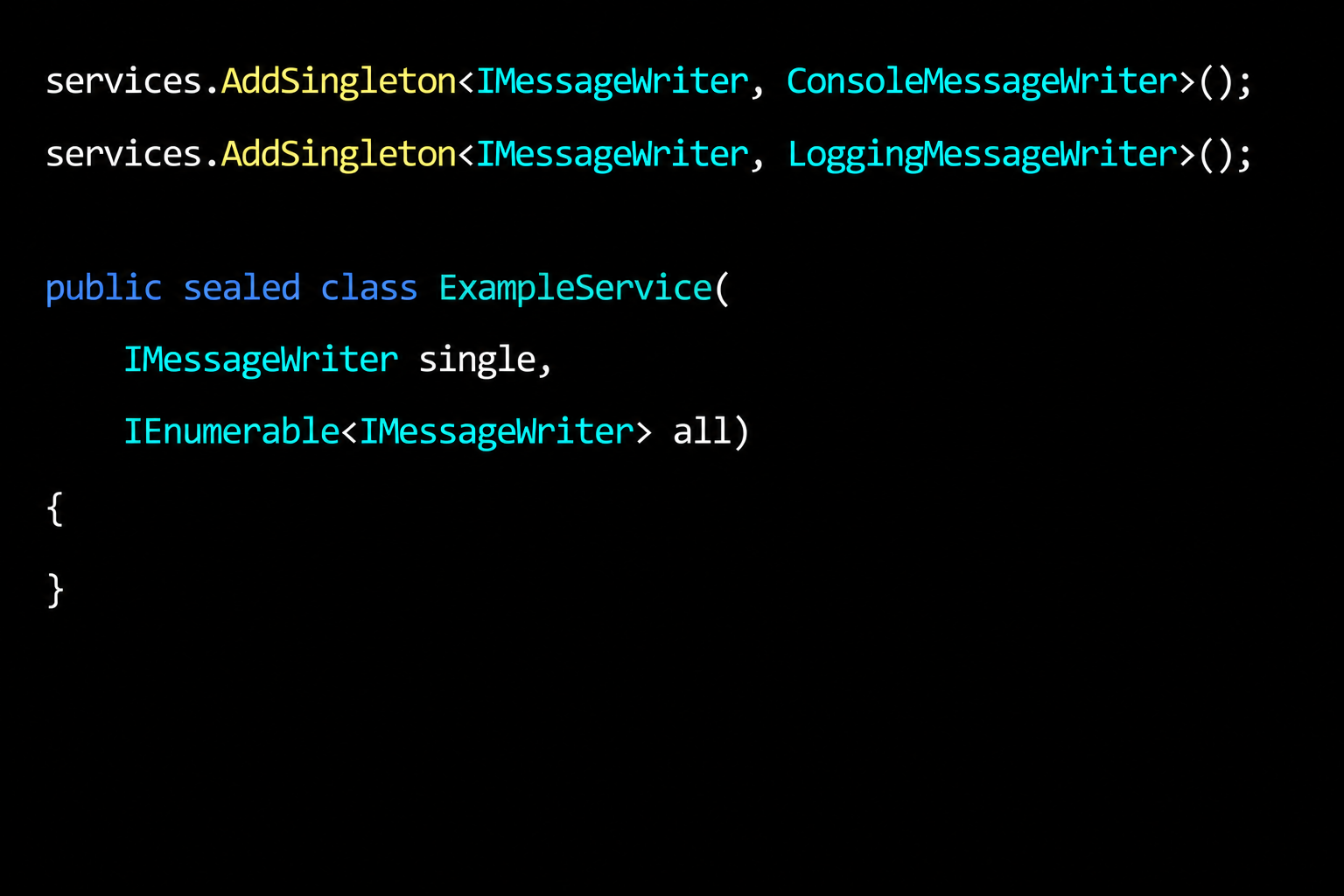
Microsoft says that when multiple implementations are registered for the same service type, resolving the single service returns the last registration, while resolving IEnumerable<T> returns all registered implementations in registration order. (Microsoft Learn)
TryAdd and TryAddEnumerable
TryAdd{LIFETIME} registers only when an implementation has not already been registered. TryAddEnumerable is useful for library authors who want to avoid adding the same implementation more than once when consumers use IEnumerable<T>. This matters for reusable packages and framework extensions, where duplicate registrations can create surprising behavior. Microsoft documents these methods as part of service registration guidance. (Microsoft Learn)
Open generics
The built-in container supports open generic registrations. Microsoft notes that the container resolves ILogger<TCategoryName> using generic open types, eliminating the need to register every constructed generic type. (Microsoft Learn
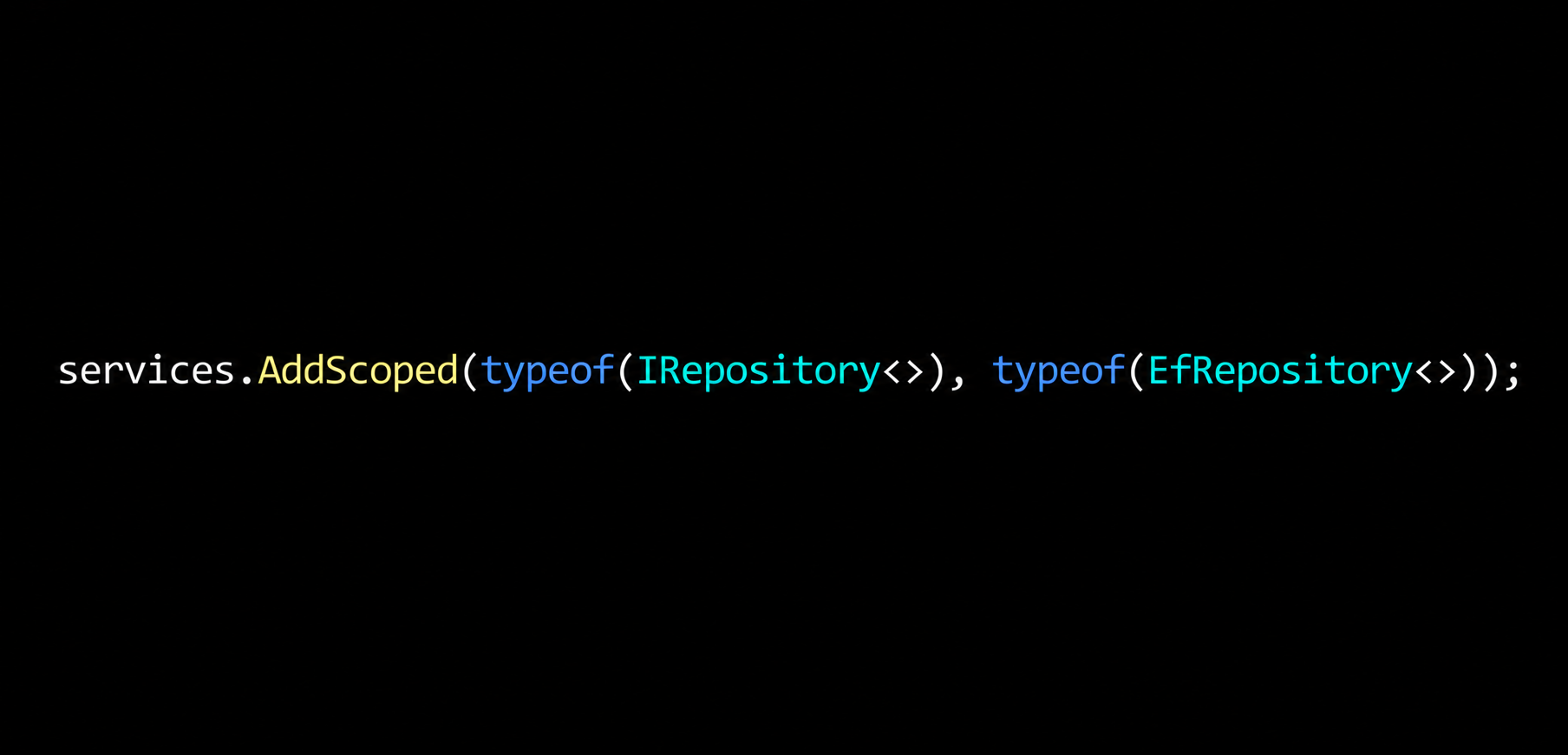
Then the container can resolve:
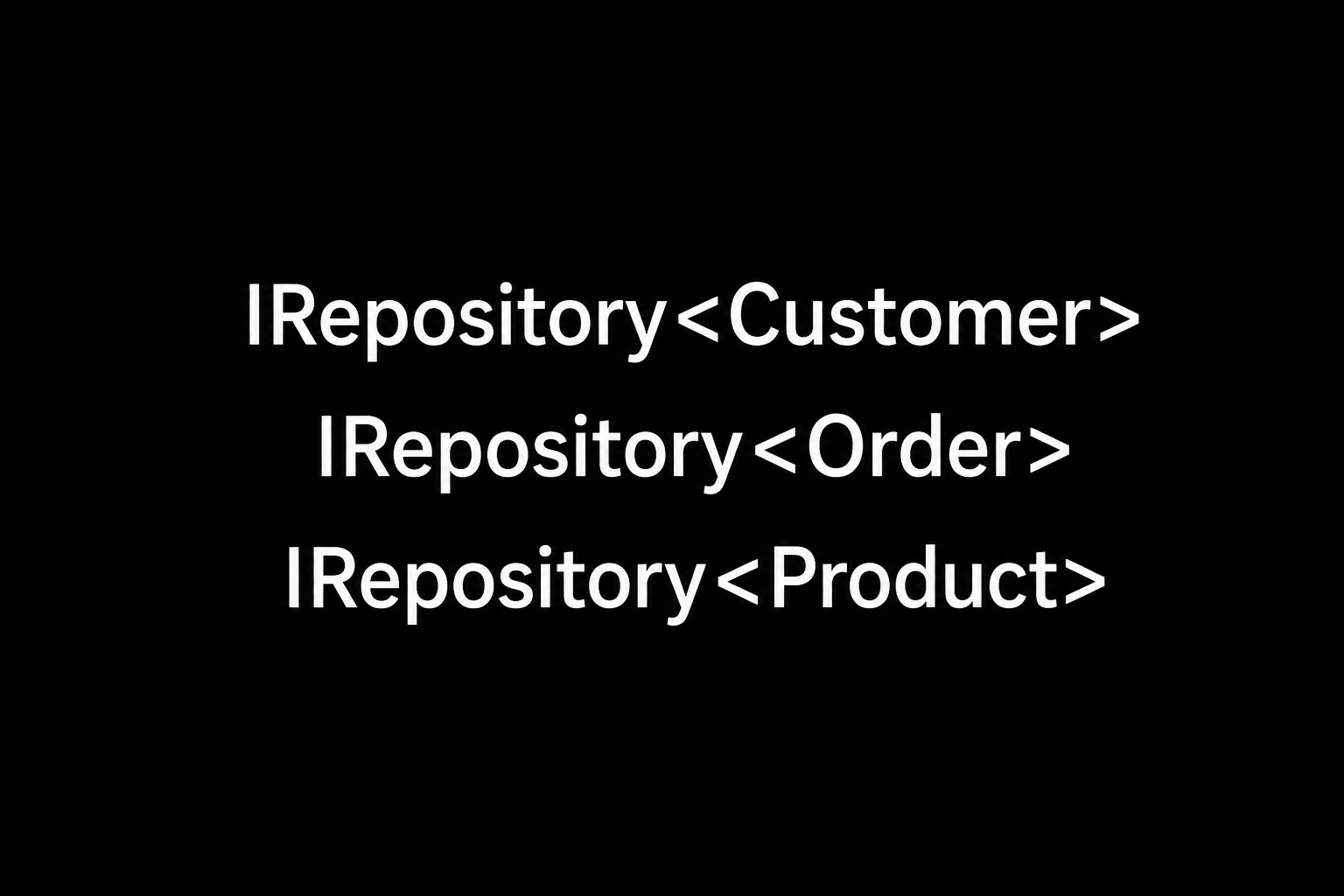
The official runtime source confirms this behavior in CallSiteFactory: when a constructed generic service is requested, the factory checks the generic type definition and can create an open generic call site. (source.dot.net)
Keyed services
Keyed services let you register multiple implementations and resolve one by key. Microsoft documents AddKeyedSingleton, AddKeyedScoped, AddKeyedTransient, and [FromKeyedServices]. (Microsoft Learn)
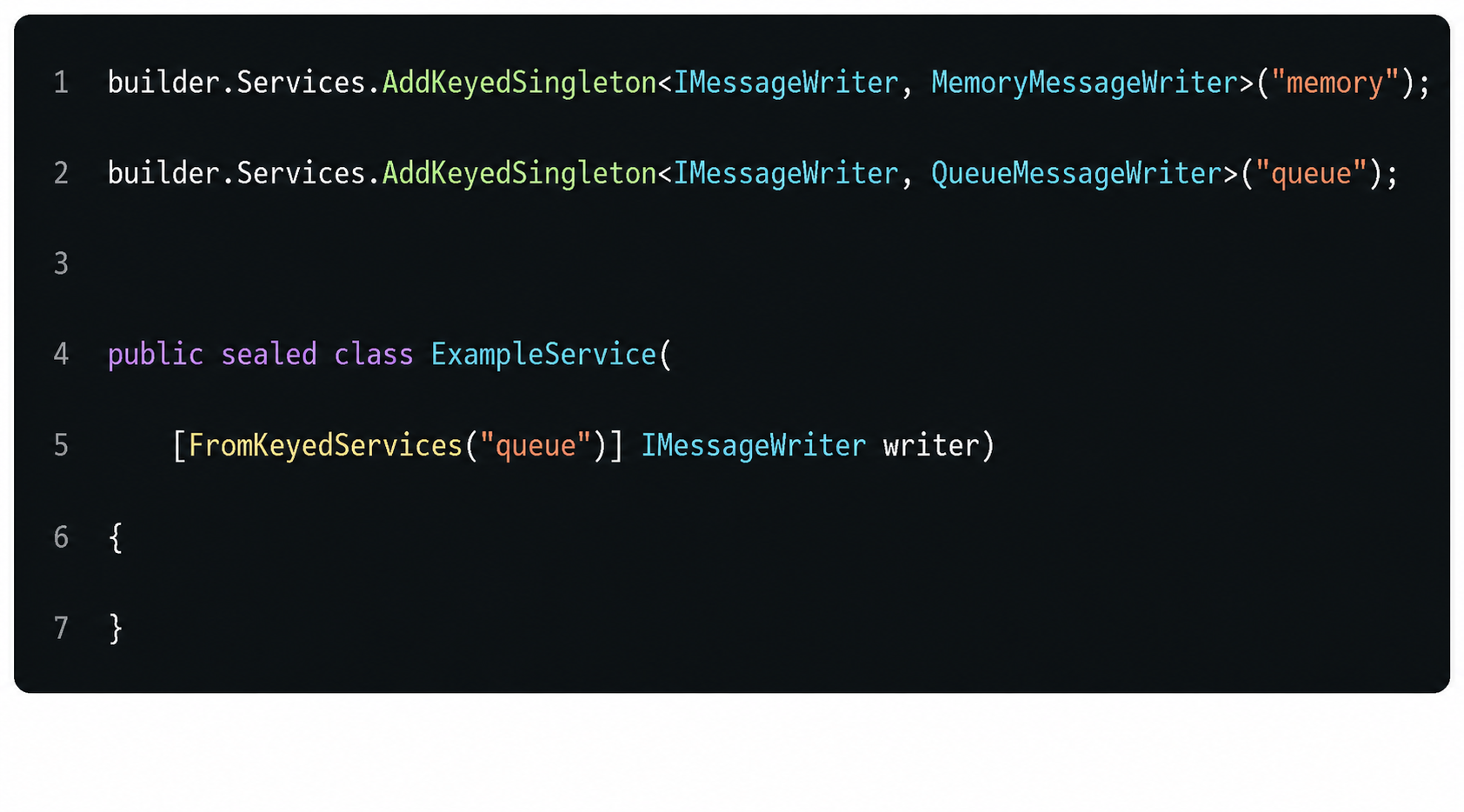
Microsoft also documents KeyedService.AnyKey as a fallback mechanism and notes that starting in .NET 10, calling singular GetKeyedService() with AnyKey throws because AnyKey should not be used to resolve a single service. (Microsoft Learn)
This matters architecturally: “we need named services” is no longer automatically a reason to replace the built-in container. Keyed services cover many simple named-service scenarios. A replacement container becomes more compelling when the design needs richer metadata selection, dynamic factory relationships, tenant overrides, decorators, or hierarchical scopes.
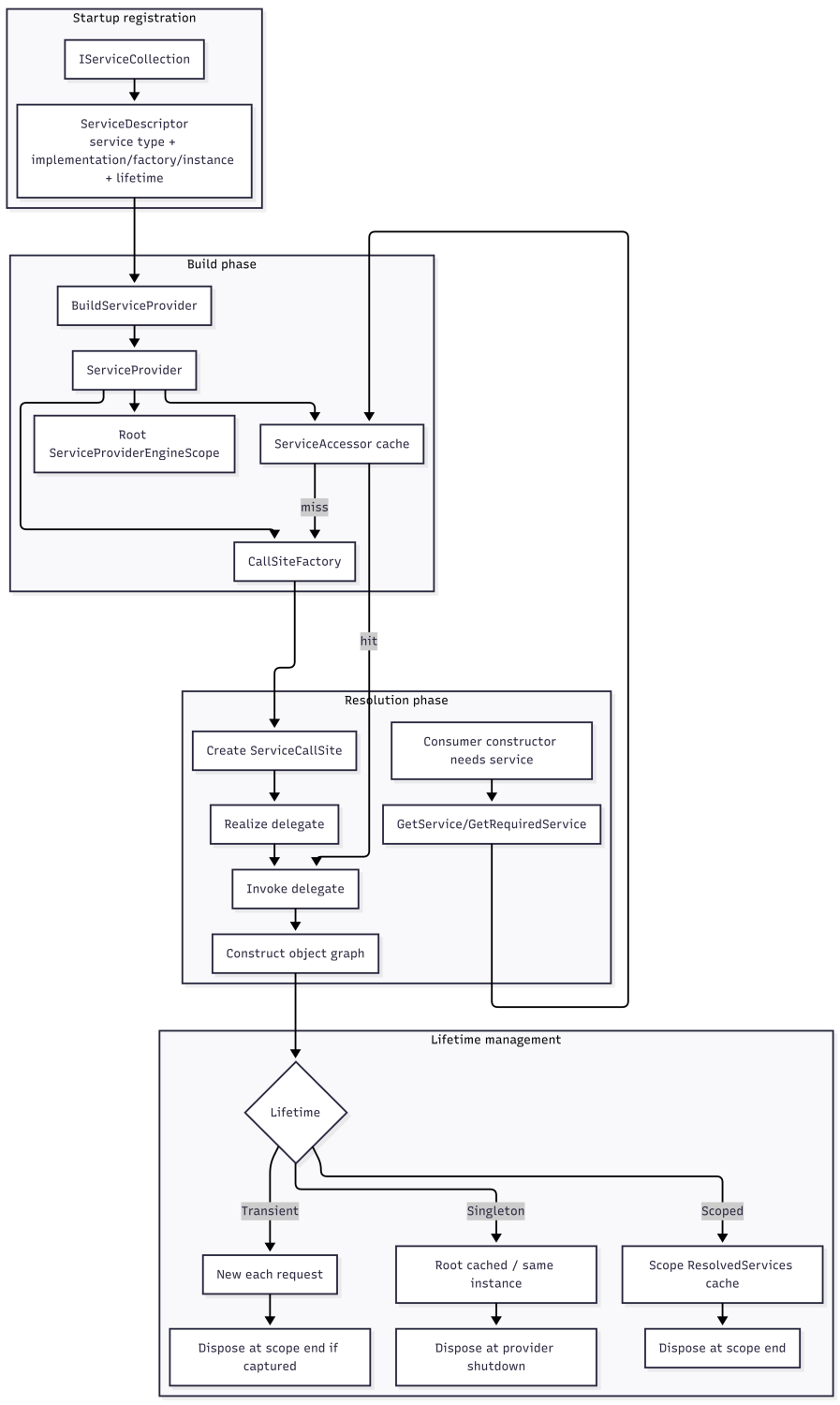
At build time, the built-in container transforms registration descriptors into an internal provider capable of resolving object graphs.
The official ServiceProvider source shows that the constructor receives ICollection<ServiceDescriptor> and ServiceProviderOptions. It creates a root ServiceProviderEngineScope, selects a service-provider engine, creates a ConcurrentDictionary<ServiceIdentifier, ServiceAccessor>, constructs a CallSiteFactory, and adds built-in service call sites for IServiceProvider, IServiceScopeFactory, IServiceProviderIsService, and IServiceProviderIsKeyedService. (source.dot.net)
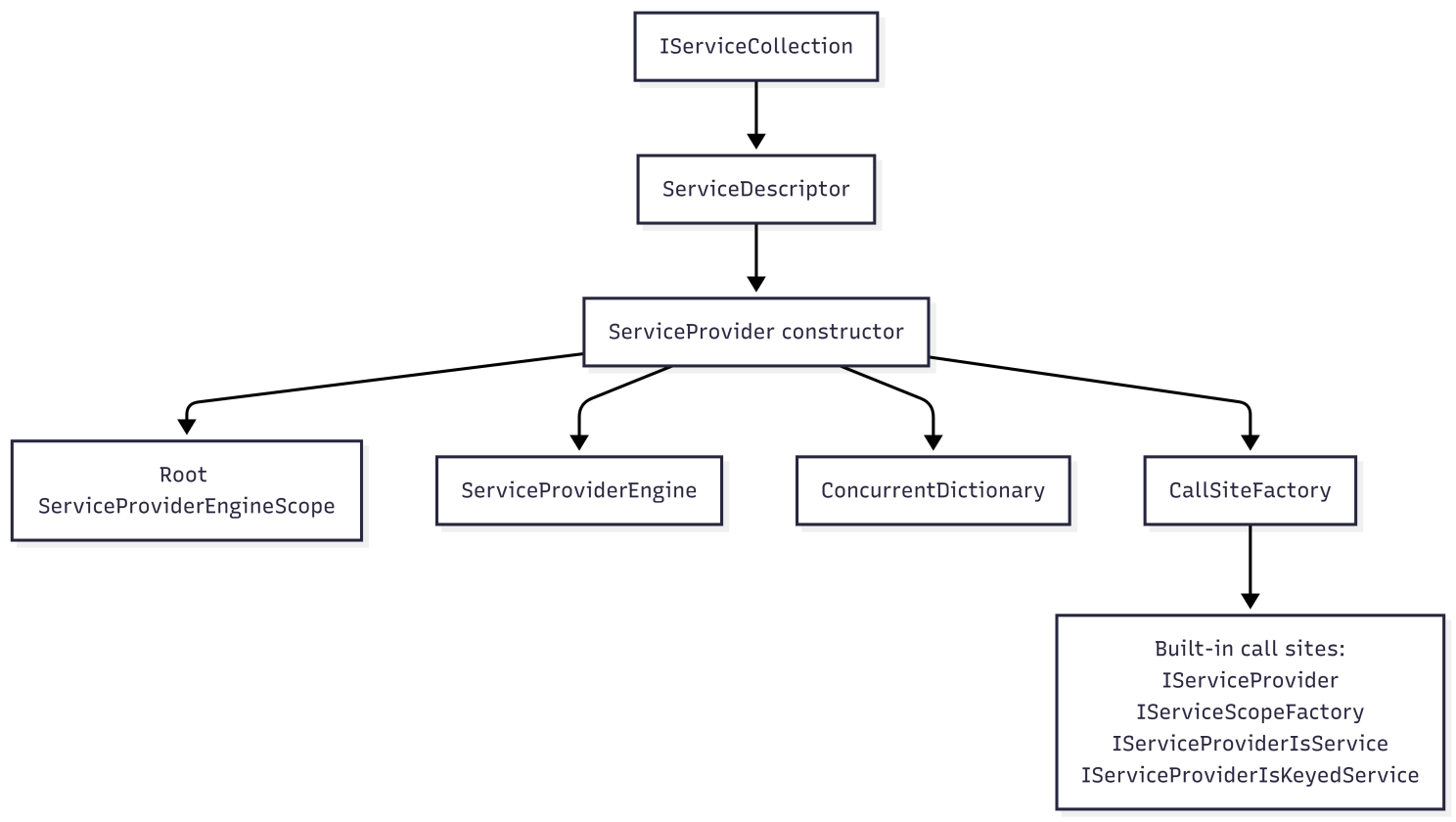
This means the built-in DI container is not just a dictionary of objects. It has descriptors, call-site construction, call-site caching, service-accessor caching, scope-level instance tracking, validation, and disposal tracking.
If ValidateScopes is enabled, ServiceProvider creates a CallSiteValidator. If ValidateOnBuild is enabled, it validates descriptors at provider build time. This is visible in the official ServiceProvider source. (source.dot.net)
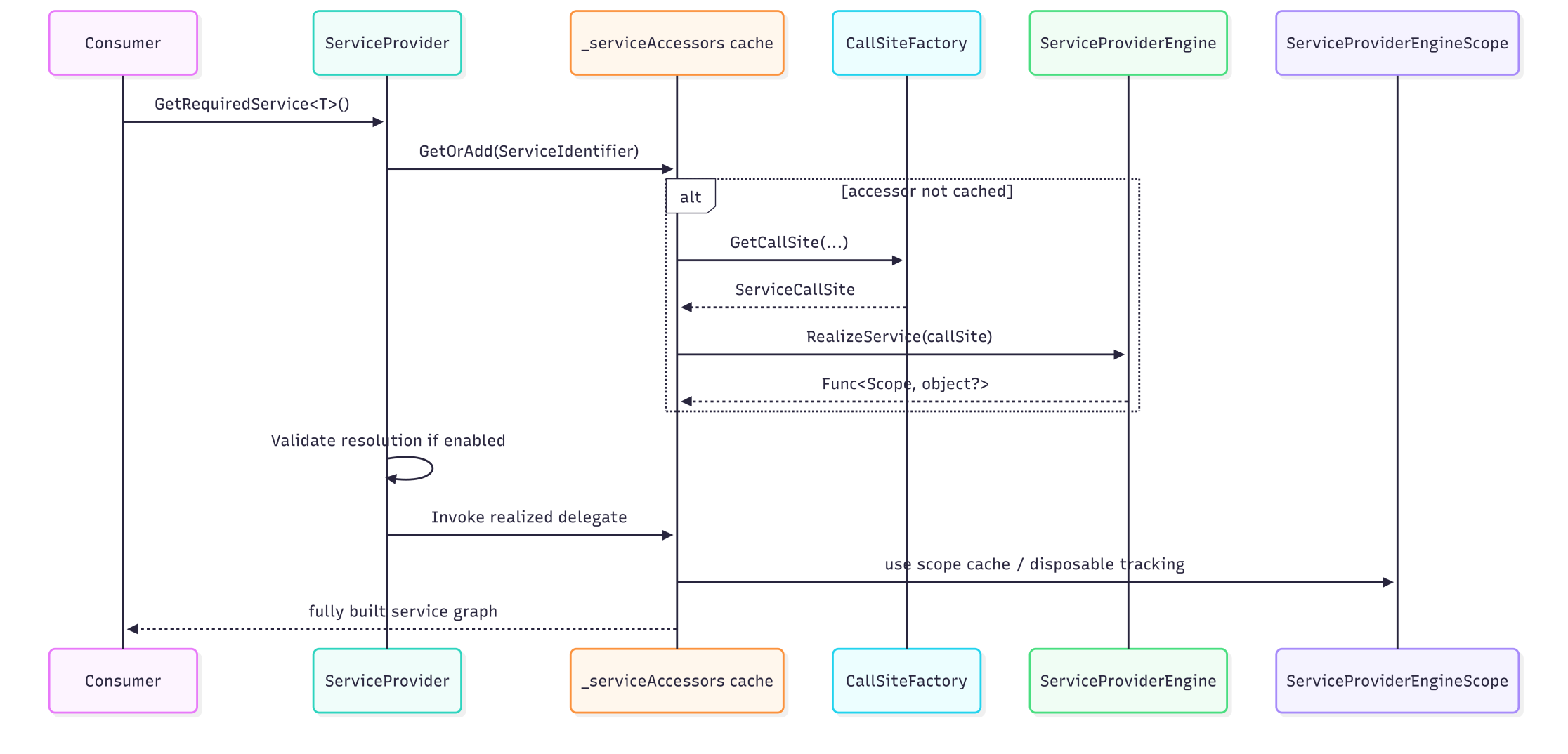
When a service is resolved, the official source shows this flow: the provider checks whether it has been disposed, gets or creates a ServiceAccessor using _serviceAccessors.GetOrAdd(...), validates the resolution when validation is enabled, logs the service-resolved event, and invokes the realized service delegate for the current scope. (source.dot.net)
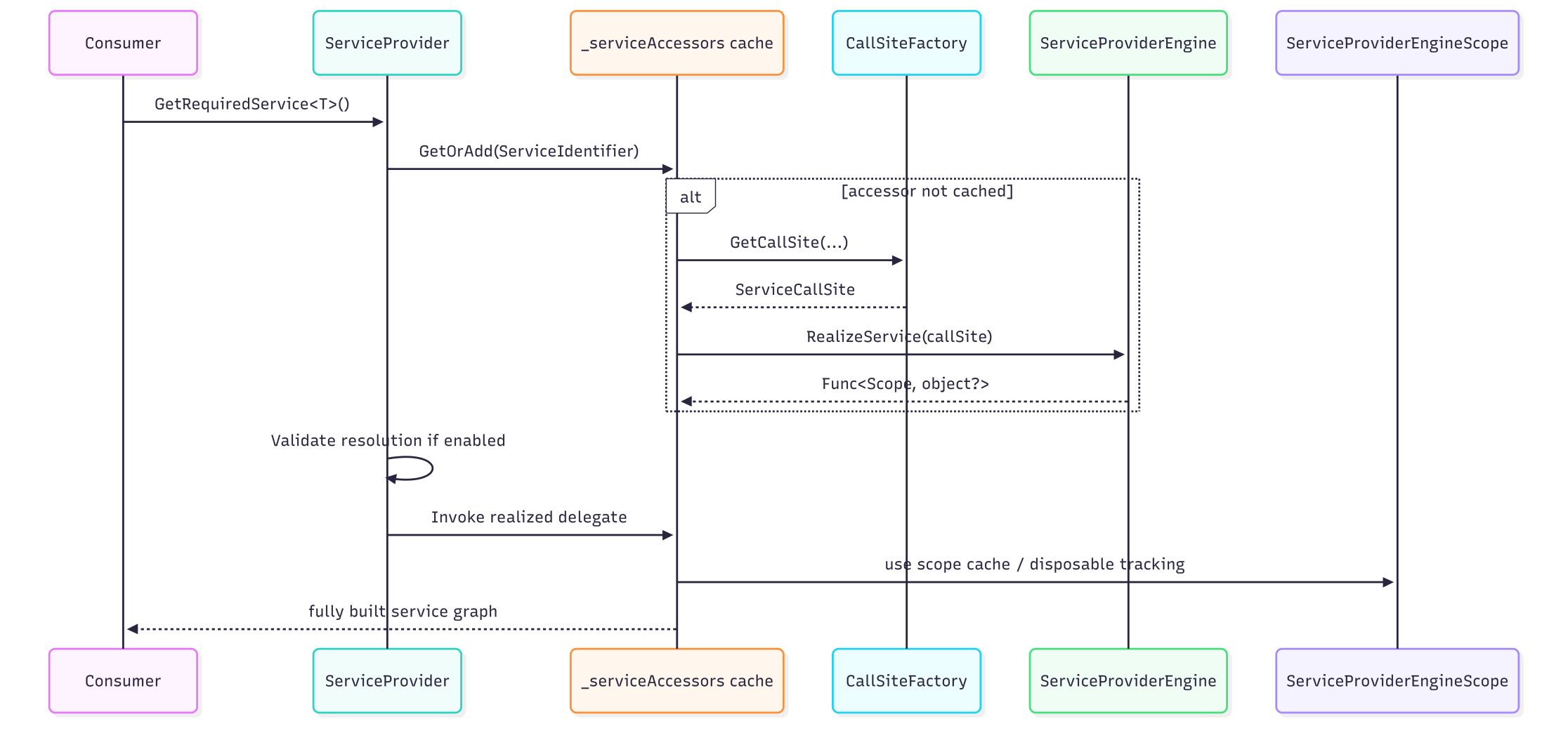
The performance implication is important: the provider does not rediscover the full object graph from scratch on every request. Service accessors are cached in a ConcurrentDictionary, and call sites are cached inside CallSiteFactory. (source.dot.net)
A call site is the internal resolution plan for a service. It describes whether the service should be created from an implementation type, factory, constant instance, open generic closure, IEnumerable<T> aggregation, or lifetime cache.
The official CallSiteFactory source shows that GetCallSite first checks _callSiteCache; if no cached site exists, it creates one. During creation, it locks per service identifier, checks for circular dependencies, and then tries exact registration, open generic registration, and IEnumerable<T> registration in that order. (source.dot.net)
This explains why IEnumerable<T> and open generics are first-class behaviors in the built-in container, not ad-hoc special cases bolted on later. The official source also shows IEnumerable<T> is specially recognized even when not explicitly registered. (source.dot.net)
Microsoft documents constructor selection like this: if a type has multiple constructors, the service provider selects the public constructor with the most parameters where the parameter types are DI-resolvable. If constructor discovery is ambiguous, an exception is thrown. (Microsoft Learn)
The official runtime source confirms the mechanism. CreateConstructorCallSite gets public constructors, sorts them by decreasing parameter count, attempts to create argument call sites, selects the best constructor, and throws an ambiguity exception when another satisfiable constructor has parameter types not contained in the selected constructor. (source.dot.net)
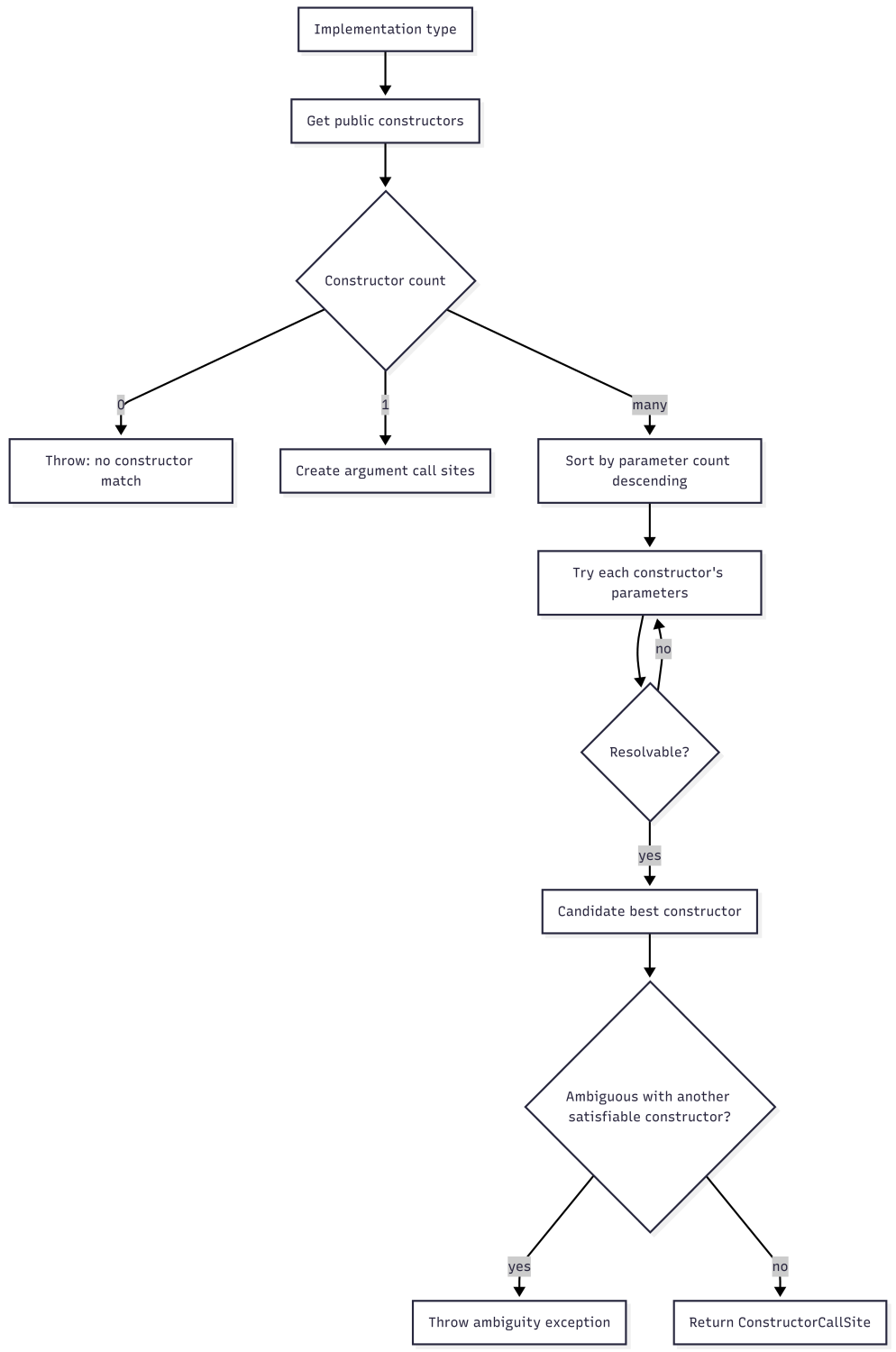
The source also shows argument resolution is recursive. Constructor parameter handling calls GetCallSite for each parameter type, supports keyed parameters through [FromKeyedServices], and can use default parameter values by creating a constant call site. (source.dot.net)
Architectural rule: prefer one clear public constructor for DI services. It makes dependencies explicit, avoids ambiguity, and improves testability.
Microsoft says singleton services are created either the first time they are requested or when the developer provides an instance directly to the container. (Microsoft Learn)
The runtime source shows an explicit singleton optimization. In CreateServiceAccessor, if the call site cache location is Root, the provider resolves the singleton from the root once and returns a delegate that always returns that captured value. The source comment says “Optimize singleton case.” (source.dot.net)

A scope has its own resolved-service dictionary. The official ServiceProviderEngineScope source creates ResolvedServices = new Dictionary<ServiceCacheKey, object?>() and stores whether the scope is the root scope. (source.dot.net)
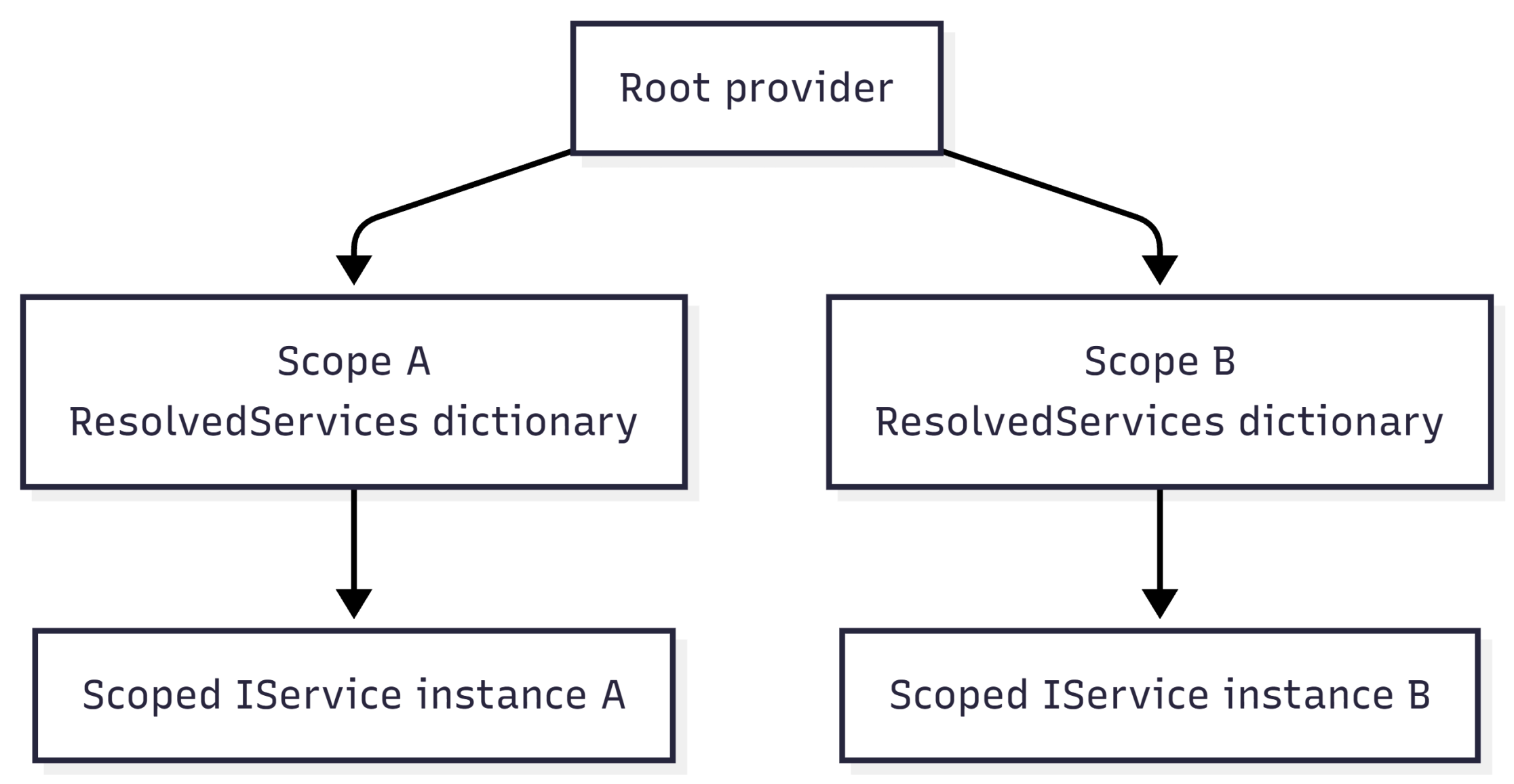
Scoped services are reused inside the same scope but are not shared across independent scopes.
Transient services are created each time requested. Microsoft explicitly says transient services incur per-request allocations because they are resolved and constructed every time. (Microsoft Learn)
Even though transients are not lifetime-cached like singletons or scoped services, disposal still matters. Microsoft warns that transient IDisposable instances are captured by the container for disposal and may cause memory leaks if resolved from the top-level container. (Microsoft Learn)
Microsoft’s rule is direct: the container owns cleanup for types it creates. It calls Dispose on IDisposable services and DisposeAsync on IAsyncDisposable services. Services resolved from the container should never be disposed manually by the developer. Transient and scoped services are disposed at the end of the scope where they were resolved; singleton services are disposed when the service container is disposed, usually at shutdown. (Microsoft Learn)
The official ServiceProviderEngineScope source shows the implementation shape. It has a _disposables list; CaptureDisposable adds disposable services to the list; Dispose and DisposeAsync process captured disposables in reverse order. (source.dot.net)
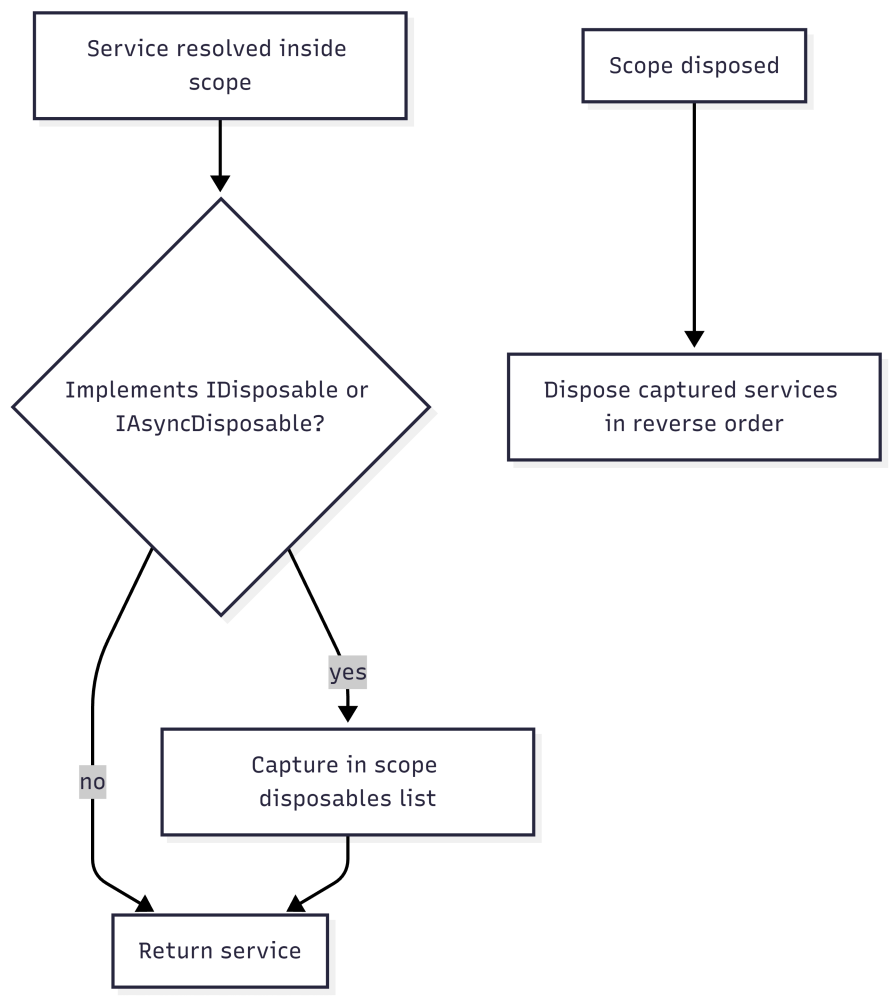
Important rules:
Do not manually dispose DI-created services.
Do not register IDisposable transients if the app needs to dispose them earlier than the end of the scope; Microsoft recommends the factory pattern for that scenario.
Do not resolve transient or scoped IDisposable services from the root scope.
If you register an already-created instance with AddSingleton(new ExampleService()), the framework does not dispose that instance automatically; the developer is responsible for disposal.
Microsoft also states that built-in DI scopes are not hierarchical and have no special connection among scopes. (Microsoft Learn)
Scope validation catches lifetime bugs before they become production bugs.
Microsoft says that in development, the default provider checks that scoped services are not resolved from the root service provider and are not injected into singletons. (Microsoft Learn)
The runtime source shows ServiceProvider creates a CallSiteValidator when ValidateScopes is enabled and validates service descriptors during build when ValidateOnBuild is enabled. (source.dot.net)
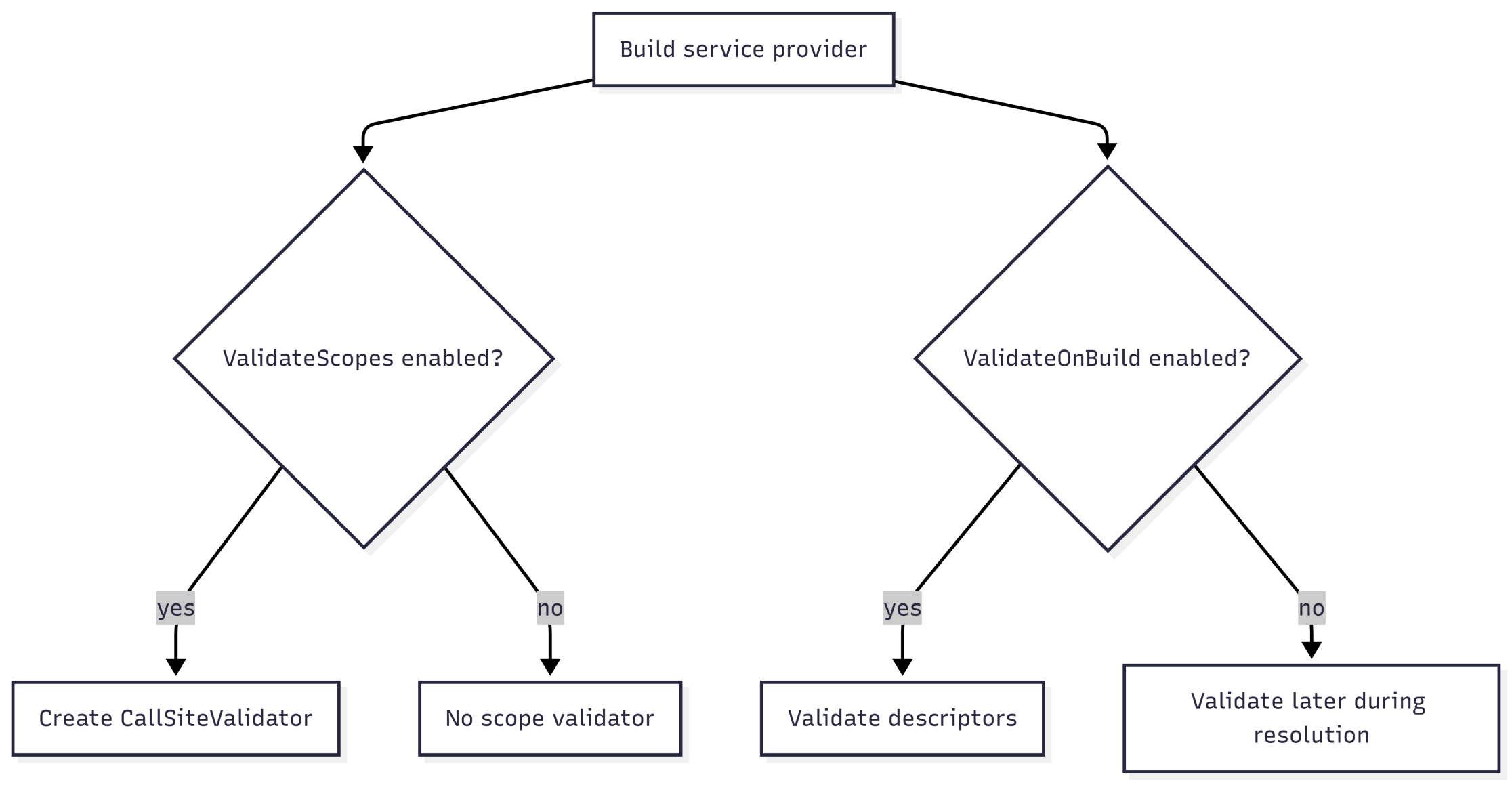
Architectural recommendation: enable scope validation in development and test environments. Microsoft explicitly recommends enabling it to make sure singletons do not capture scoped services. (Microsoft Learn)
13. Lazy DI: what is official and what is not
Lazy DI is often misunderstood. There are several different concepts.
Built-in singleton lazy creation
The built-in container already creates singleton services lazily by default. Microsoft says singleton services are created the first time they are requested unless the developer provides an implementation instance directly. (Microsoft Learn)

If the goal is “do not create this singleton until it is needed,” the built-in container already does that.
Eager singleton creation / auto-activation
Sometimes the goal is the opposite: create selected singleton services at startup to avoid first-request latency or warm up expensive dependencies. Microsoft provides Microsoft.Extensions.DependencyInjection.AutoActivation, which automatically activates singleton services at application startup rather than waiting for first use. Microsoft lists use cases such as minimizing first-request latency, warming caches, establishing connections, and moving expensive constructors to startup. (Microsoft Learn)
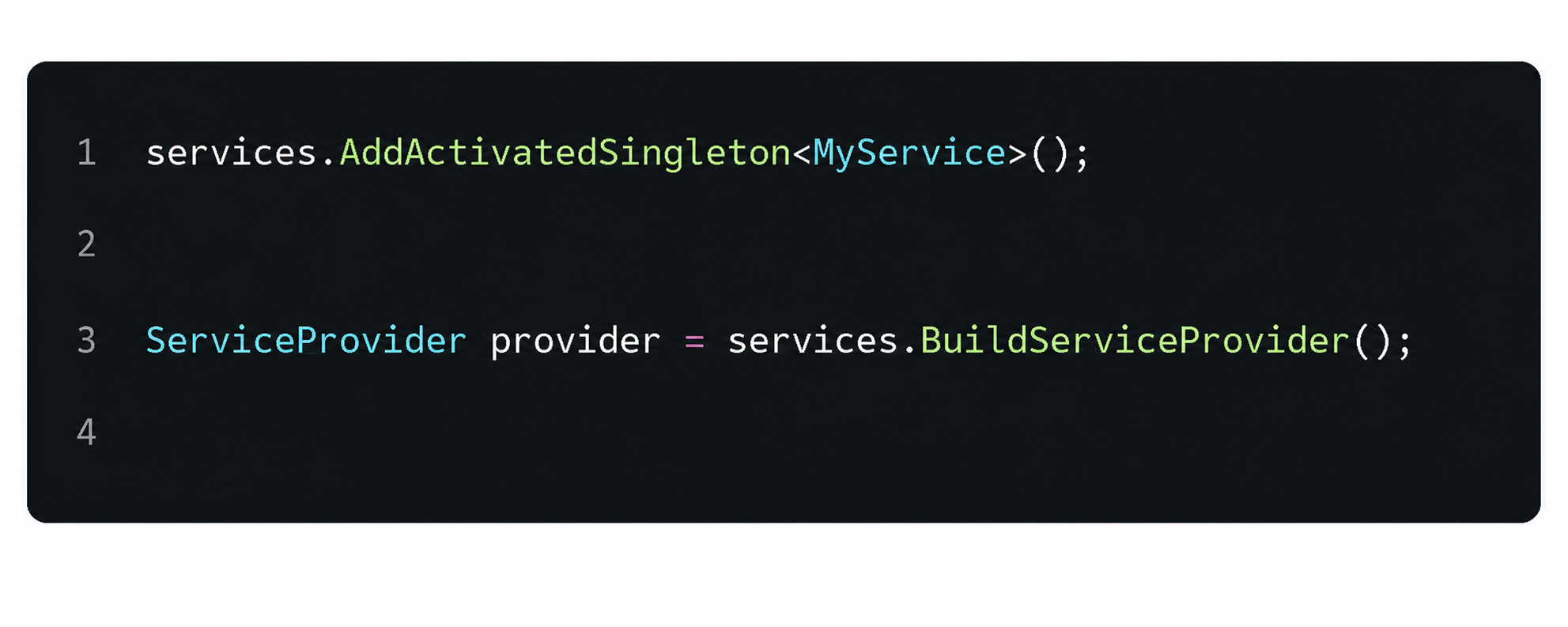
Microsoft says MyService is instantiated when BuildServiceProvider() is called, not when it is first requested. (Microsoft Learn)

Official caution: auto-activation is for singletons. Auto-activated services should keep startup fast, constructor exceptions can prevent startup, and hosted services should be considered for ongoing work or asynchronous initialization.
Func lazy initialization
Microsoft explicitly lists Func<T> support for lazy initialization as unsupported by the built-in container and as one of the reasons to replace the default provider. (Microsoft Learn)
This pattern is not a built-in default-container feature:
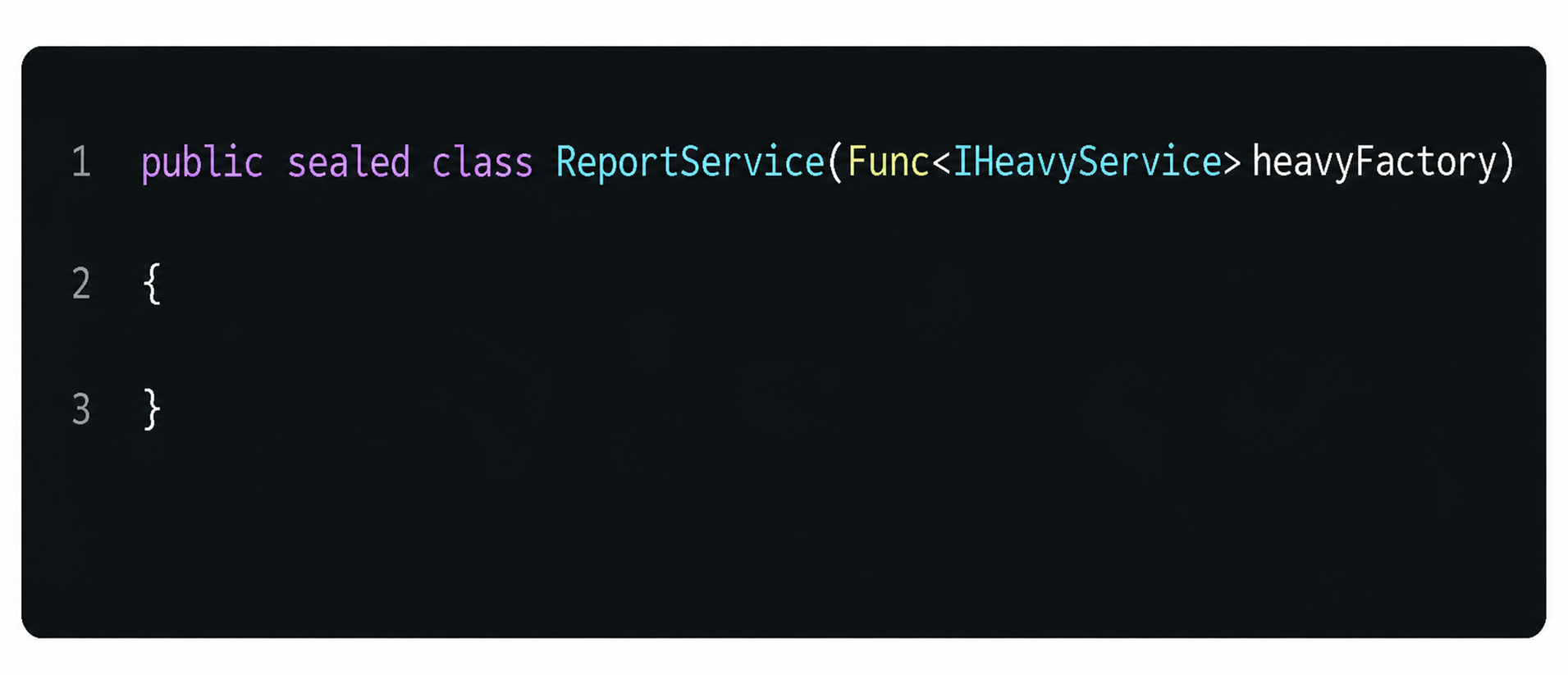
You can write manual factories in some designs, but automatic Func<T> relationship injection is not supported by the built-in provider according to Microsoft’s own replacement-container guidance.
Lazy
Lazy<T> is an official .NET BCL type, not automatically a built-in DI relationship type. Microsoft says lazy initialization defers object creation until first use and recommends Lazy<T> over custom lazy initialization code; Lazy<T> also supports thread-safety and consistent exception propagation. (Microsoft Learn)
After a Lazy<T> object is created, no instance of T is created until the Value property is first accessed. On first access, the wrapped object is created, returned, and stored for future access. (Microsoft Learn)

Important precision: Microsoft’s built-in DI documentation does not document automatic Lazy<T> resolution as a feature of the default container. The official CallSiteFactory source shows special handling for exact registrations, open generics, and IEnumerable<T>; it does not show Lazy<T> or Func<T> as built-in special-resolution branches. (source.dot.net)
Architecture conclusion: use built-in singleton lazy creation when it fits; use official auto-activation when you need startup warming; use explicit factories or scopes for simple cases; consider a replacement container when relationship types such as Func<T>, Lazy<T>, Owned<T>, metadata, or keyed indexes become part of the composition model.
Most DI optimization is architectural, not micro-tuning.
Microsoft’s DI guidelines say to avoid direct instantiation of dependent classes inside services, avoid stateful static classes, make services small and testable, and refactor classes with too many dependencies because that may indicate too many responsibilities. (Microsoft Learn)
Choosing the correct lifetime is one of the most important design decisions in Dependency Injection. A service lifetime should match four things: how the service holds state, how expensive it is to create, how long it should live, and whether it is safe to share across requests or threads.
For a stateless lightweight service, use Transient. A new instance is created each time the service is requested, which keeps the lifecycle simple.
For a per-request unit of work, use Scoped. One instance is created per HTTP request or explicit scope, making it suitable for request-bound operations.
For EF Core DbContext, use Scoped. AddDbContext registers DbContext as scoped by default, which matches the unit-of-work pattern.
For a shared cache or global expensive state, use Singleton. One instance is reused for the application lifetime, so the service must be thread-safe.
For a heavy singleton that must be ready before the first request, use an auto-activated singleton. The official auto-activation package can create the singleton during startup instead of waiting until first use.
For automatic Func<T> lazy injection, consider a replacement container. The built-in provider does not support automatic Func<T> lazy initialization, so a third-party container may be required.
Singleton should not be selected just because it appears faster. It should be reserved for services that are genuinely expensive to create, globally shared, and safe to reuse for the full application lifetime.
Singleton services also introduce additional design responsibilities. They must be thread-safe, they can increase coupling, they may make testing harder, and they can keep memory alive until application shutdown. They can also create problems with configuration reloads, fault recovery, initialization cost, and scope leakage if they accidentally capture scoped services.
The rule is simple: use singleton deliberately, not by default.
Do not inject scoped services into singletons. If a singleton must perform scoped work, create a scope with IServiceScopeFactory.
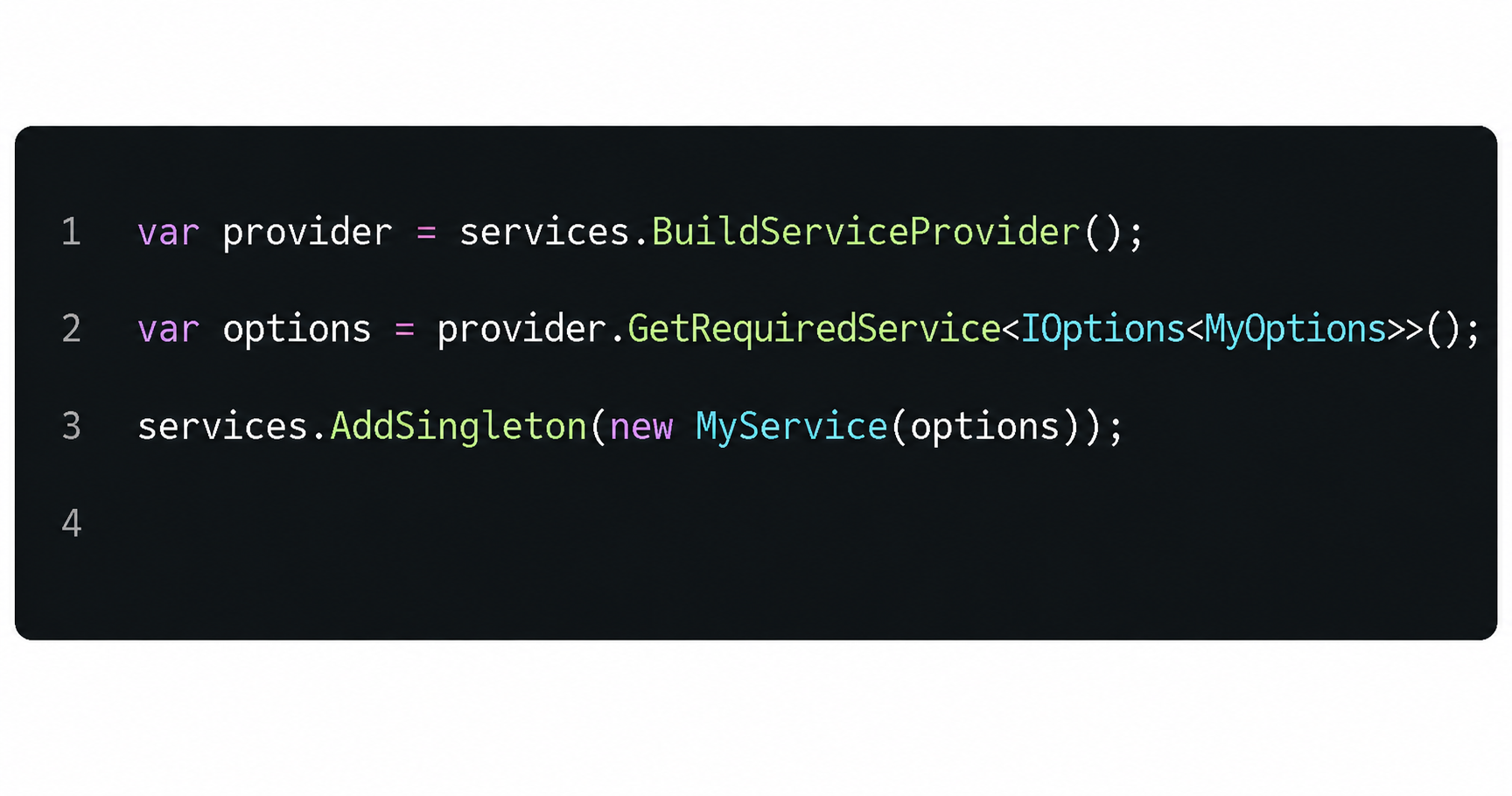
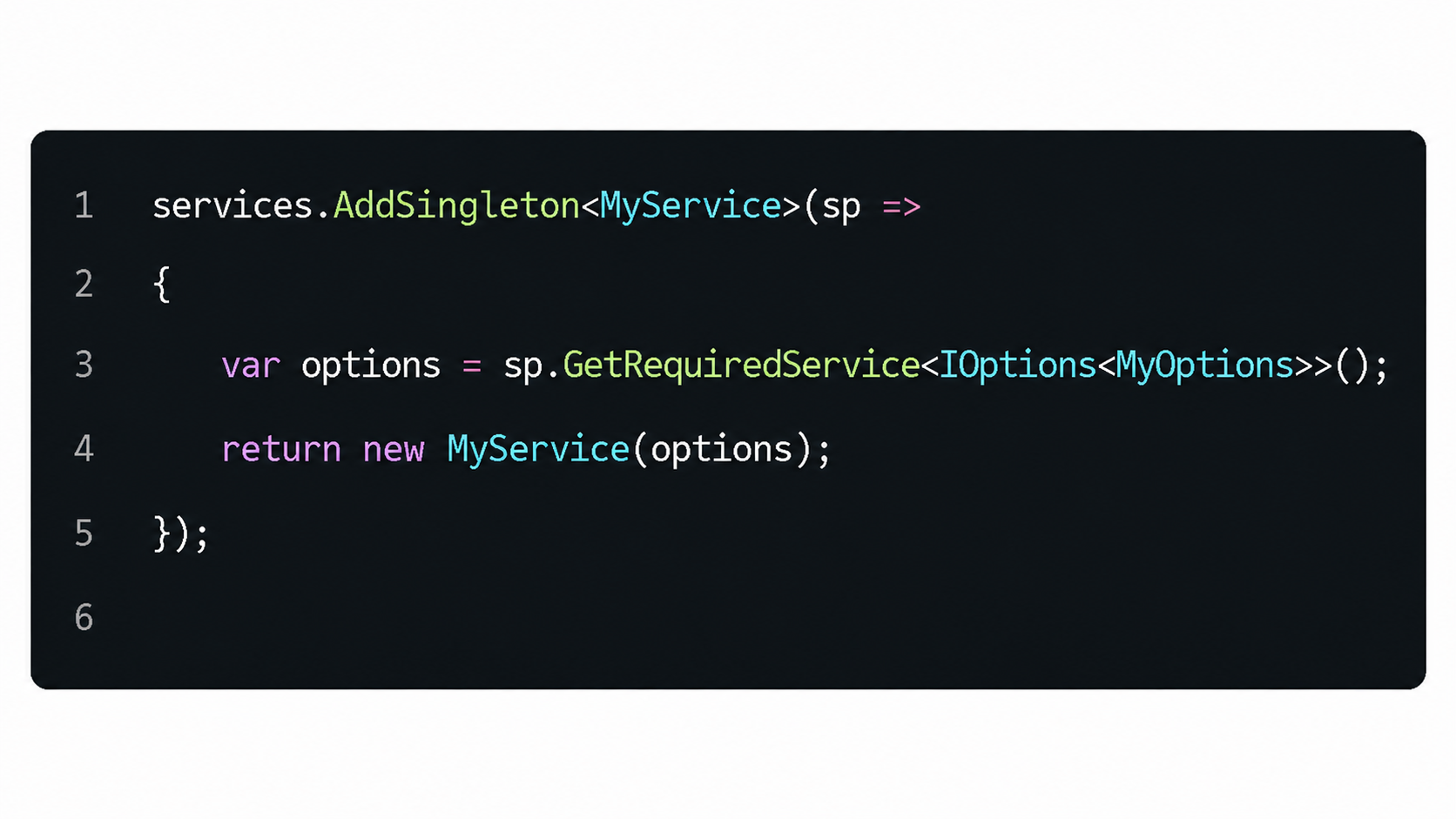
Microsoft says to avoid calls to BuildServiceProvider while configuring services. If another service is needed while registering a service, use an overload that includes IServiceProvider. (Microsoft Learn)
Bad:
Better:
Keep factories fast and synchronous
Microsoft says async/await and Task-based service resolution are not supported, factory methods should be fast and synchronous, and async factories that block on .Result can cause deadlocks. (Microsoft Learn)
Bad:
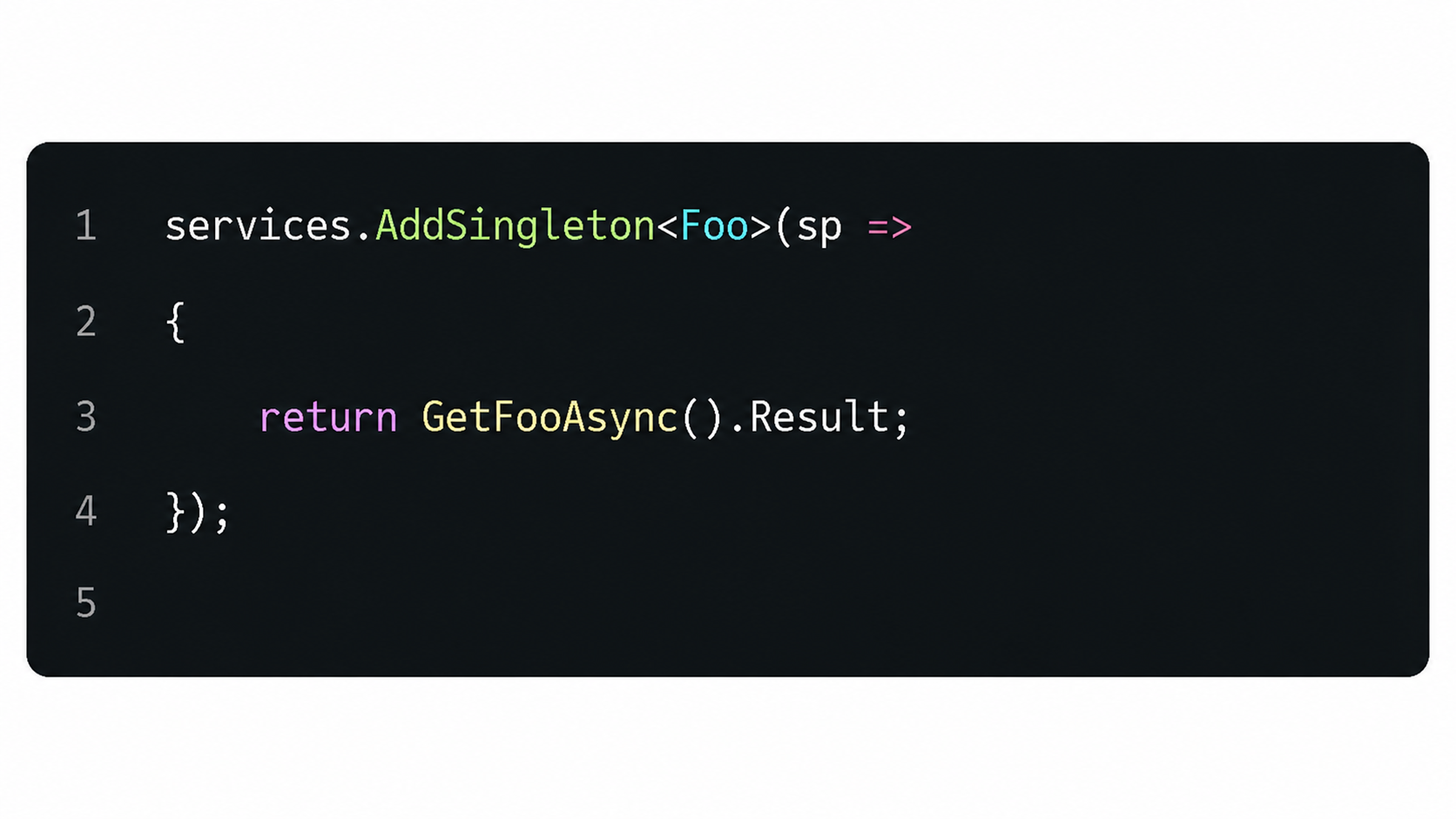
Better architecture: resolve synchronously, then perform asynchronous initialization after construction, or use hosted services for startup or background initialization. Auto-activation can warm singletons at startup, but ongoing asynchronous work belongs elsewhere.
Avoid disposable transient leaks
Microsoft warns that disposable transient services are captured by the container for disposal. If resolved from the top-level provider, they stay rooted until the provider is disposed, causing a possible memory leak. (Microsoft Learn)
Bad:
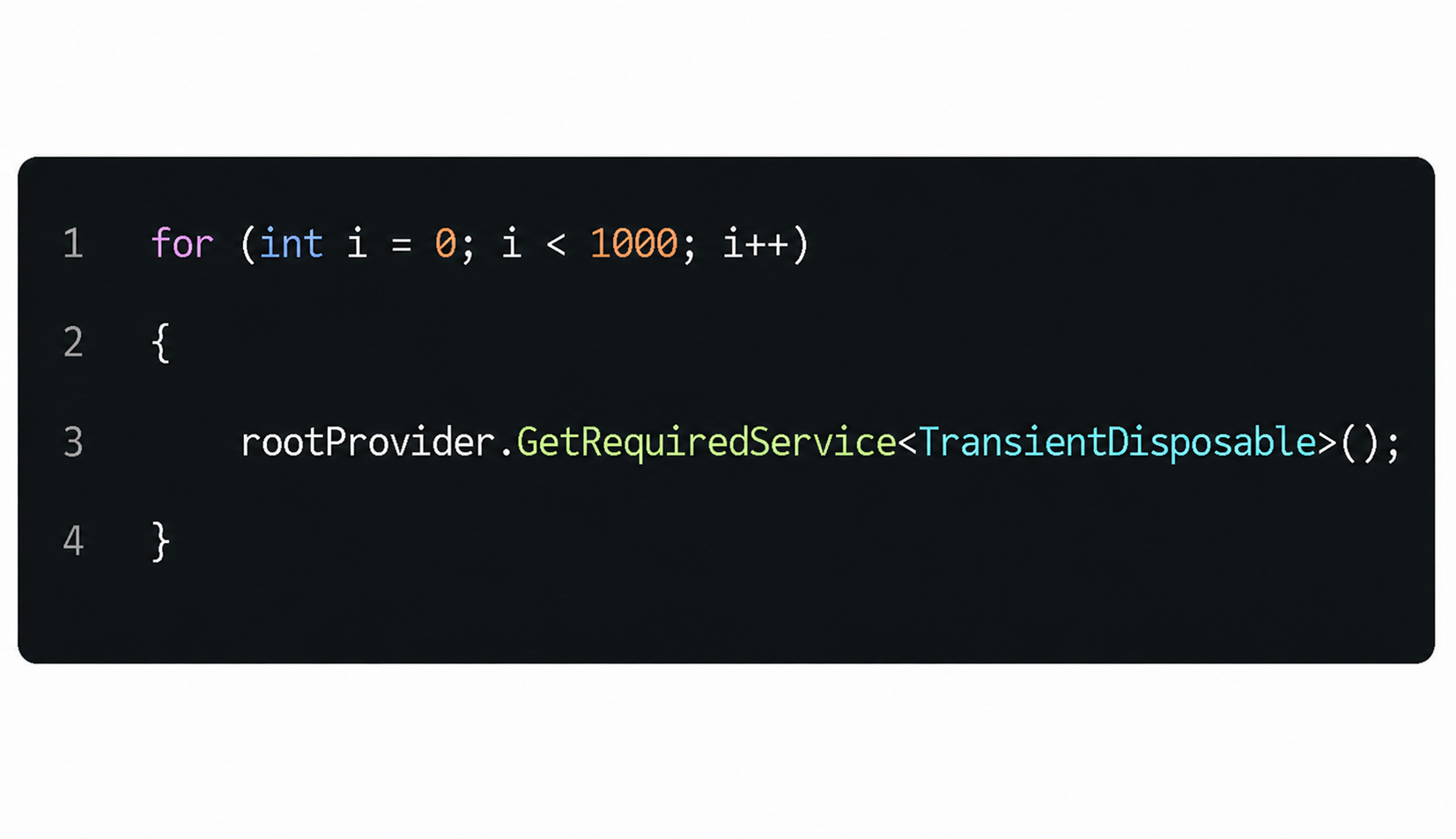
Better: resolve such services inside a scope or use a factory pattern when a shorter manual lifetime is needed.
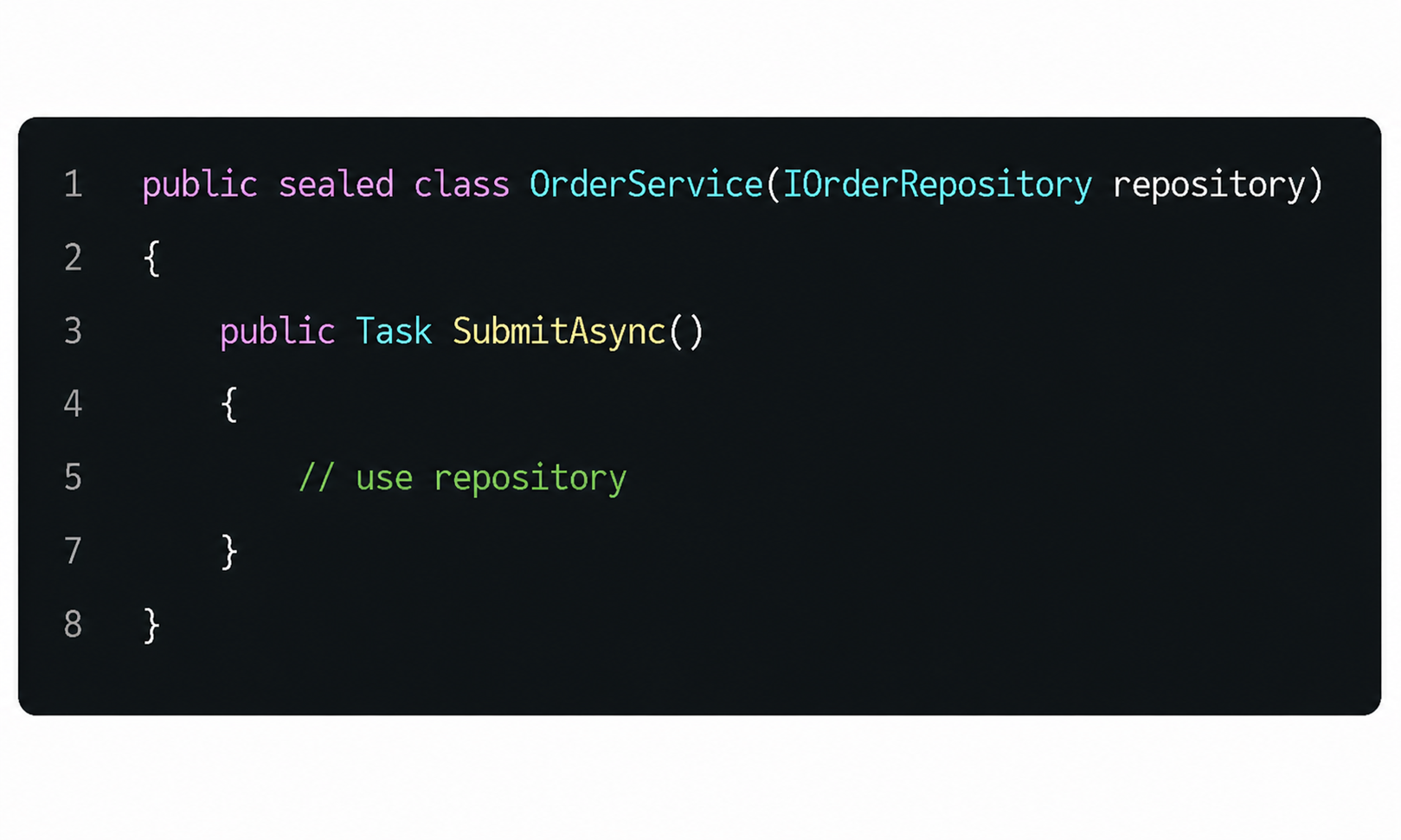
Prefer constructor injection and avoid service locator
Microsoft says to avoid the service locator pattern: do not call GetService to obtain a service when constructor injection can be used. It also warns against factory patterns that simply resolve dependencies at runtime because they mix inversion-of-control strategies. (Microsoft Learn)
Bad:
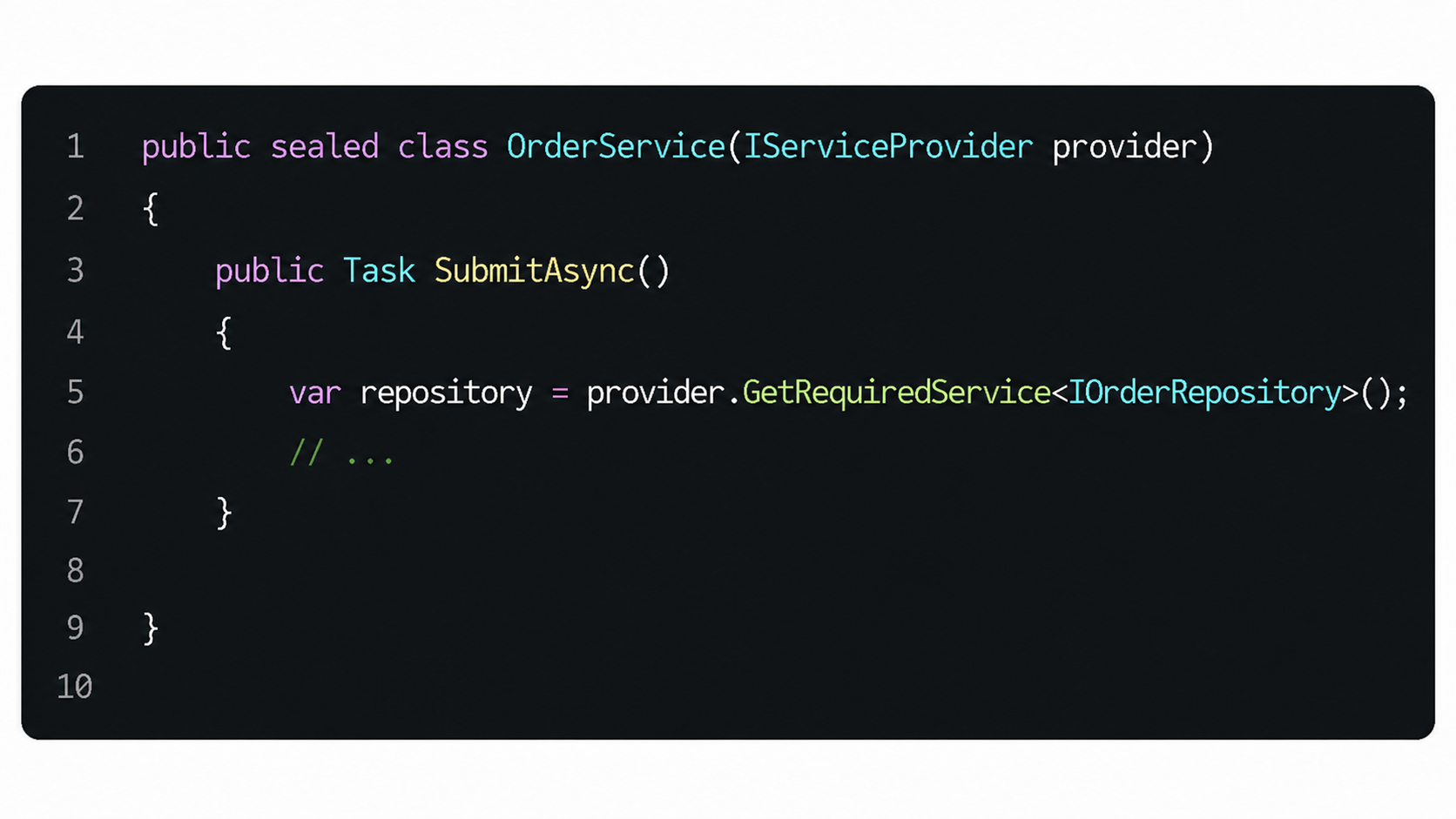
Better:
Keep services small
If a service has many injected dependencies, Microsoft says it may be a sign that the class has too many responsibilities and violates the Single Responsibility Principle. (Microsoft Learn)
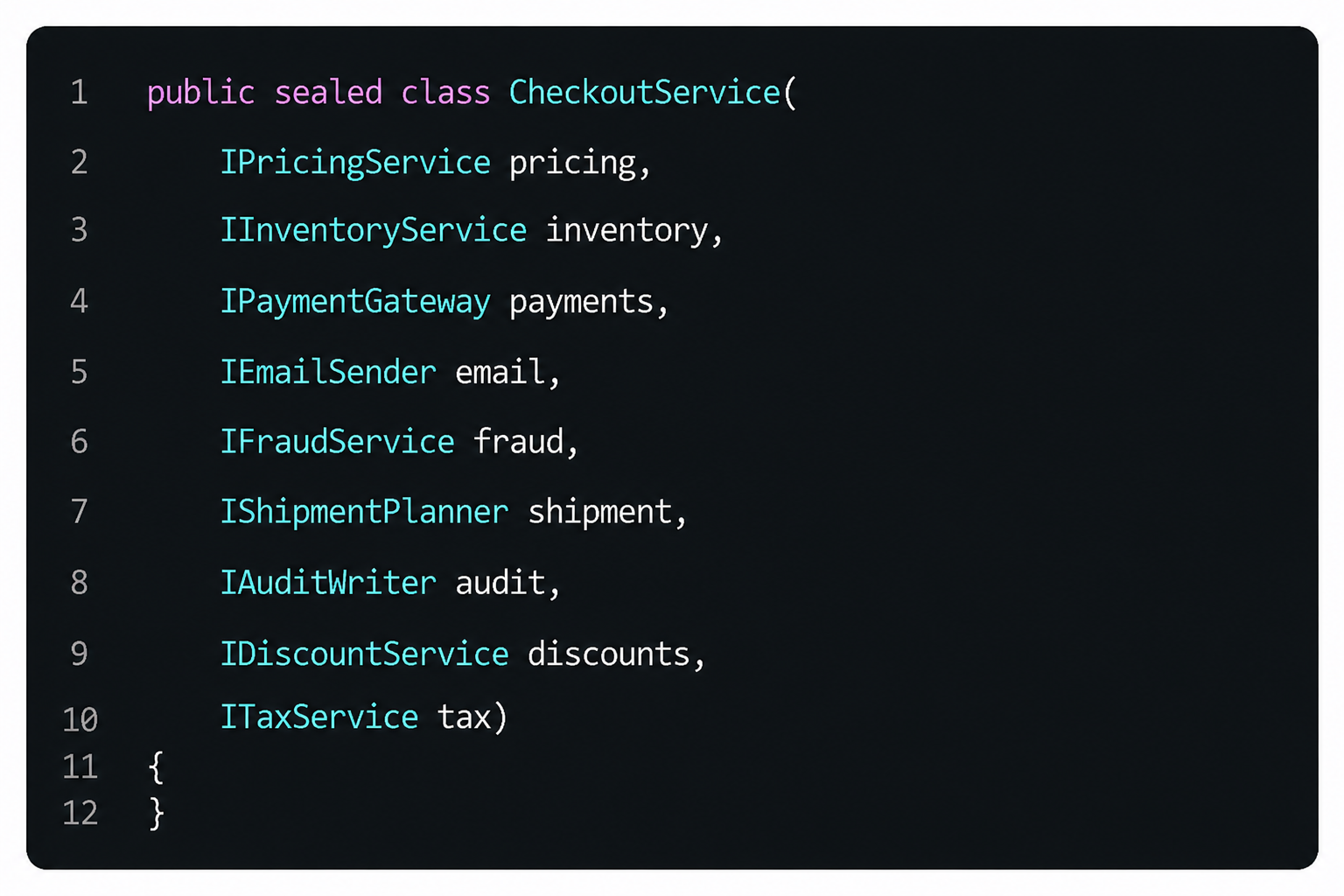
The fix is not “make DI faster.” The fix is to split responsibilities.
15. One-page built-in DI architecture diagram
16. When the built-in container is enough
Use the built-in DI provider when your application needs constructor injection, standard lifetimes, options/configuration, logging, IEnumerable<T> multiple implementations, open generics, hosted services, keyed services, and normal ASP.NET Core integration.
That covers most REST APIs, CRUD microservices, background workers with normal scoped processing, internal business systems, and modular monoliths where module boundaries can be expressed with extension methods such as services.AddBilling(...).
The key rule is not “built-in DI is basic” or “Autofac is better.” The correct rule is: use built-in DI until the application has a real composition requirement that the built-in provider intentionally does not support. This aligns with Microsoft’s guidance to use the built-in container unless a specific unsupported feature is needed. (Microsoft Learn)
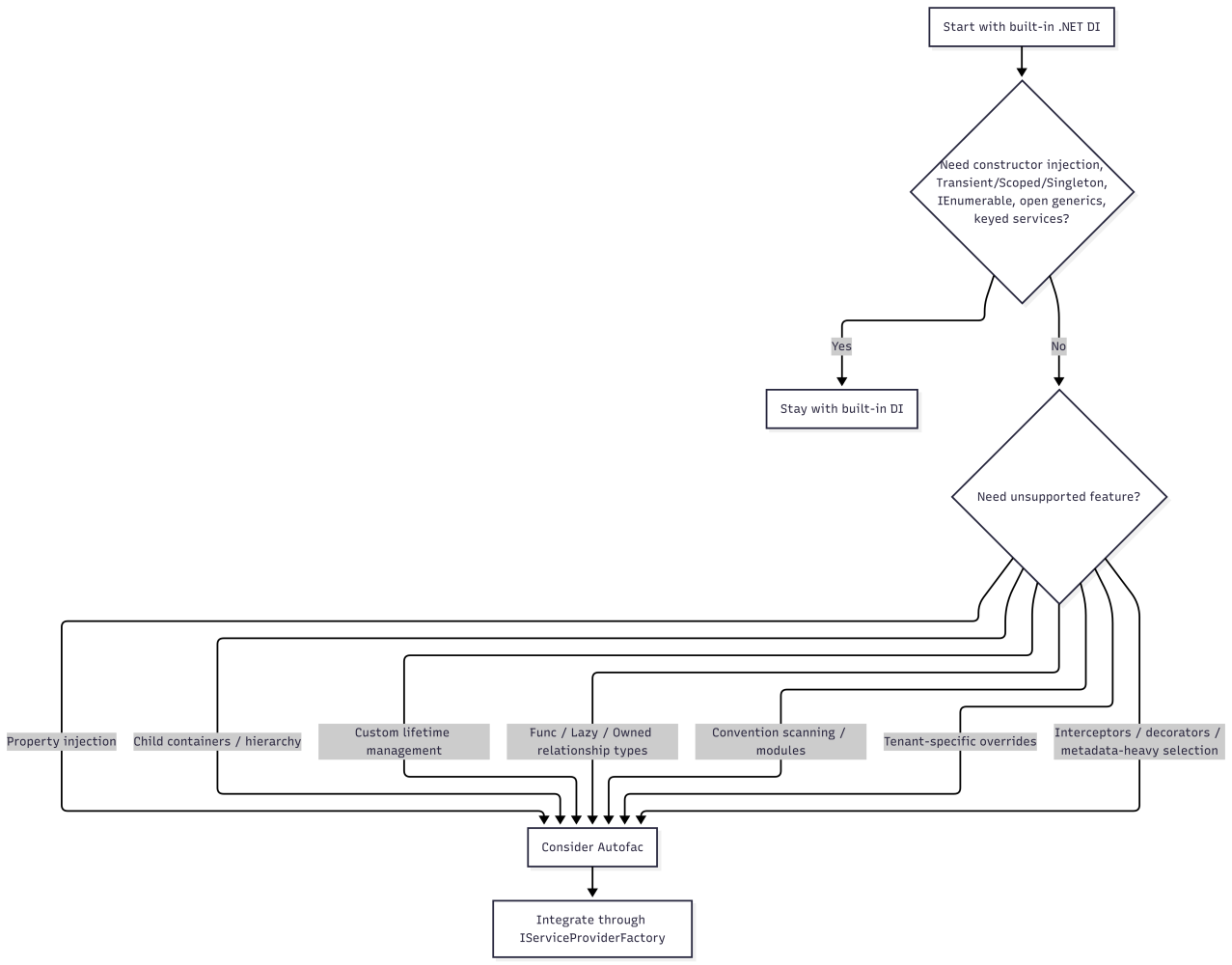
17. When the built-in container is not enough
Microsoft’s unsupported-feature list gives the official starting point: property injection, child containers, custom lifetime management, Func<T> lazy initialization, and convention-based registration. Autofac’s official documentation shows how it supports many of these richer composition scenarios. (Microsoft Learn)
Case 1: Property or method injection
Microsoft lists property injection as unsupported by the built-in container. Autofac supports property and method injection, while still stating that constructor injection is preferred. Autofac’s docs define property injection as using writable properties, and method injection as calling a method to set dependencies. (Microsoft Learn)
Business case: you are modernizing a legacy .NET application where framework-created objects, UI objects, plugin classes, filters, or dynamically loaded classes cannot easily receive every dependency through constructors.
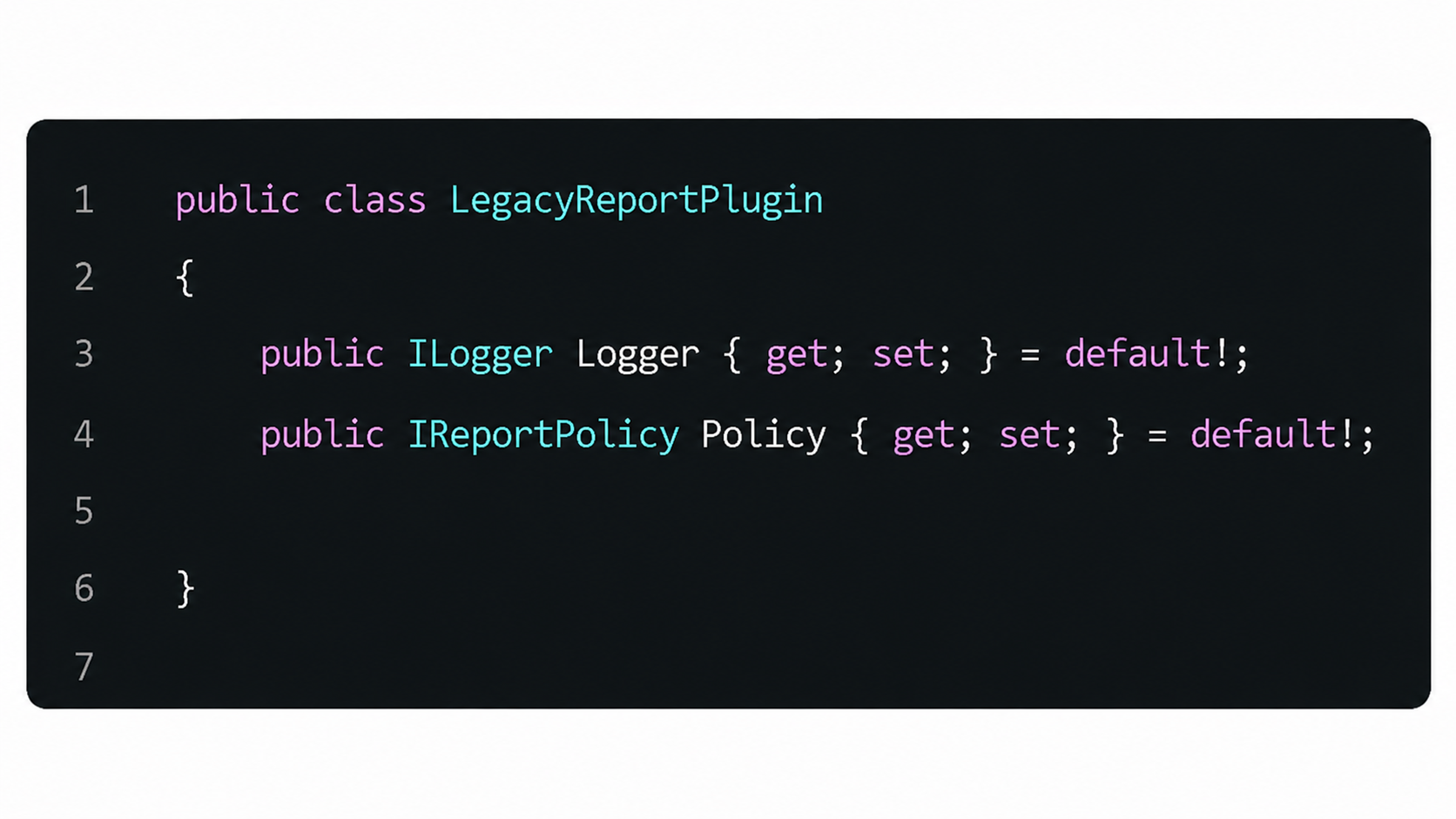
Autofac can populate writable properties through PropertiesAutowired() or explicit property configuration. (autofac.readthedocs.io)
Architectural warning: do not use property injection because constructors feel “long.” If constructors are long, the design may need refactoring.
Microsoft lists child containers as unsupported by the built-in provider and says built-in scopes are not hierarchical. (Microsoft Learn)
Autofac models lifetime scopes as a hierarchy. Its docs state that lifetime scopes are nestable, control sharing and disposal, and that a child lifetime scope can get dependencies from parent scopes while a parent cannot reach down into a child scope. (autofac.readthedocs.io)
Business case: an enterprise platform has a root application container, but each tenant, plugin, workflow, hosted subsystem, or batch job needs local override registrations without polluting the root container.
Built-in scopes are lifetime boundaries. Autofac lifetime scopes can also be hierarchical registration and override boundaries.
Microsoft lists custom lifetime management as unsupported by the built-in container. Autofac documents richer instance scopes including per-dependency, single instance, per lifetime scope, per matching lifetime scope, per request, per owned, and thread scope. (Microsoft Learn)
Business case: message processors, ETL jobs, workflow engines, saga processors, file importers, and rule engines often need lifetimes like “one object graph per message,” “one service per owned operation,” or “one dependency per named workflow scope.”
Autofac’s Owned<T> relationship is especially useful. Autofac says an owned dependency can be released by the owner when it is no longer required and that Owned<T> usually corresponds to a unit of work. Internally, Autofac creates a small lifetime scope for the owned service; disposing Owned<T> disposes that lifetime scope and its dependencies unless they are shared. (autofac.readthedocs.io
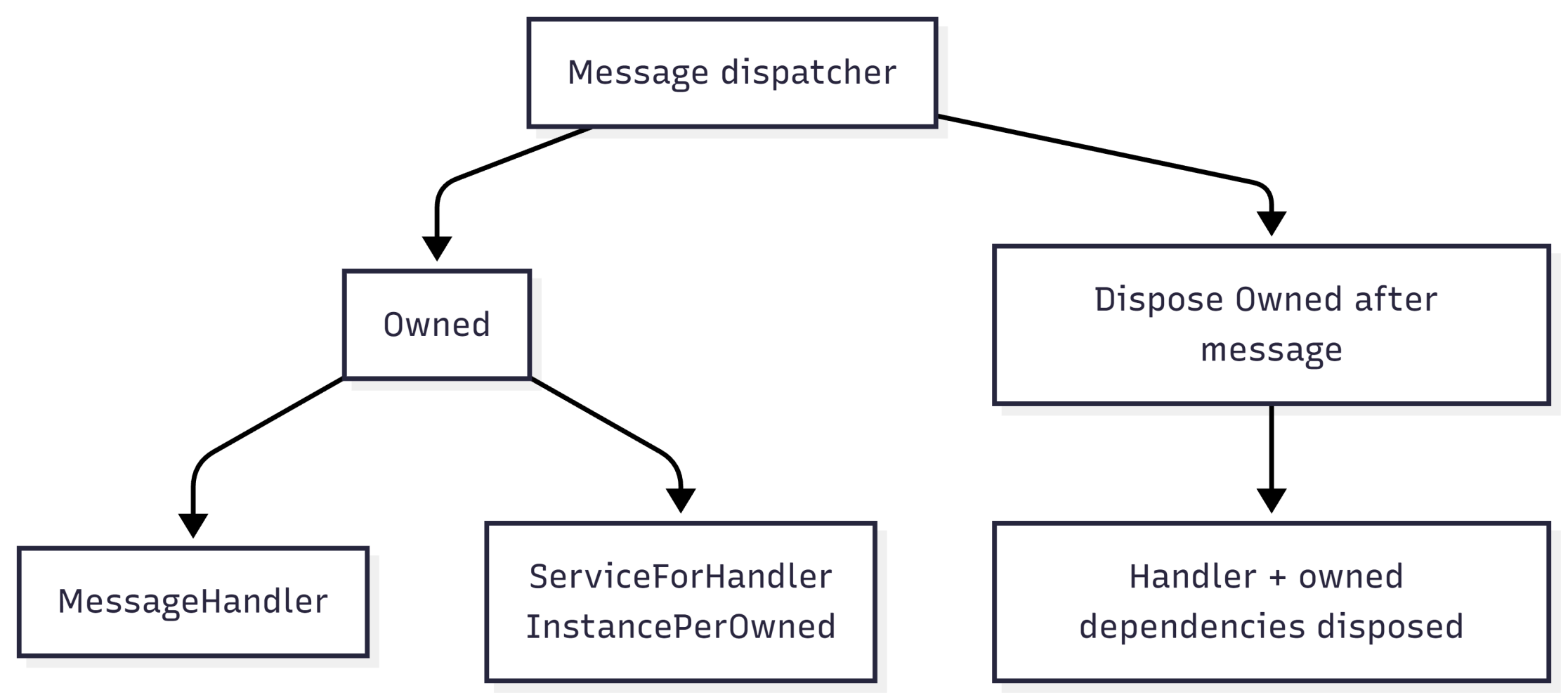
The built-in container can approximate this with IServiceScopeFactory.CreateScope(), but it does not provide Autofac’s Owned<T> relationship type or InstancePerOwned<T> registration model.
Microsoft lists Func<T> support for lazy initialization as unsupported by the built-in provider. Autofac supports implicit relationship types including Lazy<B>, Owned<B>, Func<B>, parameterized Func<X,Y,B>, Meta<B>, and IIndex<X,B>. (Microsoft Learn)
Business case: a dependency is expensive and may only be needed for some paths.
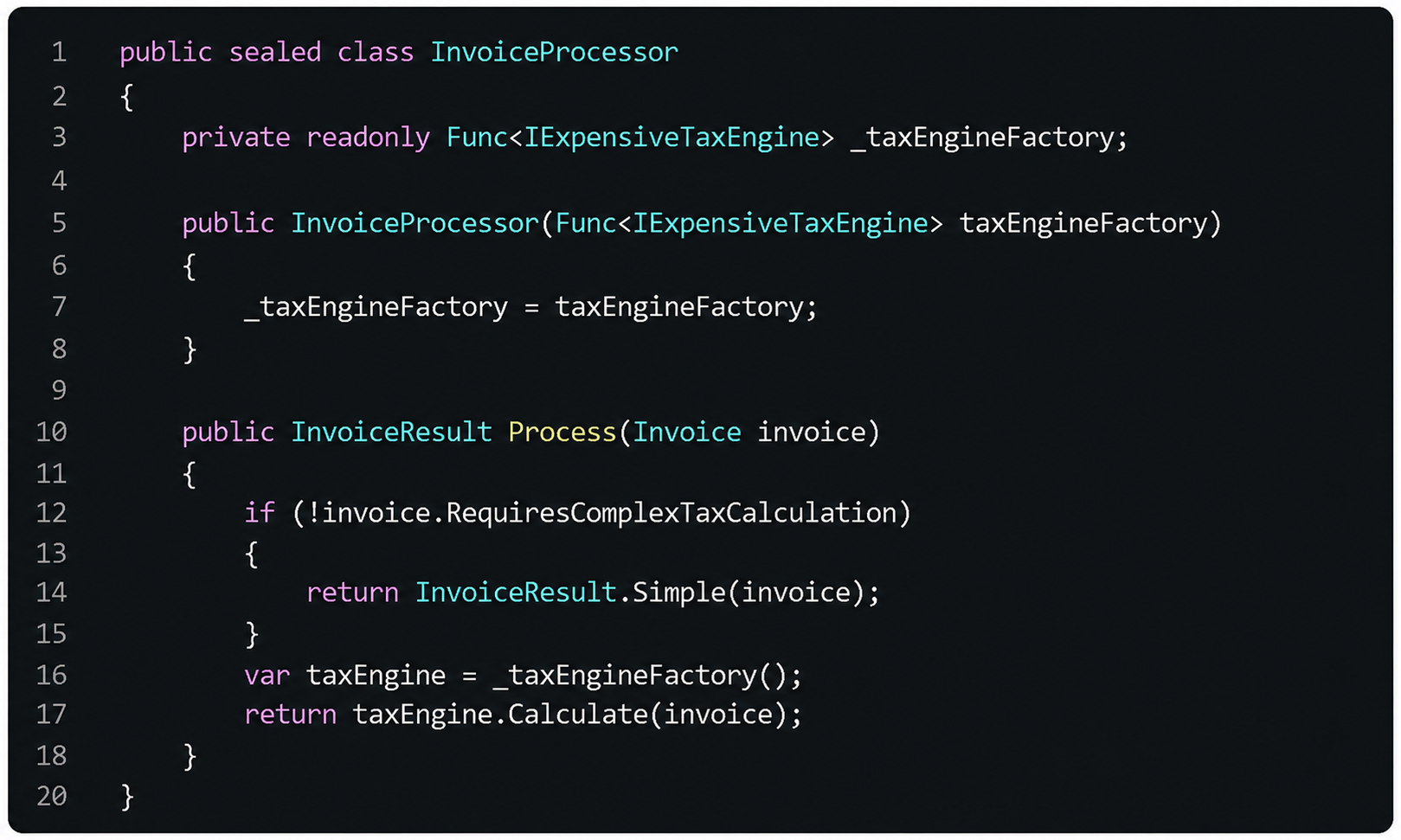
Autofac documents Lazy<B> for delayed instantiation, Func<B> for dynamic instantiation, and Func<X,Y,B> for parameterized instantiation. (autofac.readthedocs.io)
Real business examples include a pricing engine creating strategies from runtime country/currency/customer segment, a report generator creating a heavy PDF renderer only for PDF export, a workflow engine creating step handlers with runtime correlation IDs, and a payment system creating provider-specific clients from runtime merchant configuration.
Case 5: Convention-based registration and assembly scanning
Microsoft lists convention-based registration as unsupported by the built-in container. Autofac supports assembly scanning, allowing conventions to find and register components in assemblies. Autofac documents scanning individual types and scanning for Autofac modules. (Microsoft Learn)
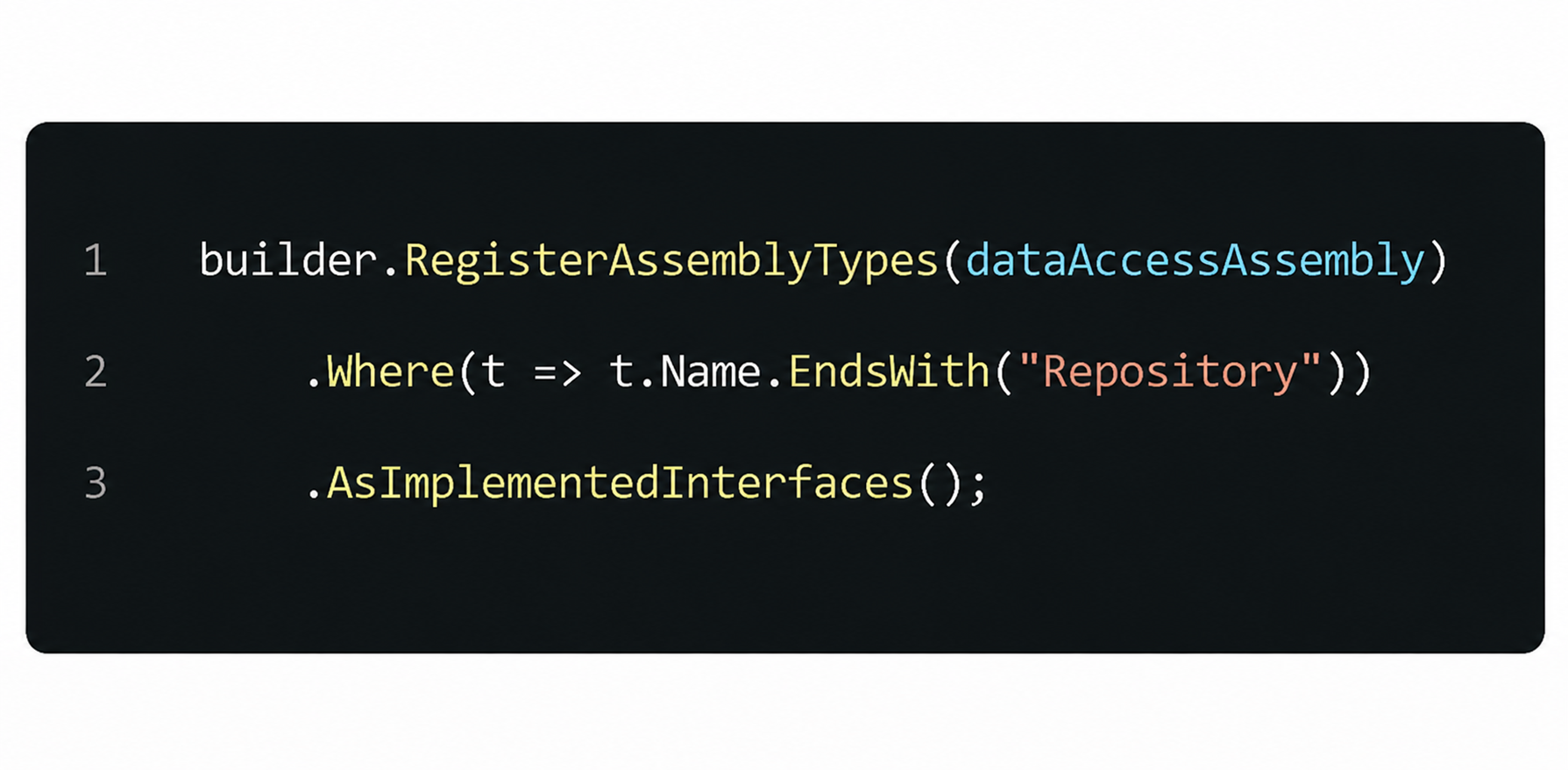
Business case: a modular monolith, plugin platform, ERP/CRM platform, white-label SaaS system, or integration-heavy financial/travel/insurance system has many feature assemblies and provider-specific adapters.
The trade-off: convention scanning can hide registrations. In critical systems, prefer explicit module boundaries over uncontrolled “scan everything” behavior.
Case 6: Modules for large configurable systems
Autofac modules bundle related component registrations behind a smaller configuration surface. The docs say a module is a small class that groups related components behind a facade to simplify configuration and deployment, exposing a deliberate restricted set of configuration parameters. (autofac.readthedocs.io)
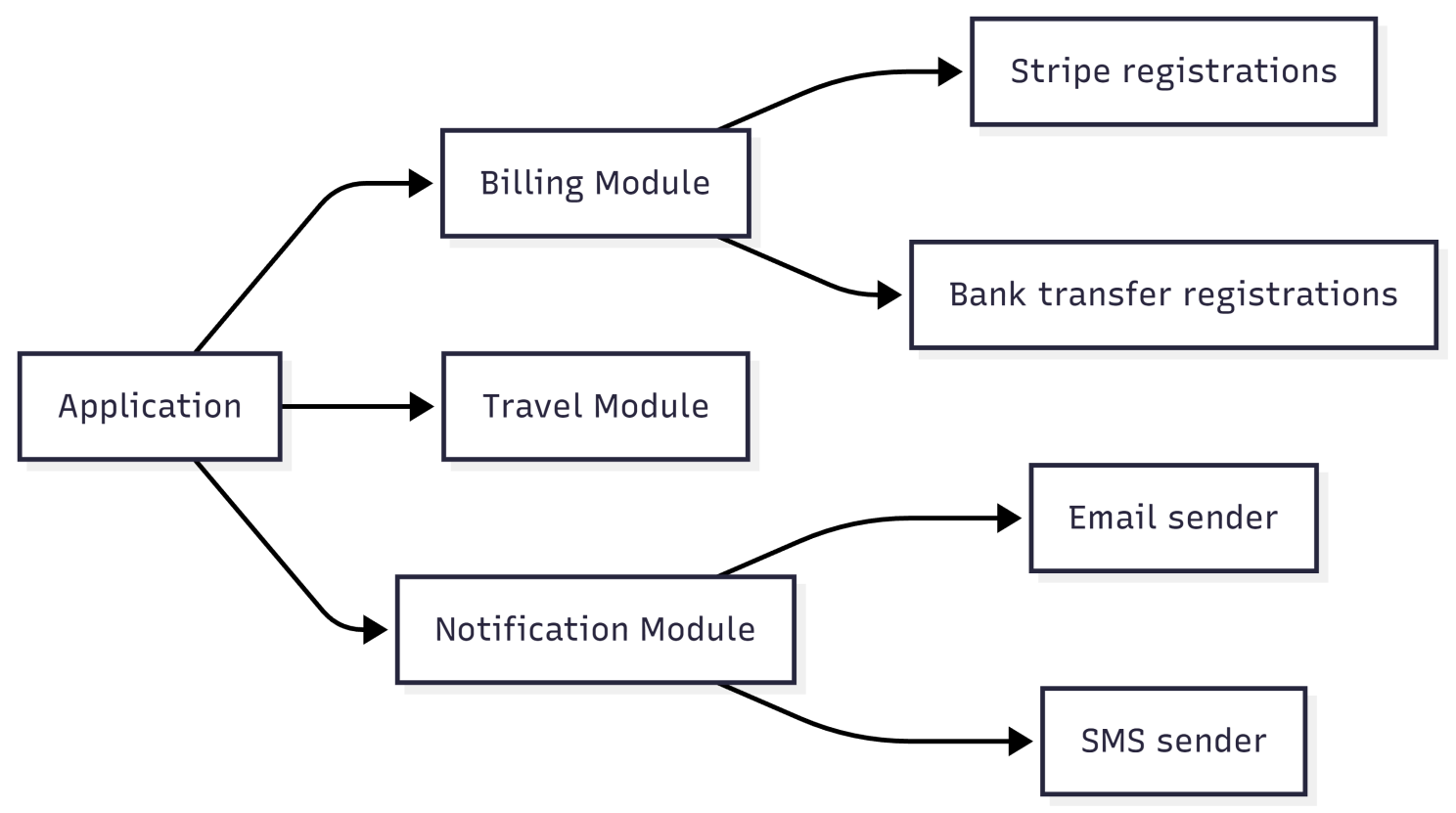
Business case: productized enterprise software is deployed to many customers, and deployments need different infrastructure, adapters, policies, or integrations.
Autofac’s module docs list advantages such as decreased configuration complexity, explicit configuration parameters, abstraction from internal architecture, better type safety, dynamic configuration, and advanced extensions. (autofac.readthedocs.io)
Built-in DI extension methods such as services.AddBilling(...) are often enough. Autofac modules become more valuable when modules also need Autofac-specific features such as decorators, relationship types, metadata, child scopes, or conditional registrations.
Autofac provides built-in adapter and decorator registration. Its docs say adapter registration can automatically adapt services to a different interface, and decorator registration can automatically wrap services with decorator classes. (autofac.readthedocs.io)
Business case: many command handlers, query handlers, validators, payment providers, message handlers, or integration clients require cross-cutting behavior.
Examples:
logging around every command handler;
transaction boundary around every use case;
retry or circuit-breaker wrapper around provider clients;
authorization wrapper around sensitive operations;
diagnostics around integration calls.
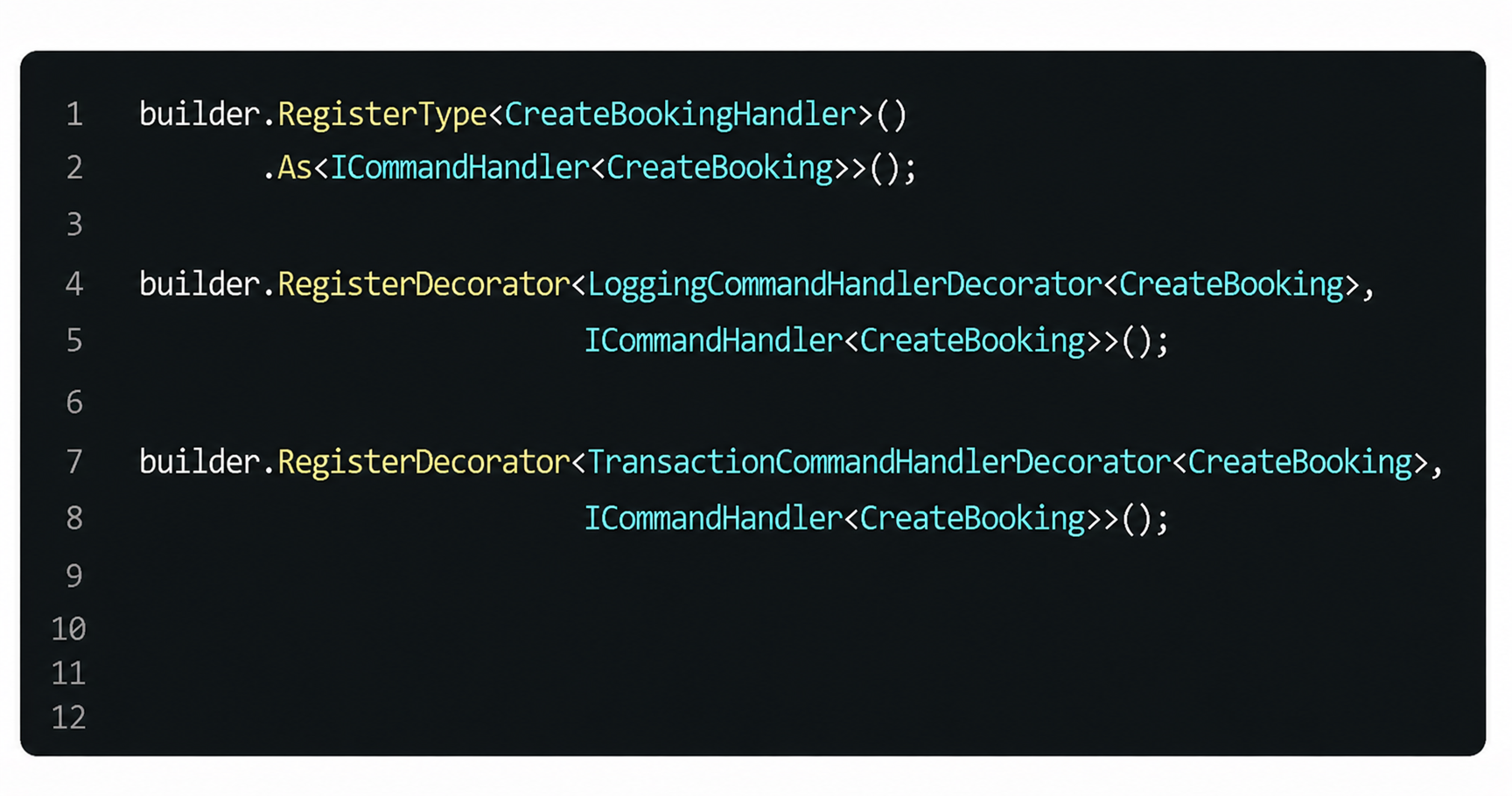
Autofac supports decorators on open generics and multiple decorators applied in registration order. (autofac.readthedocs.io)
The built-in container can sometimes compose decorators manually, but Autofac provides first-class decorator registration and ordering.
Case 8: Interception and AOP-style behavior
Autofac’s DynamicProxy integration enables method calls on Autofac components to be intercepted by other components. Autofac lists common use cases such as transaction handling, logging, and declarative security. (autofac.readthedocs.io)
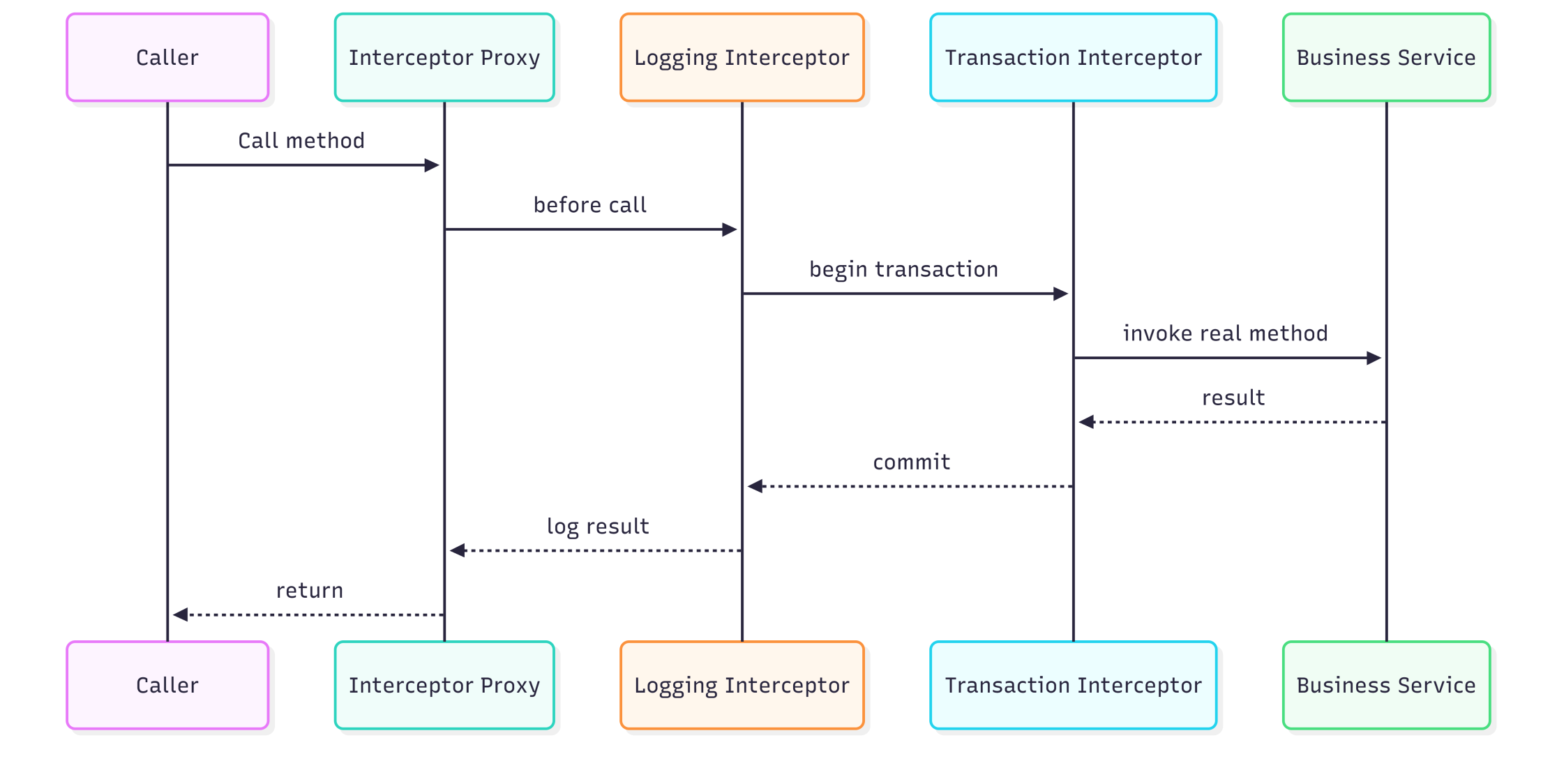
Business examples include opening and committing transactions around application services, logging audited operations, applying declarative security checks, and measuring execution time for selected service categories.
Caution: interception adds indirection and constraints. Autofac’s documentation includes guidance such as using public interfaces and virtual methods for relevant interception scenarios. (autofac.readthedocs.io)
Autofac supports component metadata. Its docs define metadata as information stored with a component and accessible without necessarily creating a component instance. Metadata is useful when selecting one of many components based on runtime criteria, and consumers can use Meta<T>. (autofac.readthedocs.io)
Business case: selecting an implementation requires more than a simple key.
Examples:
payment provider selected by region, currency, risk tier, and card network;
travel supplier selected by market, product type, and contract version;
document parser selected by file type, schema version, and customer;
fraud rule selected by risk category and jurisdiction.
A simple key can be enough with built-in keyed services. Autofac becomes more attractive when selection is metadata-rich and needs discovery, filtering, and strongly typed metadata.
Autofac has official multitenancy support through Autofac.Multitenant. The docs say it enables multitenant dependency injection support. They describe a multitenant application as one deployed centrally while allowing separate tenants to see it as their own, and specifically discuss cases where business logic must change per tenant. (autofac.readthedocs.io)
Business case: a SaaS platform shares one application but tenants require different behavior.
Examples:
Tenant A uses standard pricing; Tenant B uses custom rounding.
Tenant A uses one tax provider; Tenant B uses another.
Tenant A has a custom workflow approval chain.
Tenant B overrides document-generation rules.
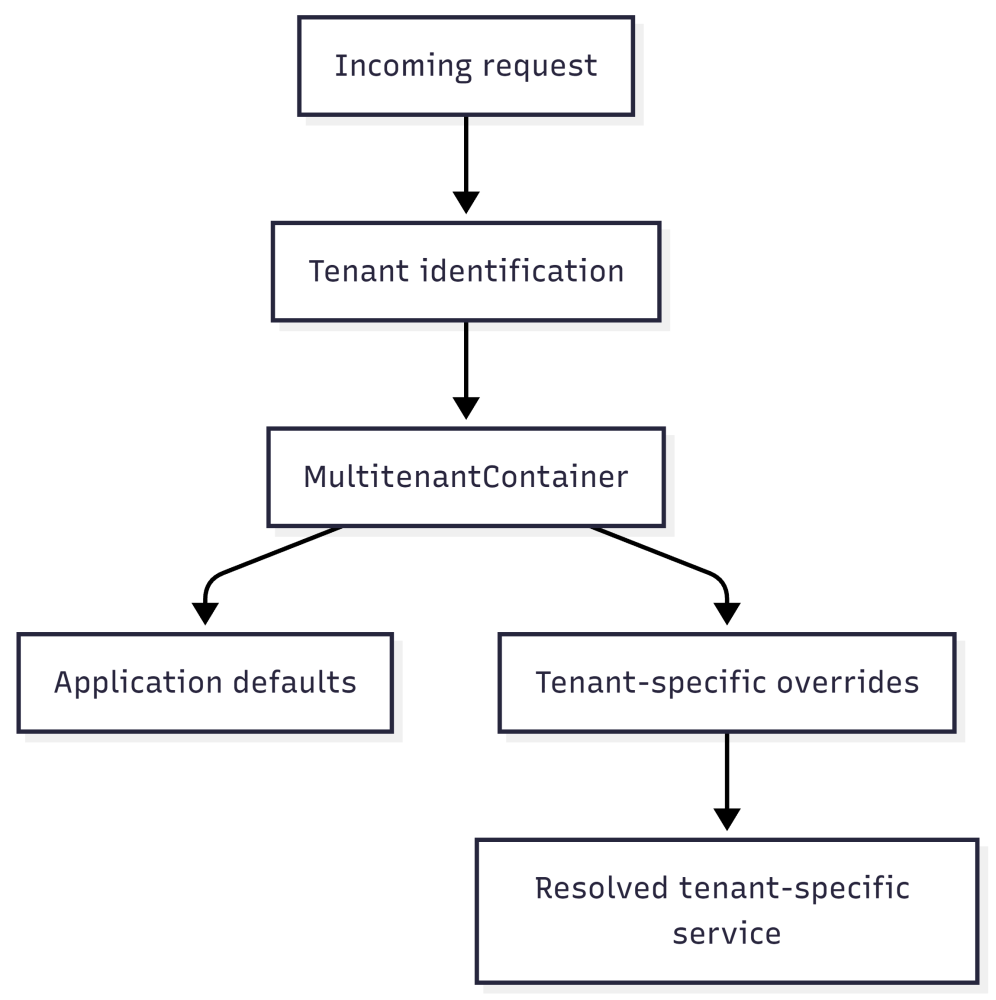
Autofac’s ASP.NET Core multitenancy integration uses AutofacMultitenantServiceProviderFactory, root registrations for non-tenant-specific services, and tenant-specific configuration inside the multitenant container. (autofac.readthedocs.io)
18. Autofac integration with ASP.NET Core
Autofac’s official ASP.NET Core docs show the modern integration model for ASP.NET Core 3.0+ and generic hosting: use UseServiceProviderFactory(new AutofacServiceProviderFactory()). ConfigureServices remains where you register framework and library services into IServiceCollection; ConfigureContainer is where you register Autofac-specific components directly into ContainerBuilder. Autofac’s docs explicitly warn not to build the container manually in ConfigureContainer; the factory does that. (autofac.readthedocs.io)
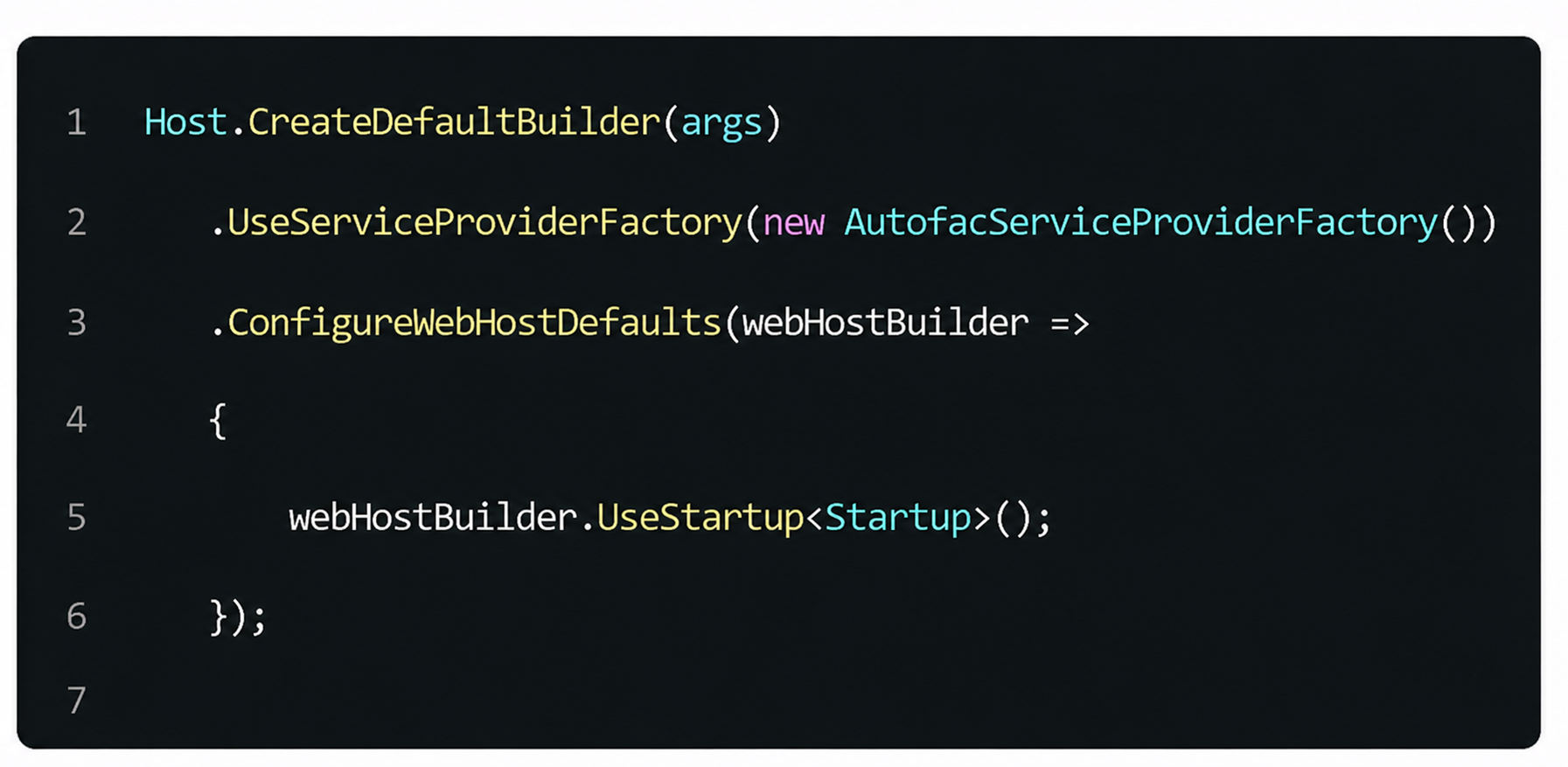
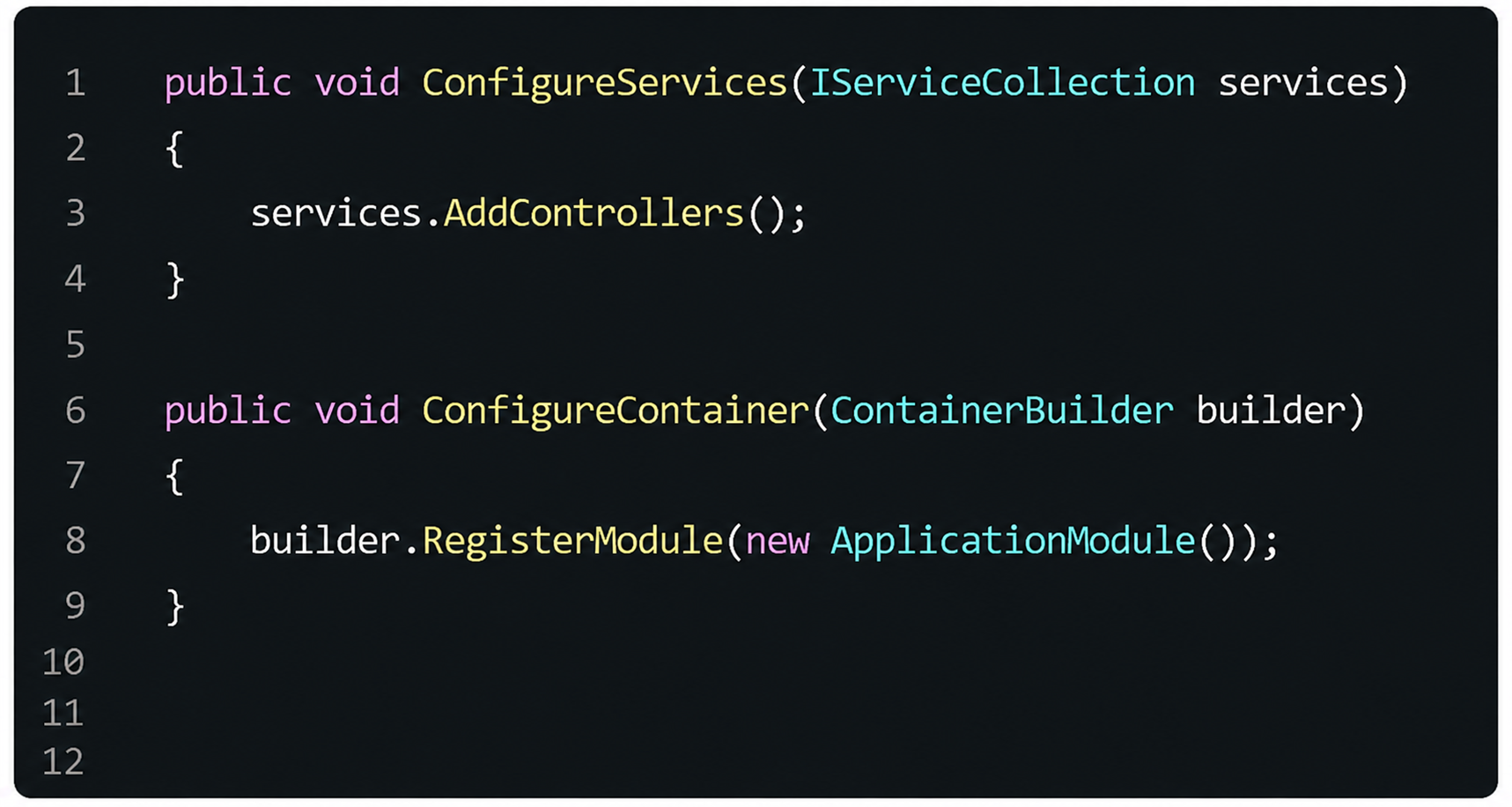
Important architectural point: using Autofac in ASP.NET Core does not mean throwing away IServiceCollection. You still use ASP.NET Core’s service model for framework registrations, and you use ConfigureContainer for Autofac-specific composition.
The built-in .NET DI container should remain the default choice when the application needs standard dependency injection features: constructor injection, transient/scoped/singleton lifetimes, open generics, IEnumerable<T> multiple implementations, keyed services, scope validation, and even auto-activated singletons through the official package. These are supported well enough for most APIs, workers, and business applications .
A replacement container becomes relevant only when the application needs features the built-in provider does not support or supports only awkwardly. Microsoft’s own unsupported-feature examples include property injection, child containers, custom lifetime management, Func<T> lazy initialization, and convention-based registration .
Autofac is especially useful when advanced composition is part of the architecture: decorators, interceptors, metadata-heavy selection, tenant-specific overrides, hierarchical lifetime scopes, Owned<T>, parameterized factories, or module-based registration. In these cases, Autofac is not just replacing registration syntax; it is providing a richer object-composition model.
The recommendation is simple: stay with built-in DI unless an unsupported or advanced composition feature is central to the system. Replace the container deliberately, not because a third-party container feels more enterprise.
Built-in DI is usually enough for simple REST APIs, CRUD microservices, internal business applications, and background workers with normal scoped processing. In these cases, constructor injection, standard lifetimes, IServiceScopeFactory, open generics, multiple implementations, and keyed services usually provide enough structure without adding another container.
Autofac becomes more justified when the application needs advanced composition rather than simple dependency registration. Typical examples include legacy systems that require property injection, plugin platforms that need isolated registrations, multi-tenant SaaS applications with tenant-specific business logic, and large modular monoliths where assembly scanning or modules reduce registration complexity.
It is also useful when cross-cutting behavior must be applied consistently across many services. Command/query pipelines, integration clients, validators, and message handlers may benefit from decorators, interceptors, metadata-based selection, or AOP-style transaction, logging, security, and diagnostics behavior.
Autofac is strongest when the object graph itself needs richer lifetime and resolution semantics: runtime factories with parameters, Func<T> lazy creation, Owned<T> per-operation disposal, hierarchical lifetime scopes, or tenant-specific overrides. These are the cases where the built-in container may become awkward or insufficient, and Autofac can become an architectural fit rather than an unnecessary dependency .
This scoring model is a practical architecture heuristic, not an official Microsoft or Autofac rating. It helps compare DI container choices across time-to-value, delivery risk, operational risk, security/compliance, scalability, maintainability, cost, and vendor lock-in. In the original matrix, 5 means the strongest option and 1 means the weakest option for that criterion .
Staying with the built-in .NET DI container is the best default when the system only needs constructor injection, standard lifetimes, open generics, multiple implementations, keyed services, and normal ASP.NET Core integration. It has the lowest delivery and operational risk because it is native to the .NET platform and keeps the composition model simple. Microsoft’s guidance also supports this default: use the built-in container unless a specific unsupported feature is required .
Built-in DI plus explicit factories or module-style extension methods is a good middle ground when the application needs more structure but not a richer container. It keeps vendor lock-in low while allowing the team to organize registrations cleanly.
Autofac is justified when advanced composition becomes a real requirement: property injection, child scopes, custom lifetimes, decorators, interceptors, metadata-based selection, tenant-specific overrides, or relationship types such as Func<T>, Lazy<T>, and Owned<T>.
A full Autofac-first architecture should be reserved for platforms where advanced composition is central to the product, such as plugin systems, multi-tenant SaaS, workflow engines, or large modular monoliths. It can be correct, but it brings more complexity, learning curve, and vendor lock-in.
The recommended enterprise approach is built-in DI first, then Autofac only where concrete composition requirements justify it.
Use scoped for request-bound state and data access. Do not let request state escape into singletons.
Use singleton only for thread-safe, app-wide, long-lived state. Microsoft says singleton services must be thread-safe. (Microsoft Learn)
Treat IServiceProvider injection as a smell except in infrastructure, factory, scope-boundary, and composition-root code. Microsoft warns against the service locator pattern. (Microsoft Learn)
Use IServiceScopeFactory when a singleton must perform scoped work, especially in BackgroundService implementations. Microsoft documents this pattern. (Microsoft Learn)
Do not manually dispose DI-created services. Microsoft says the container owns cleanup for the types it creates. (Microsoft Learn)
Do not use async constructors or async DI factories. Microsoft says async/await and Task-based service resolution are not supported, and factory methods should be fast and synchronous. (Microsoft Learn)
Understand lazy behavior precisely: singleton DI is lazy by default; Lazy<T> is a BCL wrapper; Func<T> lazy initialization is not supported by the built-in container; Autofac supports richer relationship types when they are architecturally necessary. (Microsoft Learn)
Do not introduce Autofac because the system is “enterprise.” Introduce it because the composition model requires features the built-in provider intentionally does not provide.

The best DI architecture is boring for most code and powerful only at the composition boundary. Business services should not know which container you use. They should express dependencies clearly through constructors and lifetimes. The composition root can then decide whether the built-in provider is enough or whether Autofac’s richer model is justified.
First, audit all singleton services and check whether they depend on scoped services directly or indirectly. Also check whether singleton dependencies are thread-safe.
Second, enable scope validation in development and test environments. Remove BuildServiceProvider calls from service registration code.
Third, audit disposable transient and scoped services. Make sure they are not resolved from the root provider and that short-lived disposable resources use factories or explicit scopes.
Fourth, identify every place where the team says “we need lazy DI.” Classify each case as built-in singleton lazy creation, official auto-activation, explicit scope factory, Lazy<T> value-level lazy initialization, manual factory, or true replacement-container requirement.
Fifth, list advanced composition needs: property injection, tenant overrides, decorators, interceptors, plugin scopes, assembly scanning, metadata selection, Func<T> factories, Owned<T>, or custom lifetime rules. For each, decide whether built-in DI, built-in DI plus explicit pattern, or Autofac is the cleanest solution.
Microsoft Learn — .NET dependency injection. (Microsoft Learn)
Microsoft Learn — Service lifetimes. (Microsoft Learn)
Microsoft Learn — Dependency injection guidelines. (Microsoft Learn)
Microsoft Learn — Service registration. (Microsoft Learn)
Microsoft Learn — Dependency injection auto-activation. (Microsoft Learn)
Microsoft Learn — Lazy initialization. (Microsoft Learn)
Official .NET runtime source — ServiceProvider.cs. (source.dot.net)
Official .NET runtime source — ServiceProviderEngineScope.cs. (source.dot.net)
Official .NET runtime source — CallSiteFactory.cs. (source.dot.net)
Autofac documentation — Property and method injection. (autofac.readthedocs.io)
Autofac documentation — Controlling scope and lifetime. (autofac.readthedocs.io)
Autofac documentation — Instance scope. (autofac.readthedocs.io)
Autofac documentation — Implicit relationship types. (autofac.readthedocs.io)
Autofac documentation — Assembly scanning. (autofac.readthedocs.io)
Autofac documentation — Modules. (autofac.readthedocs.io)
Autofac documentation — Adapters and decorators. (autofac.readthedocs.io)
Autofac documentation — Type interceptors. (autofac.readthedocs.io)
Autofac documentation — Component metadata. (autofac.readthedocs.io)
Autofac documentation — Multitenant applications. (autofac.readthedocs.io)
Autofac documentation — ASP.NET Core integration. (autofac.readthedocs.io)