Objects, Arrays, and Object Property Descriptors: A Deep Dive
- Home
- Objects, Arrays, and Object Property Descriptors: A Deep Dive

JavaScript Objects, Arrays, and Property Descriptors
A practical guide to data structures, property behavior, and safer mutations
Objects and arrays solve different problems in JavaScript, but they share the same underlying object model. Understanding how values are stored, how array operations behave, and how property descriptors work helps you write code that is easier to reason about and safer to maintain.
1. Objects: named properties and behavior
Use an object when you want to group values under meaningful keys. A property name is usually a string, but symbols can also be used as keys. Functions stored on an object can act as methods.
ow which methods mutate
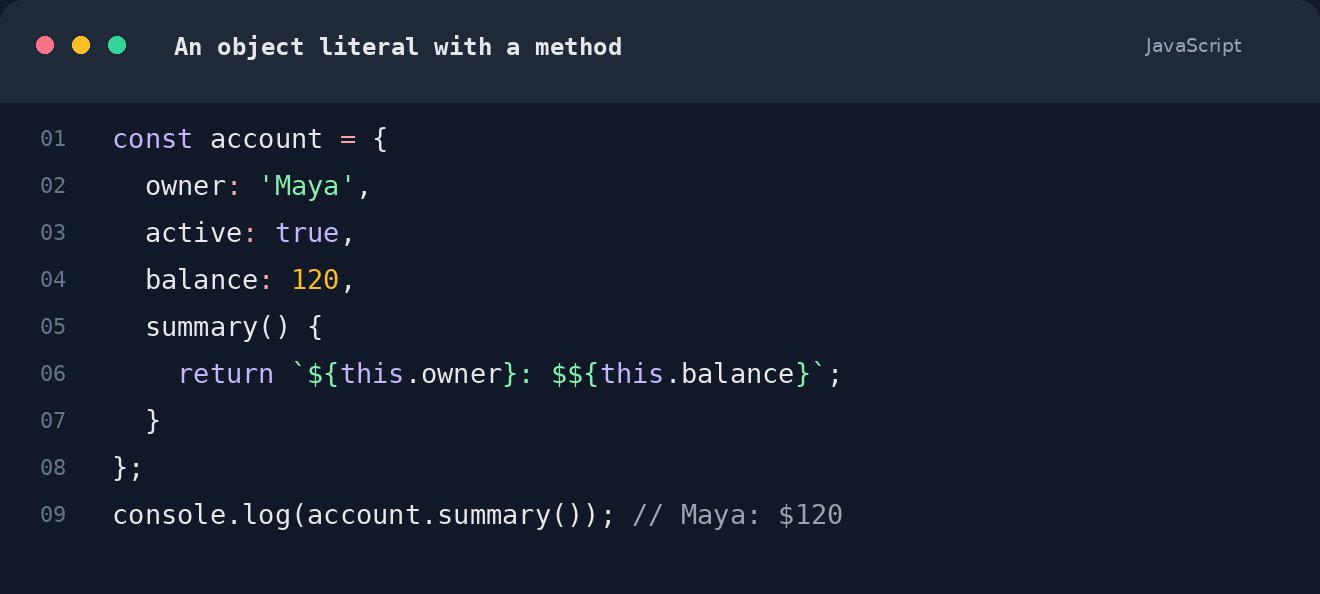
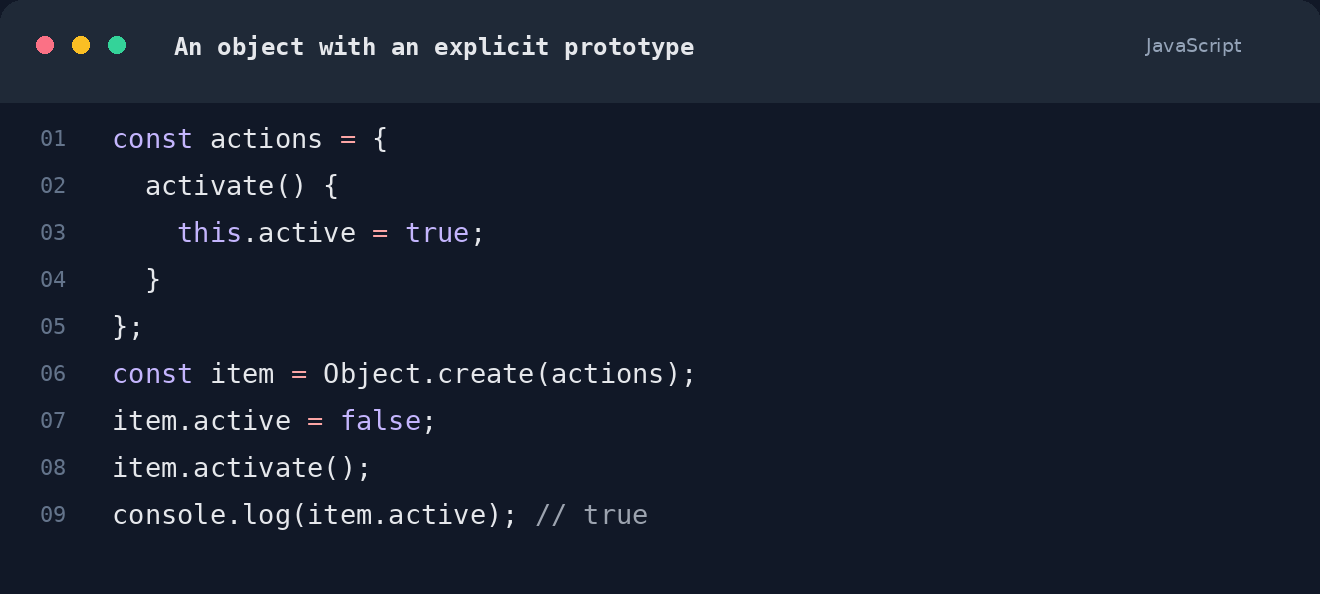
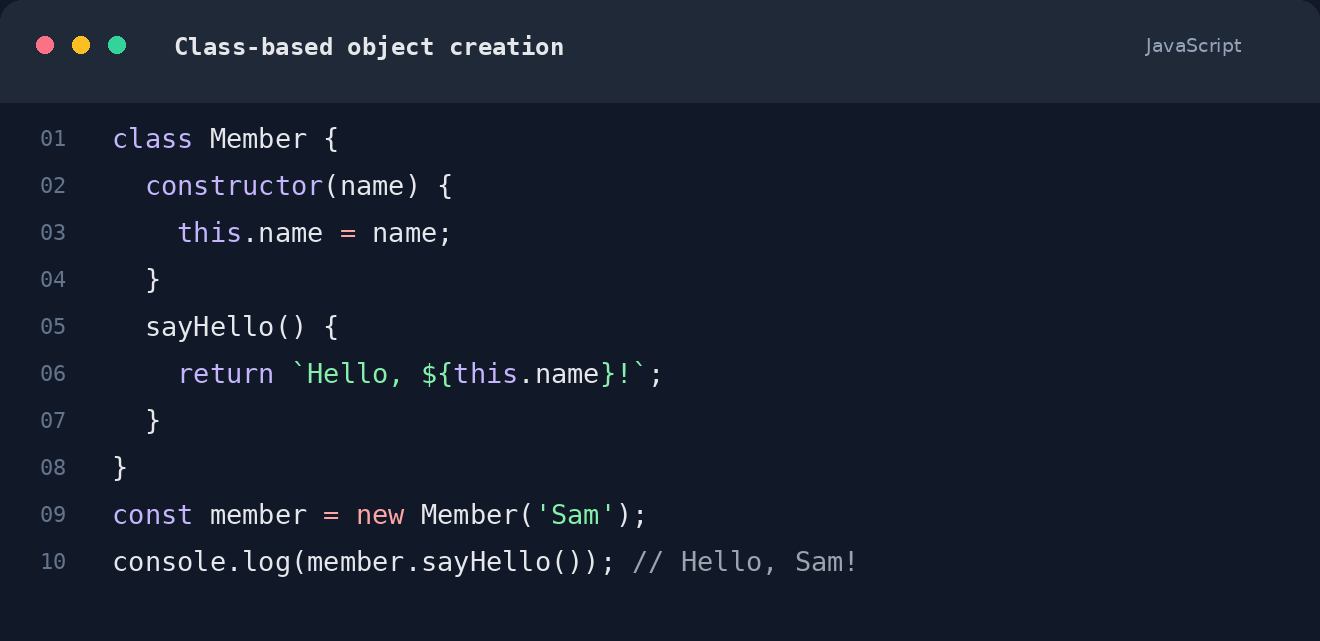
Object literals are the most direct option. For inherited behavior, you can also create an object with a particular prototype. A class provides another convenient way to create instances.
Reference identity matters
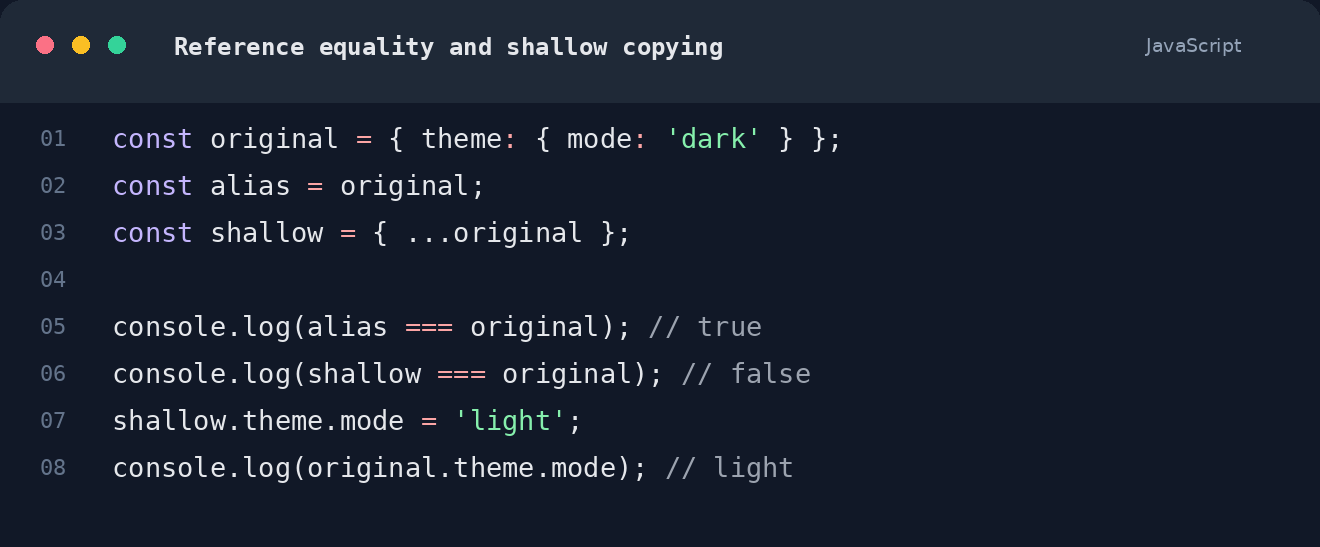
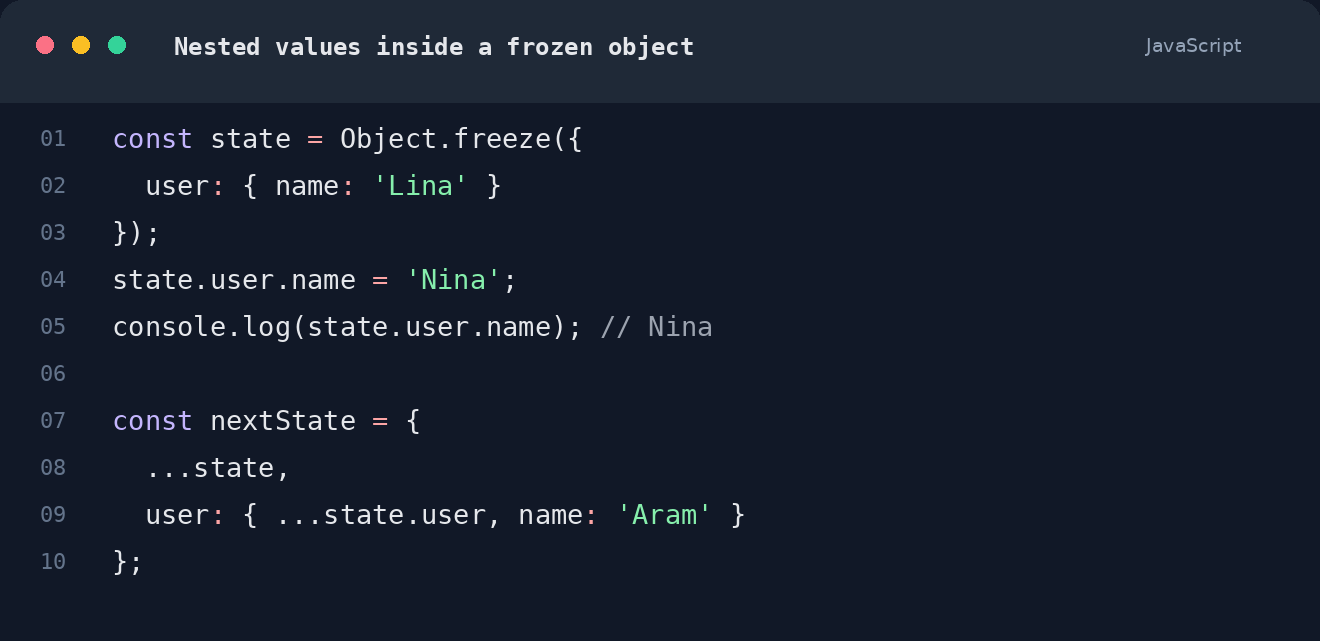
Objects are compared by reference, not by a deep comparison of their contents. Copying an object with the spread syntax creates a new outer object, but nested objects remain shared unless you copy them too.
2. Arrays: ordered, indexed collections
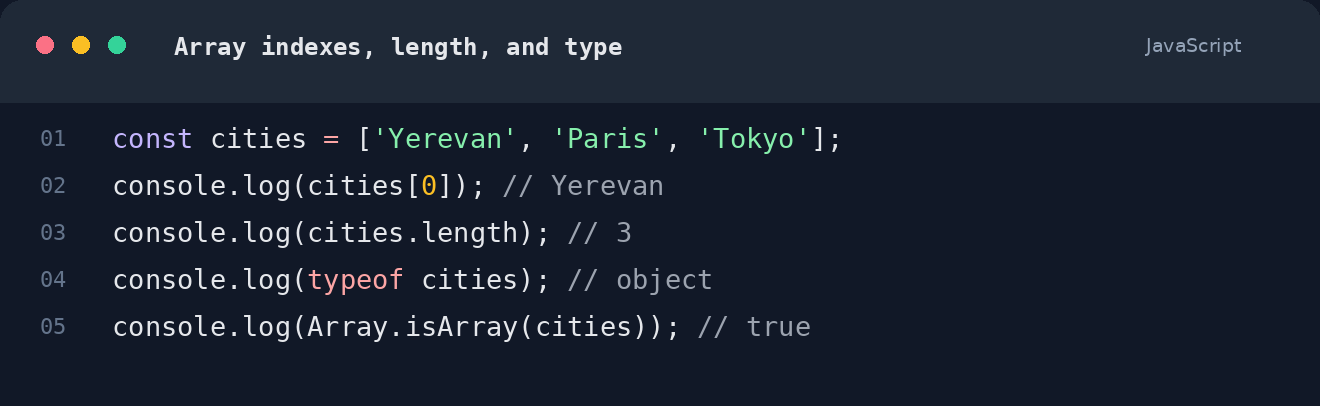
An array is an object designed for ordered values. Its most important special behavior is the length property, which reacts to valid array indexes. Use Array.isArray when you need to test whether a value is an array.
Sparse arrays are not the same as undefined values
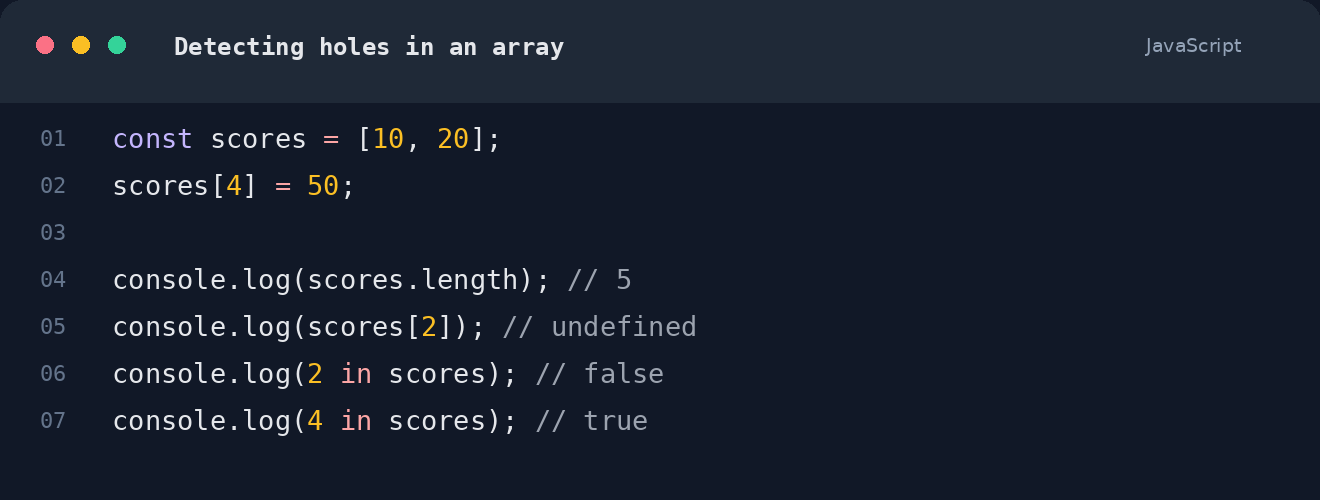
Assigning an element far beyond the current end creates empty slots. Reading an empty slot normally gives undefined, but the slot is still absent; that distinction can affect iteration methods.
Choose the right array constructor
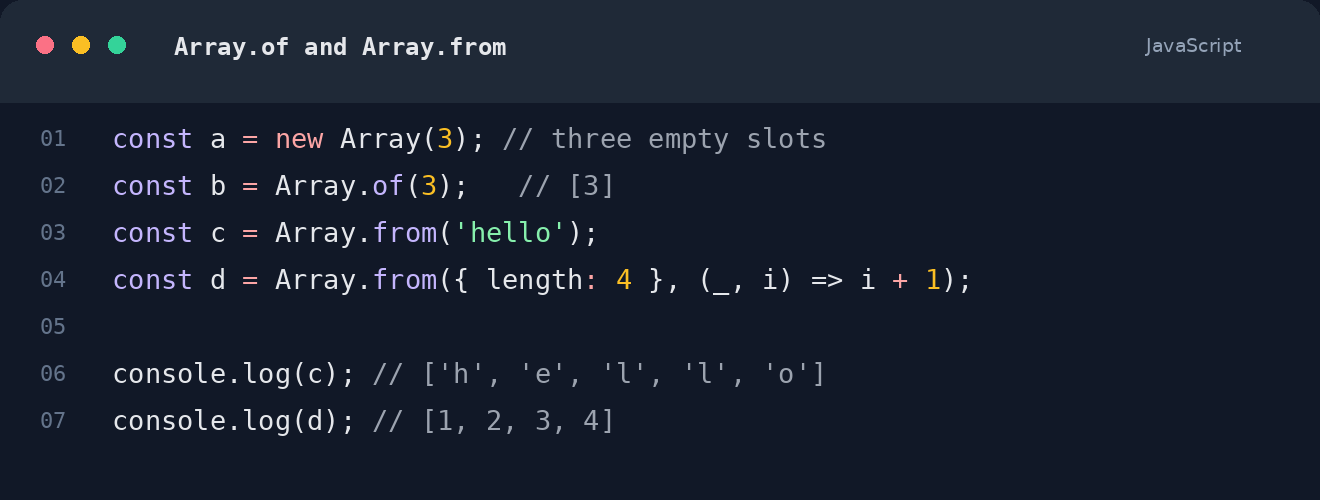
Array.of always treats its arguments as elements. Array.from can build an array from an iterable or an array-like input; it can also map each element while creating the result.
3. Working with arrays without surprises
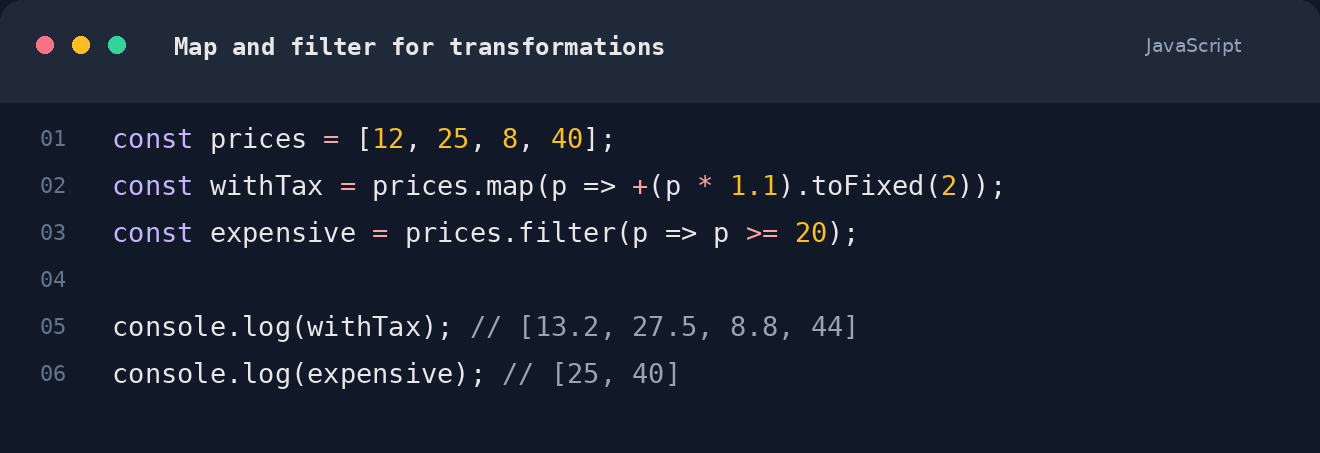
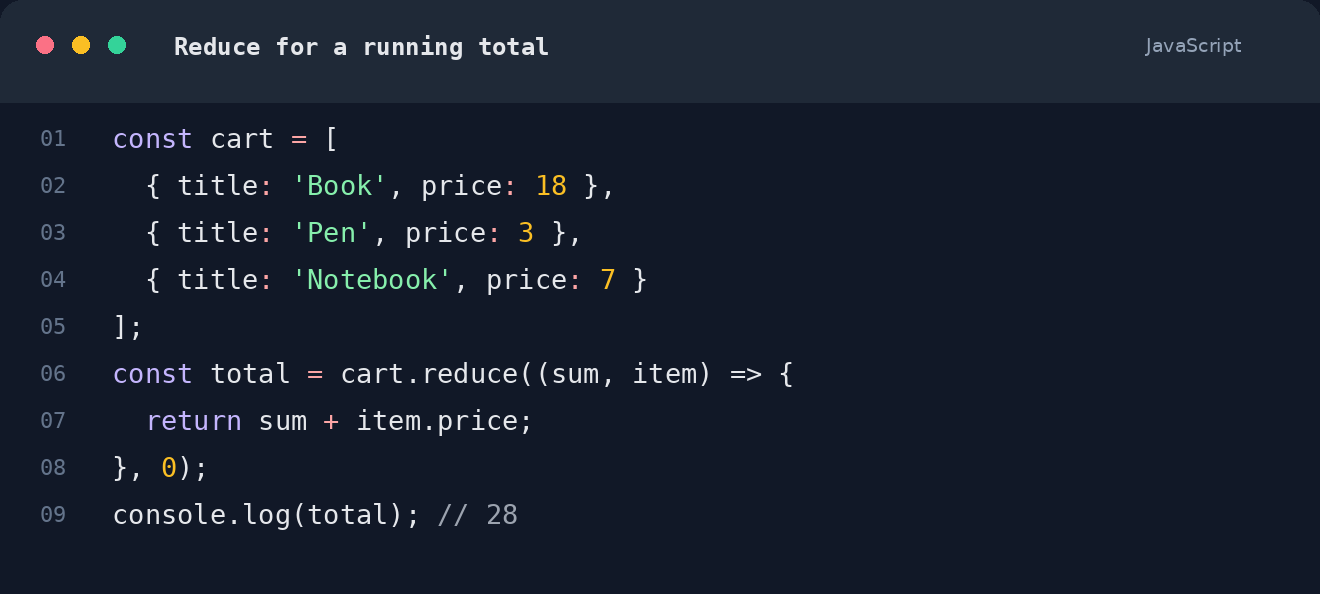
map creates a new array by transforming each element. filter keeps only elements that match a condition. reduce combines the elements into a single accumulated value.
Iteration is not transformation
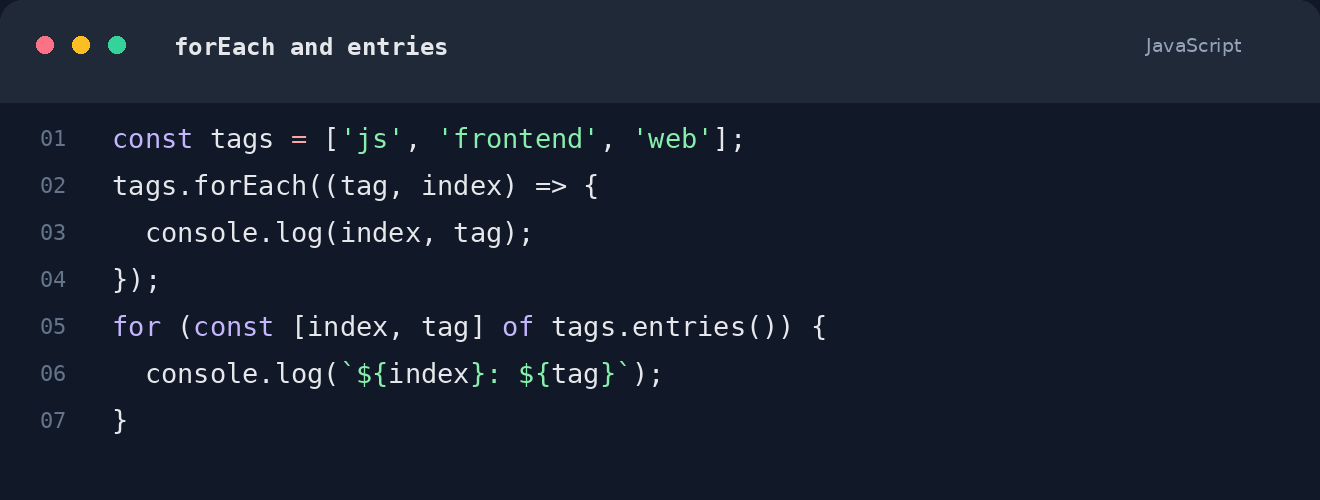
forEach is useful for side effects such as logging, while entries gives index-value pairs. If you need a new array, prefer map to forEach with manual pushing.
Know which methods mutate
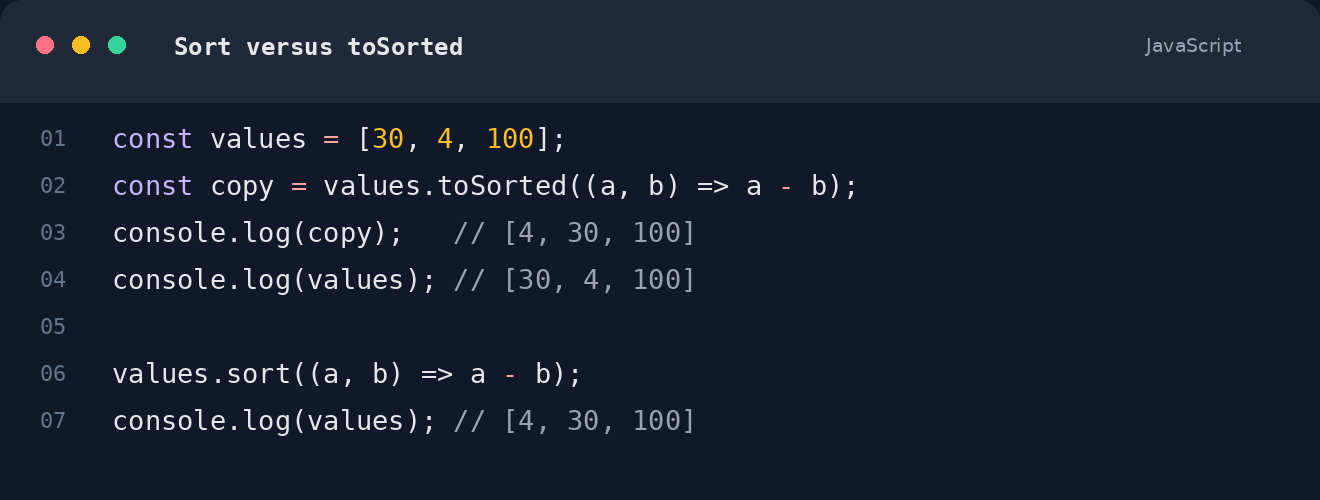
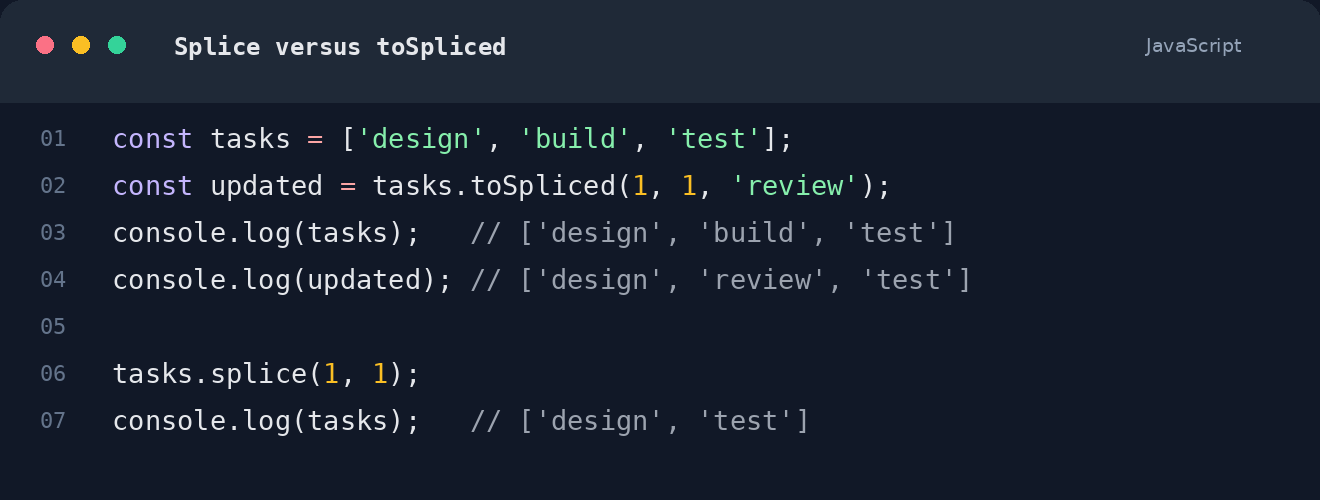
sort and splice change the existing array. toSorted and toSpliced, in modern JavaScript environments, return modified copies instead. A numeric comparator is important when sorting numbers.
4. Property descriptors: the rules behind a property
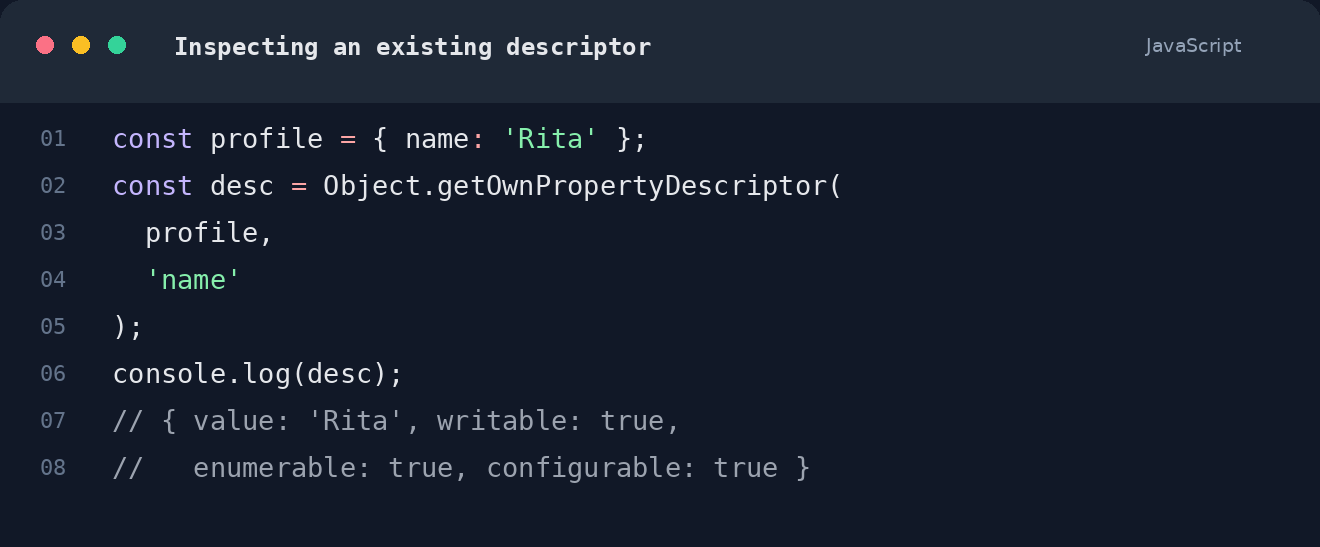
Each own property carries a descriptor. Data properties have a value and a writable flag. Both data and accessor properties can be enumerable or configurable. Accessor properties use get and/or set functions instead of a stored value.
value - The current stored value of a data property.
writable - Whether a data property can be assigned a different value.
enumerable - Whether the property appears in common enumeration operations.
configurable - Whether it can be deleted or its descriptor redefined (with limits).
get / set - Functions used to read or assign an accessor property.
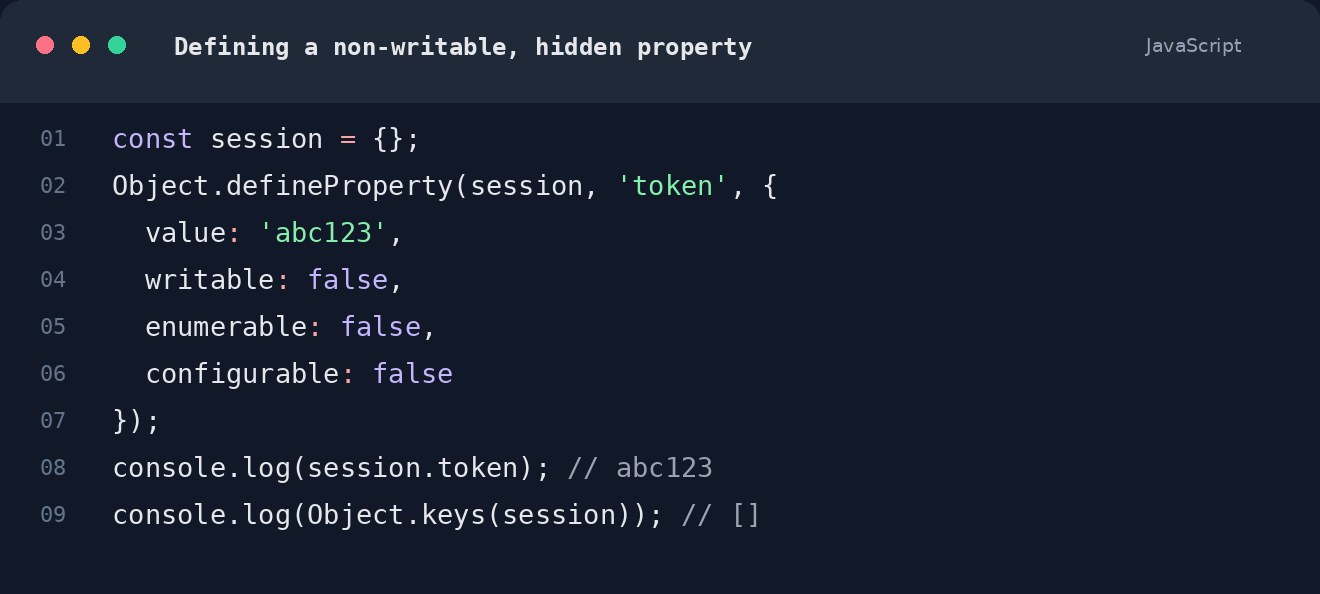
Properties created by normal assignment are typically writable, enumerable, and configurable. Properties created with Object.defineProperty default to false for unspecified Boolean attributes, so an explicit descriptor is clearer.
Restrict an individual property
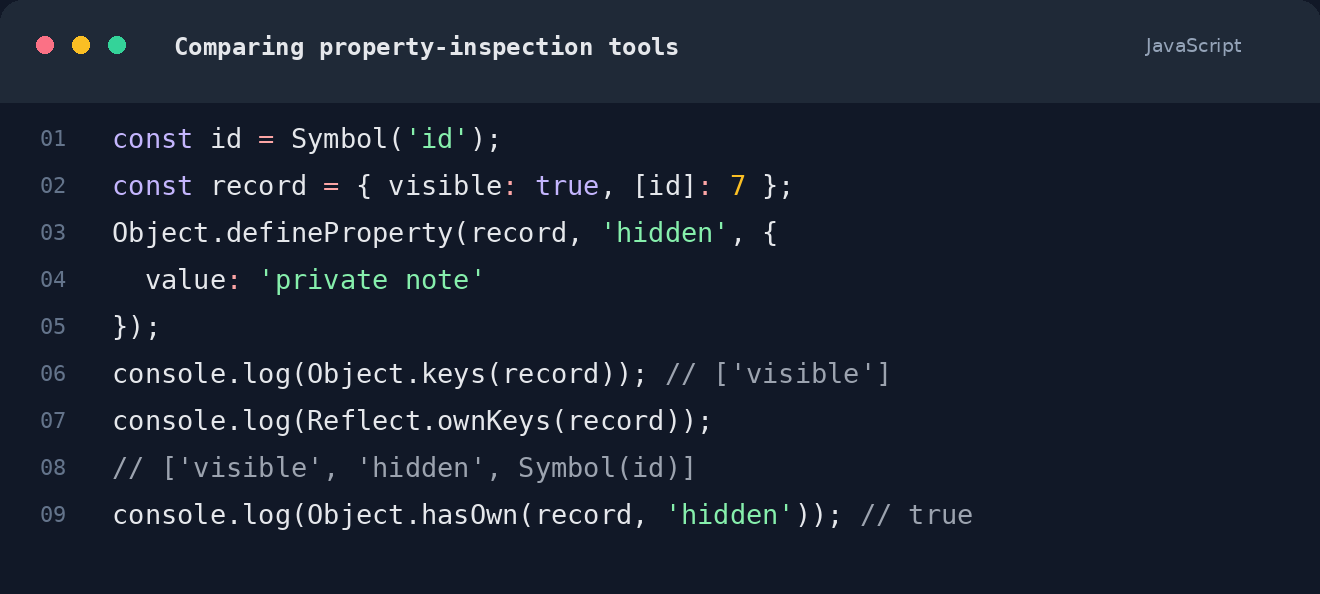
Object.defineProperty allows fine-grained control. Here the token can be read but will not appear in Object.keys. In strict mode, trying to assign another value throws a TypeError.
Define several properties together
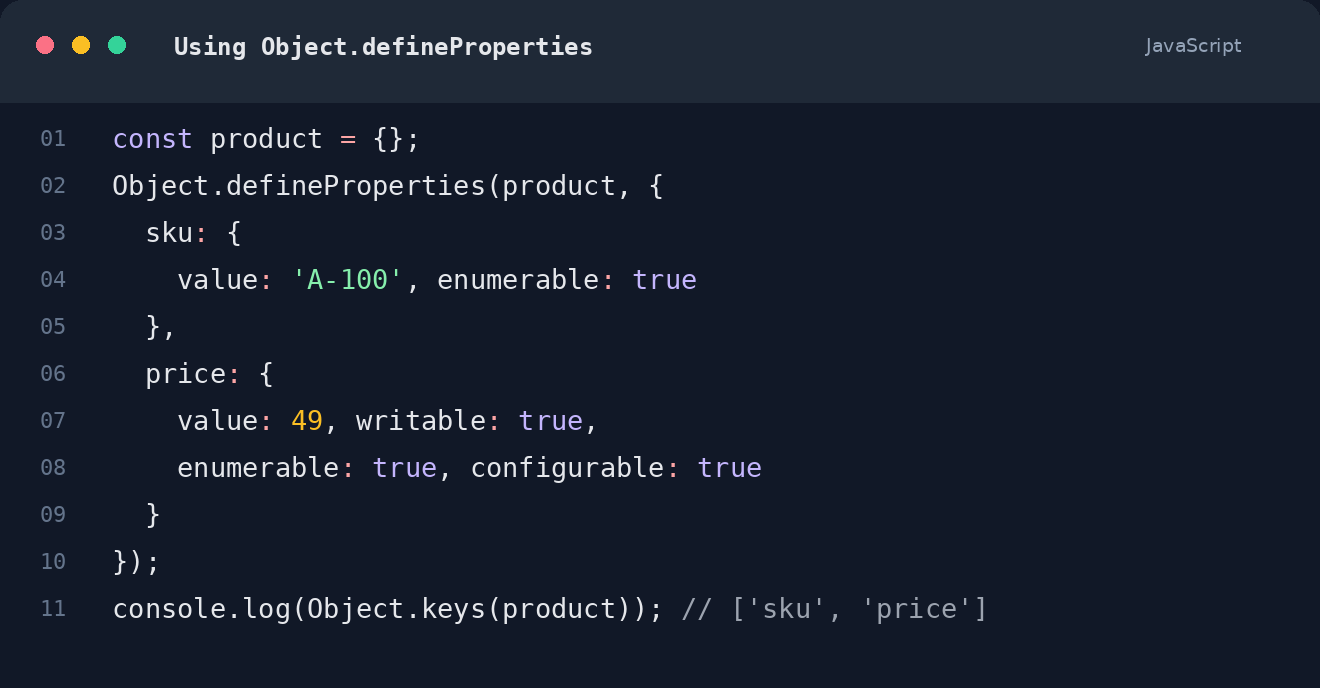
Object.defineProperties takes a map of property names to descriptors. This is useful when several properties need different rules, but avoid adding descriptor complexity when ordinary properties would work.
Getters and setters create accessor properties
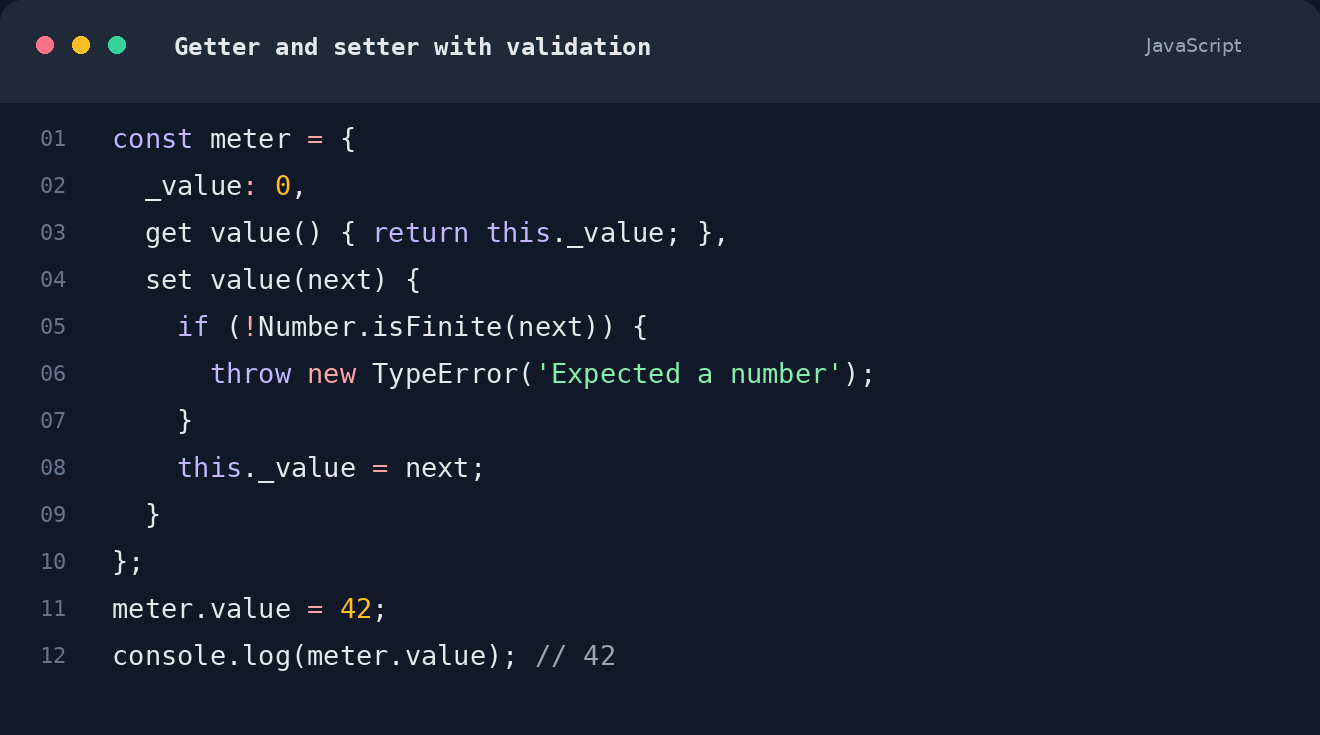
A getter computes the value that a consumer reads. A setter can validate input before changing internal state. They are useful for controlled interfaces, but avoid unexpected expensive work inside accessors.
Enumeration is not the same as property ownership
Object.keys returns enumerable own string keys. Reflect.ownKeys returns all own keys, including non-enumerable strings and symbols. Object.hasOwn checks for an own property without searching the prototype chain.
5. Preventing changes: three different tools
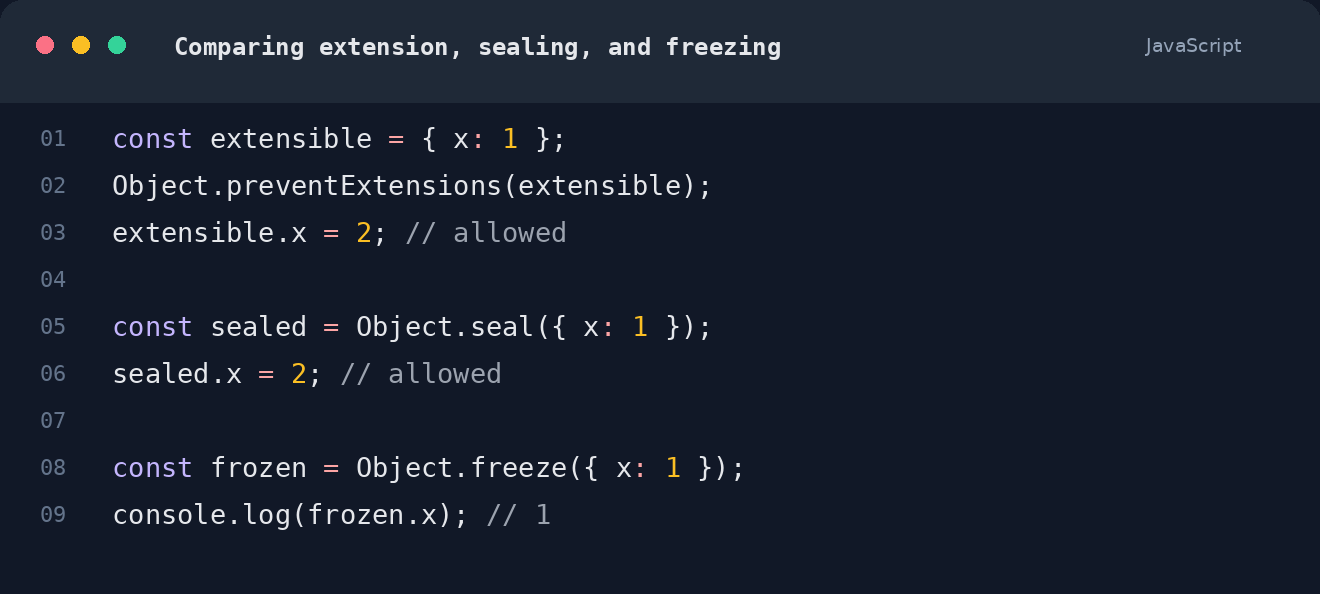
Object.preventExtensions stops new properties from being added. Object.seal also blocks deletion or reconfiguration of existing properties. Object.freeze additionally makes existing data properties non-writable.
preventExtensions - Cannot add new properties; existing ones can still be changed or deleted if allowed.
seal - Cannot add or delete properties; writable values may still change.
freeze - Cannot add or delete properties, or reassign existing data-property values.
Freezing is shallow, not recursive
Object.freeze only freezes the immediate object. Nested objects can still change unless they are separately frozen. For immutable data updates, creating new nested objects is often easier to manage.
6. Practical rules to remember
• Choose objects for named fields and arrays for ordered values.
• Expect object copying with spread to be shallow.
• Use array methods according to whether you want a new array or an in-place change.
• Inspect descriptors when property behavior is surprising.
• Use freeze, seal, and preventExtensions only when their restrictions solve a real need.
• Remember that freezing and sealing affect the object itself, not every nested object.
Conclusion
Objects, arrays, and property descriptors are connected parts of one JavaScript model. Once you understand reference identity, iteration, mutation, and property flags, subtle behavior becomes predictable. Start with plain, readable data structures, and reach for descriptor-level control when a specific requirement calls for it.
Further reading: Armen Melkumyan, “Objects, Arrays, and Object Property Descriptors: A Deep Dive” (LinkedIn, 7 September 2026).
Technical / Solutions Architect
https://www.linkedin.com/pulse/objects-arrays-object-property-descriptors-de