.NET C# Technical Interviews: How to Call an Async Method Synchronously
- Home
- .NET C# Technical Interviews: How to Call an Async Method Synchronously

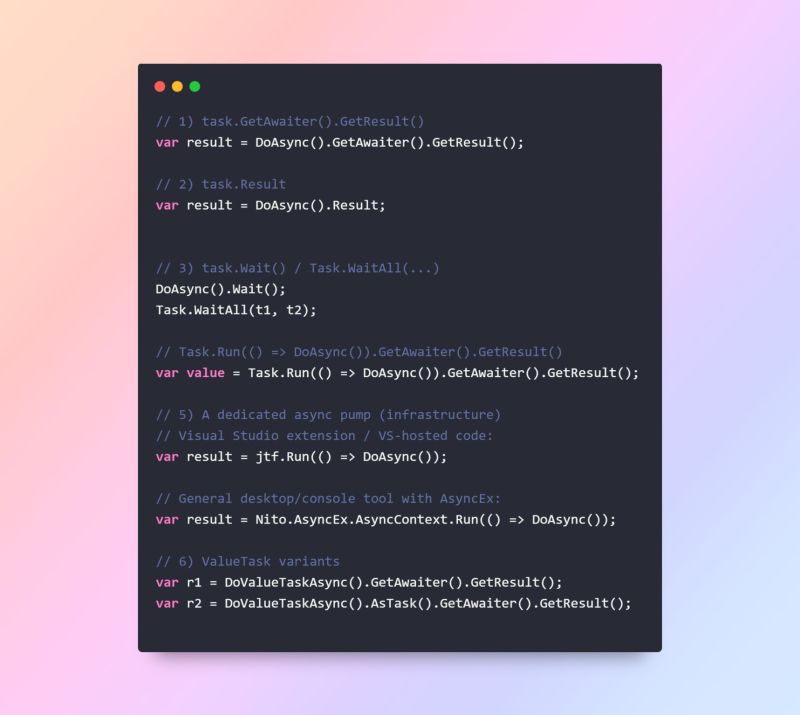
var result = DoAsync().GetAwaiter().GetResult();
var result = DoAsync().Result;
Generally, GetAwaiter().GetResult() is preferable when synchronous blocking is unavoidable and aggregate exception semantics are not required.
DoAsync().Wait();
Waiting for multiple tasks:
Task.WaitAll(task1, task2);
await Task.WhenAll(task1, task2);
This allows asynchronous coordination without synchronously blocking the calling thread.
var result = Task.Run(() => DoAsync()) .GetAwaiter() .GetResult();
The asynchronous operation is initiated on the thread pool while the calling thread waits synchronously.
This can avoid certain synchronization-context-related deadlocks in UI and legacy ASP.NET applications.
This approach should generally be considered a last resort rather than a standard asynchronous programming pattern.
Specialized infrastructure can coordinate synchronous and asynchronous execution.
For example, Visual Studio extensibility provides JoinableTaskFactory:
var result = joinableTaskFactory.Run( async () => await DoAsync() );
JoinableTaskFactory coordinates asynchronous dependencies while synchronously waiting, allowing certain required continuations to execute.
This is not a general-purpose solution for server-side applications.
For asynchronous methods returning ValueTask, a safer synchronous bridge is to convert the operation to a Task once:
var result = DoValueTaskAsync() .AsTask() .GetAwaiter() .GetResult();
Direct access is also possible:
var result = DoValueTaskAsync() .GetAwaiter() .GetResult();
However, direct GetResult() is not guaranteed to block safely for an incomplete ValueTask backed by IValueTaskSource.
A common deadlock scenario involves synchronization context capture.
Consider the following execution flow:
The result is a deadlock.
await SomeOperationAsync() .ConfigureAwait(false);
ConfigureAwait(false) tells the await operation not to require resumption on the captured synchronization context or non-default task scheduler.
However, it does not eliminate every possible deadlock and does not make synchronous blocking non-blocking.
Unlike legacy ASP.NET, ASP.NET Core does not provide a request-specific SynchronizationContext by default.
This reduces the likelihood of traditional synchronization-context deadlocks.
However, synchronous blocking remains problematic because it can cause:
TechniqueException behaviorawaitOriginal exceptionGetAwaiter().GetResult()Original exceptionTask.ResultAggregateExceptionTask.Wait()AggregateExceptionTask.WaitAll()AggregateExceptionTask.Run().GetAwaiter().GetResult()Original exception
Whenever possible, keep the entire execution chain asynchronous.
public async Task<string> GetDataAsync() { return await DoAsync(); }
Then consume the method asynchronously:
var result = await GetDataAsync();
This avoids unnecessary thread blocking and generally improves application scalability.
A strong technical interview answer should go beyond simply listing Result, Wait(), and GetAwaiter().GetResult().
Understanding synchronization contexts, task scheduling, exception propagation, thread-pool starvation, and asynchronous continuations demonstrates deeper knowledge of the .NET runtime.
Knowing how to call asynchronous code synchronously is important. Knowing when not to do it is even more important.
#Dotnet #CSharp #Async #Await #TPL #Threading #Concurrency #ASPNetCore #WinUI #WPF #TechnicalInterview #SoftwareEngineering #Performance
Armen Melkumyan<br>Technical / Solutions Architect